
<GT-i7-10870H> How to turn on Auto Power on?
author: VENOEN
2025-10-10
Overview:
GT-i7-10870H, the motherboard is designed with a 3pin PWRON1 pin header. By default, the power-on self-start function is turned off. If you want to turn on this function, you can follow the steps below.
Prepare disassembly tools:
Phillips screwdriver *1
5mm socket screwdriver *1
Pliers *1
step 1:
Remove all peripheral products from the computer and unscrew the side and rear panel screws marked in the picture below.
GT-i7-10870H, the motherboard is designed with a 3pin PWRON1 pin header. By default, the power-on self-start function is turned off. If you want to turn on this function, you can follow the steps below.
Prepare disassembly tools:
Phillips screwdriver *1
5mm socket screwdriver *1
Pliers *1
step 1:
Remove all peripheral products from the computer and unscrew the side and rear panel screws marked in the picture below.

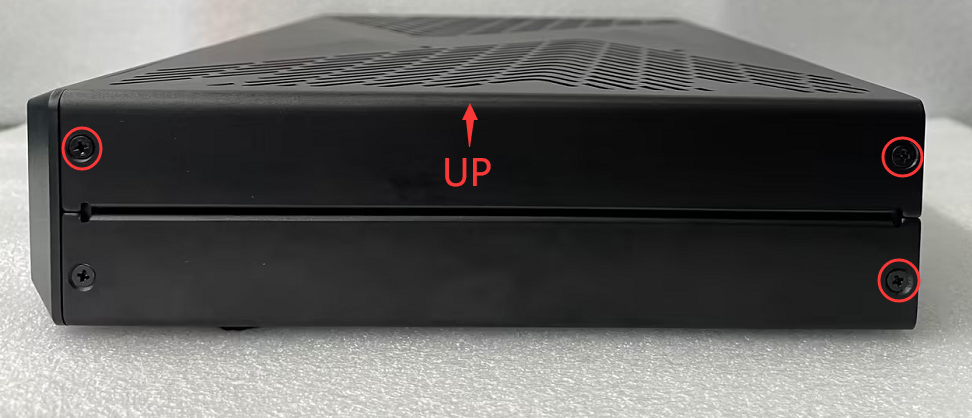
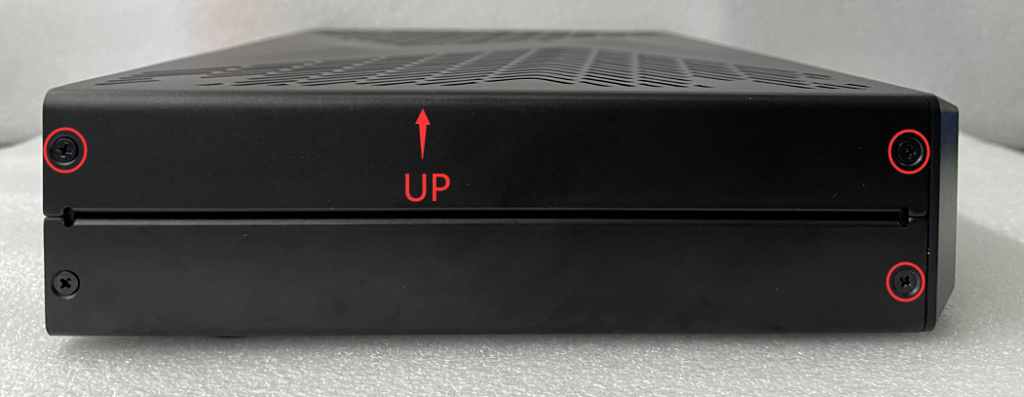
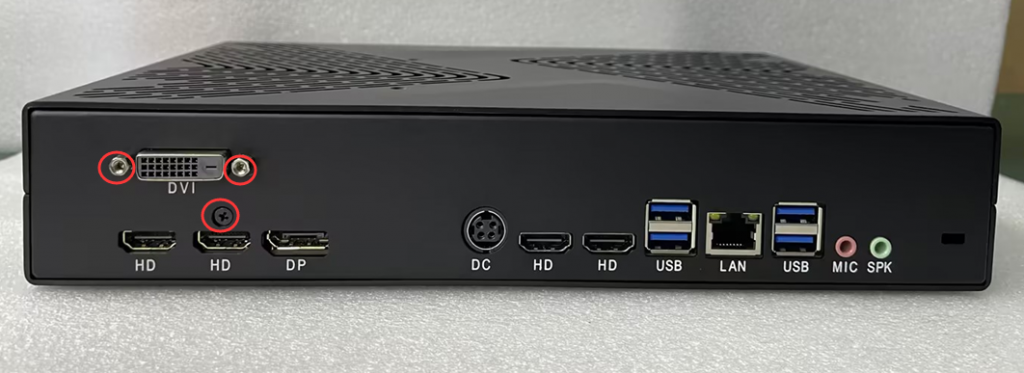
- Step 2:
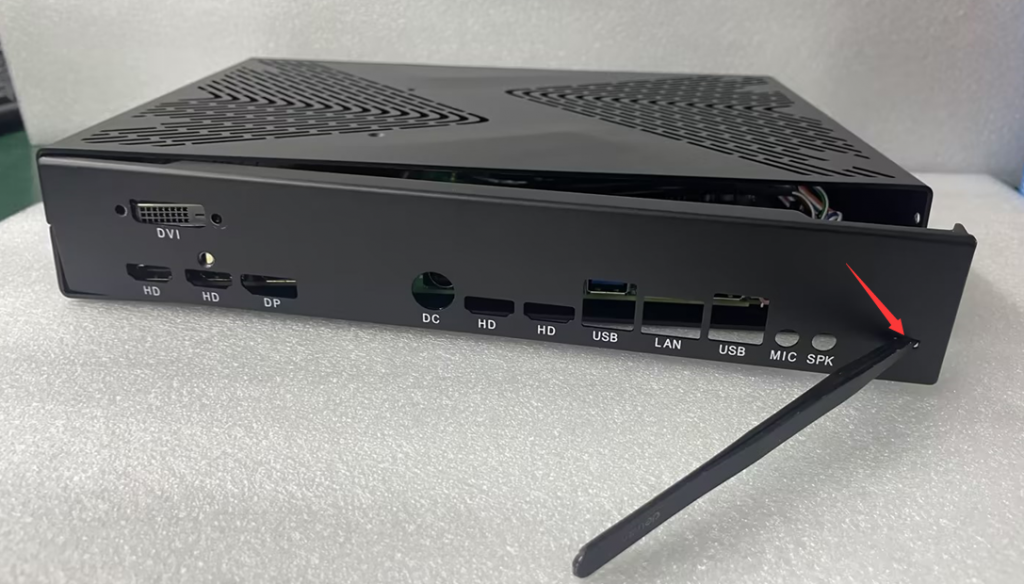
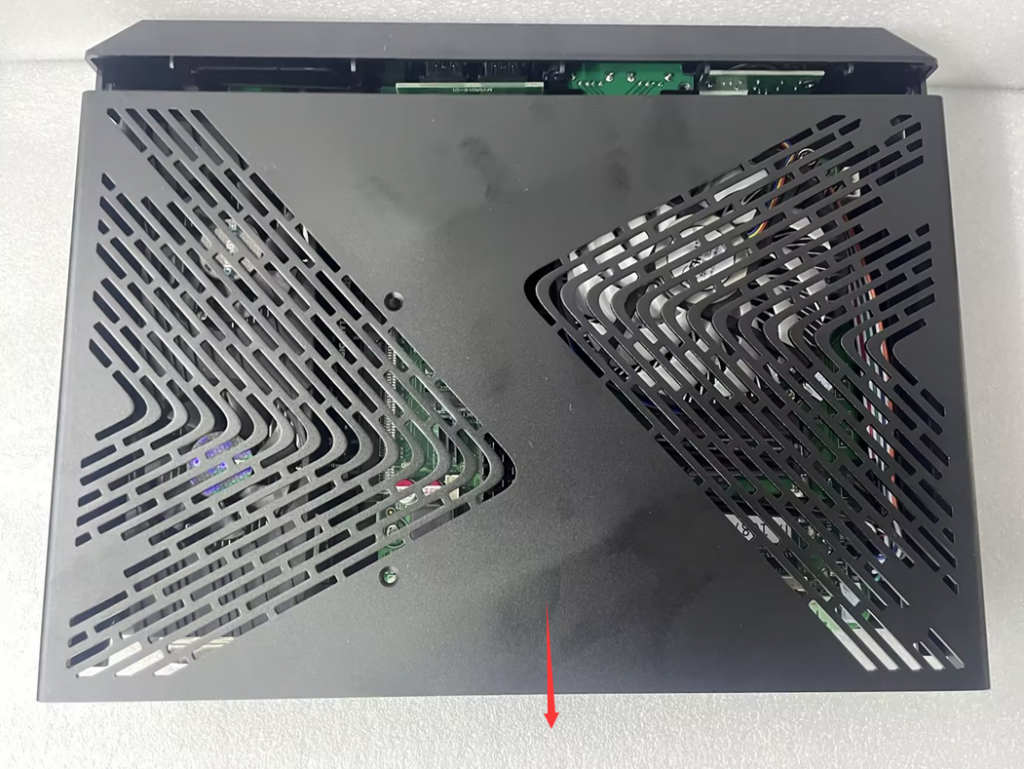
Use tweezers to remove the back bezel through the key hole of the back bezel. After removing the back bezel, push the upper cover of the chassis toward the back bezel to open the chassis and see the motherboard inside the chassis.

- Step 3:
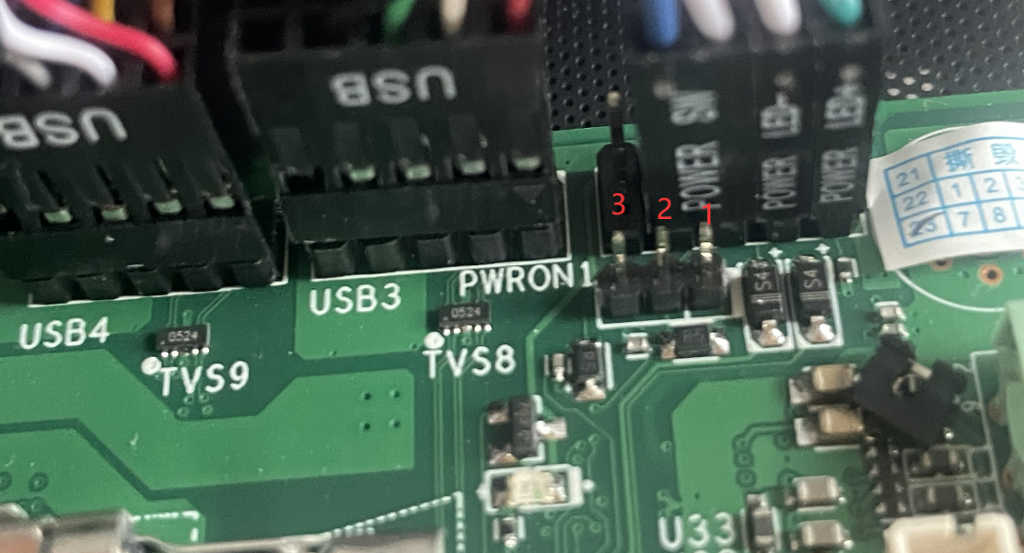
Find the PWRON1 pin header on the motherboard and move the jumper on the PWRON1 pin header to pin2 and pin3 to enable the power-on self-start function.

H2-J4125 How to turn on Auto Power on?
(P04-i5-3317U)How to Enable Auto Power on?
Related Article
