
[P09B-N100-4L] How to turn off Auto Power on and query the hard disk in BIOS
author: VENOEN
2025-08-04
The Auto Power on function is enabled by default in the BIOS before delivery. If you do not need this function, perform Step 1 to disable it in the BIOS.
Auto Power on is a power management setting option. In the BIOS (basic input/output System) of a fanless industrial mini-host, this option is turned on by default, meaning that the host automatically starts without the need to manually press the power button when certain conditions are met.
Trigger condition: After a short or long period of power failure, the host automatically starts once the mains recovers. This is important in industrial scenarios where work needs to be resumed as soon as power is restored, such as on some automated production lines, where any downtime can lead to production delays and economic losses.
Step 1. [Turn off the Auto Power on]
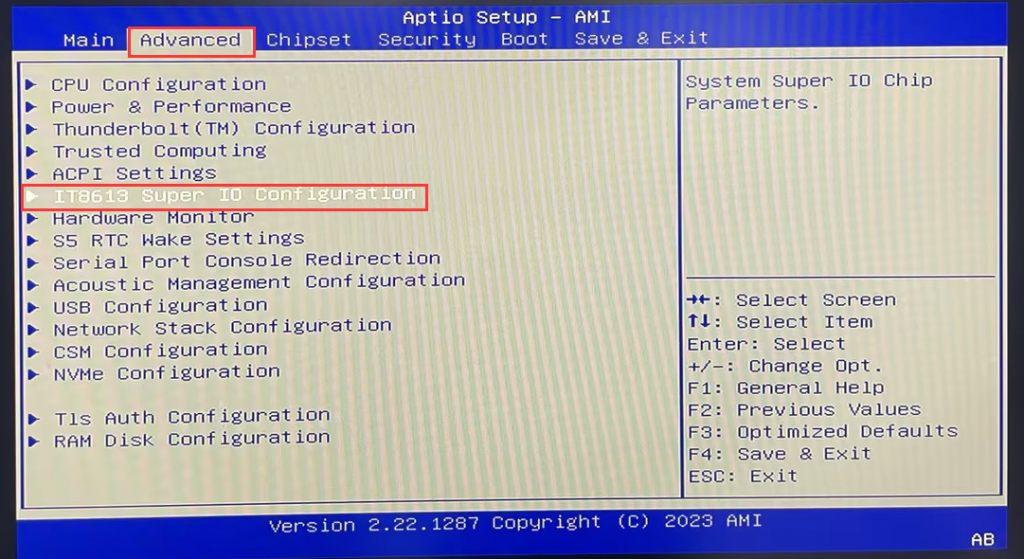
After the host is powered on, it will start up automatically. When AMI startup LOGO appears on the display, press Del key on the keyboard to enter BIOS Setup.
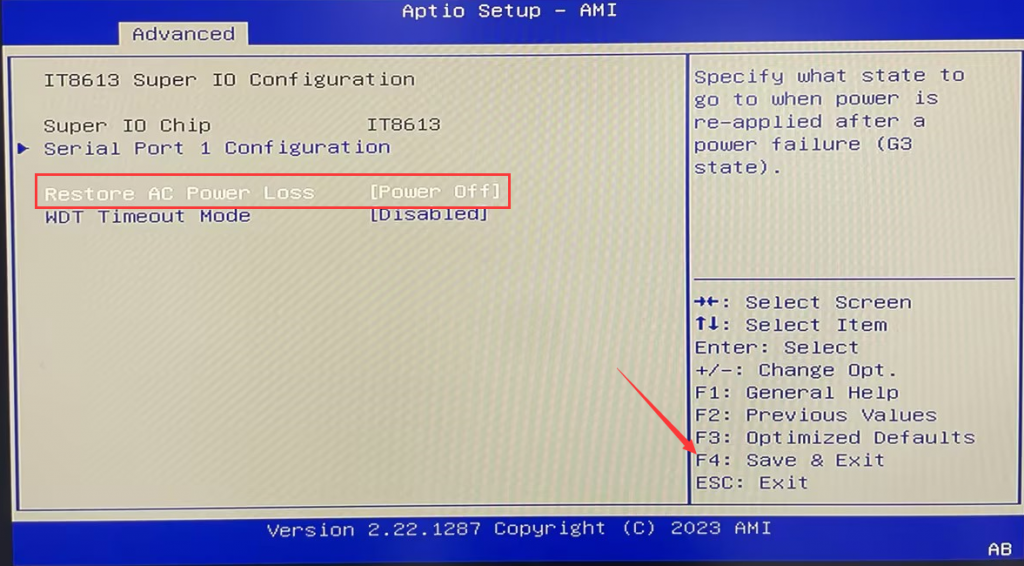
After entering the BIOS, set Advanced>IT8613 Supe IO Configuration>Restore AC Power Loss to [Power off].
After the configuration is complete, press F4 to save and exit to close;
After the host is powered on, it will start up automatically. When AMI startup LOGO appears on the display, press Del key on the keyboard to enter BIOS Setup.
After entering the BIOS, set Advanced>IT8613 Supe IO Configuration>Restore AC Power Loss to [Power off].
After the configuration is complete, press F4 to save and exit to close;
- Step 2: Query an NVME SSD
PS: The M.2 2280 slot supports only NVME SSDS, but not M.2 SATA SSDS.
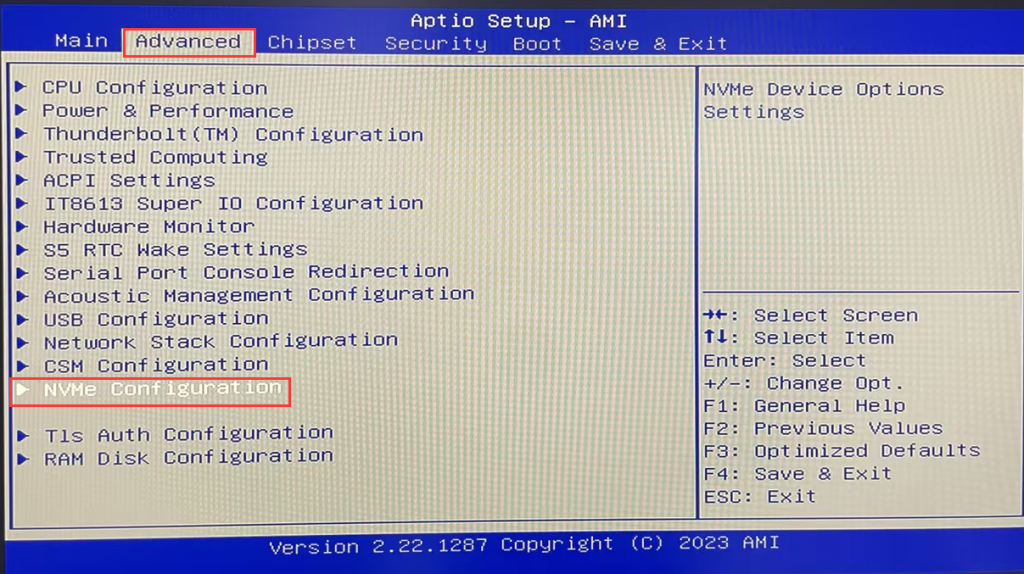
Perform Step 1 to go to the BIOS Setup and choose Advanced>NVME Configuration> NVME SSD.
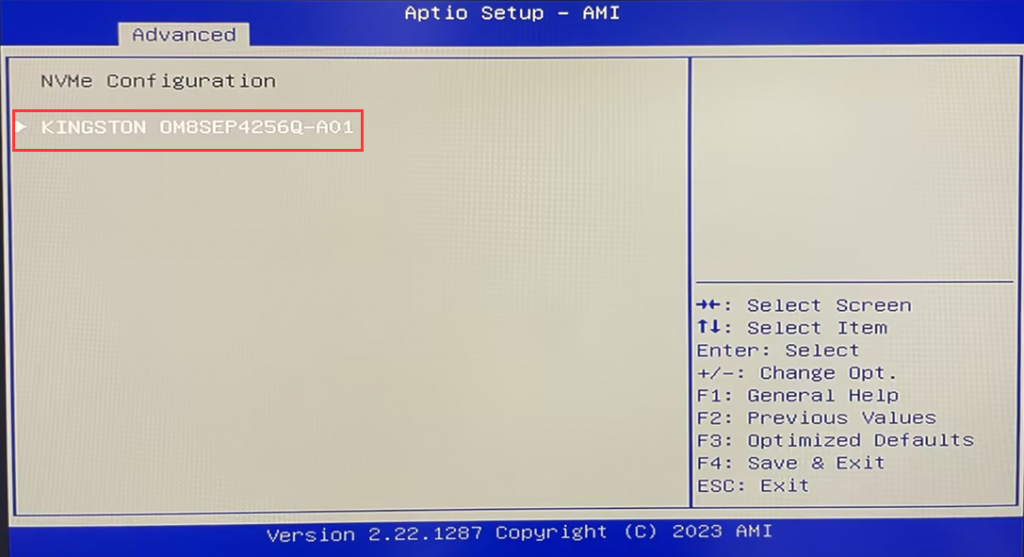
- Press Enter again to query NVME details. (such as Model Number, Total Size, etc.)
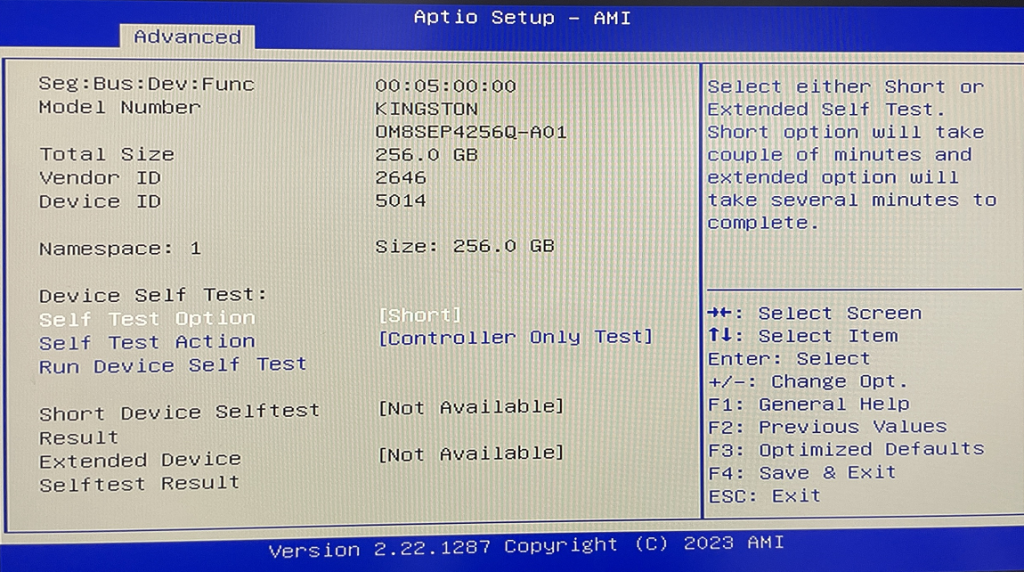
- Step 3【 Querying 2.5-inch SSDS/HDDS 】
Perform the steps in Step 1 to go to the BIOS Setup and select Chipset>PCH-IO Configuration>SATA Configuration.
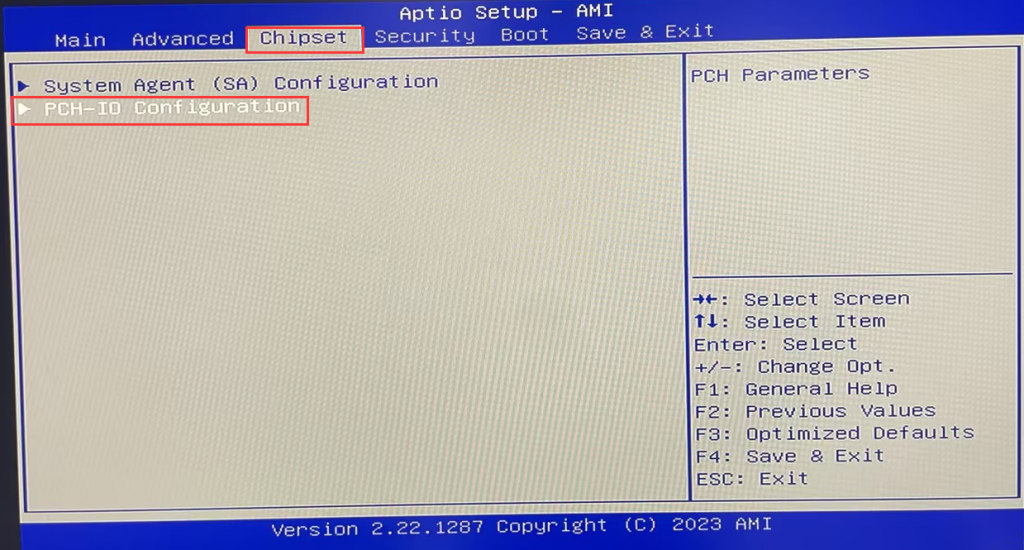
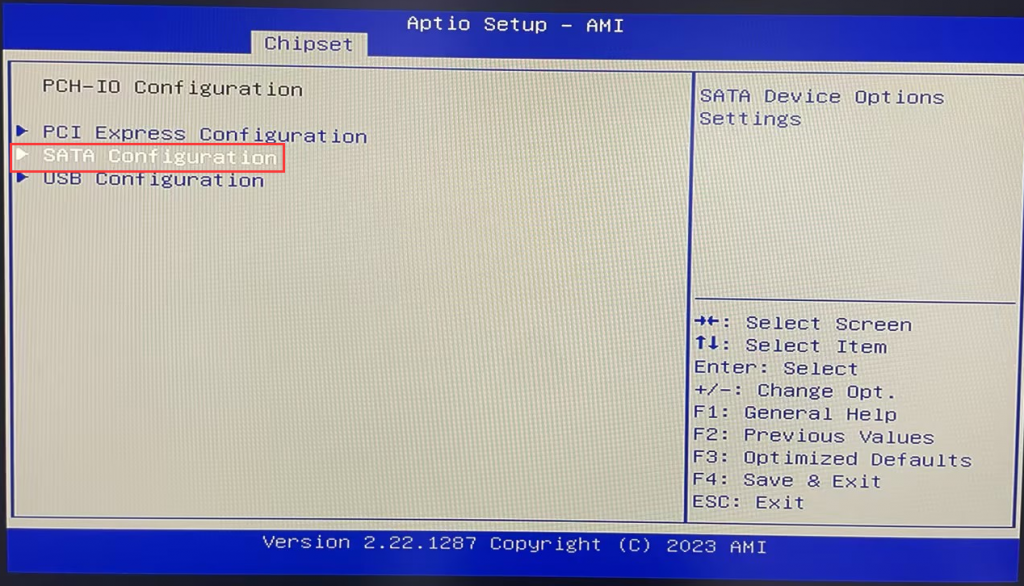
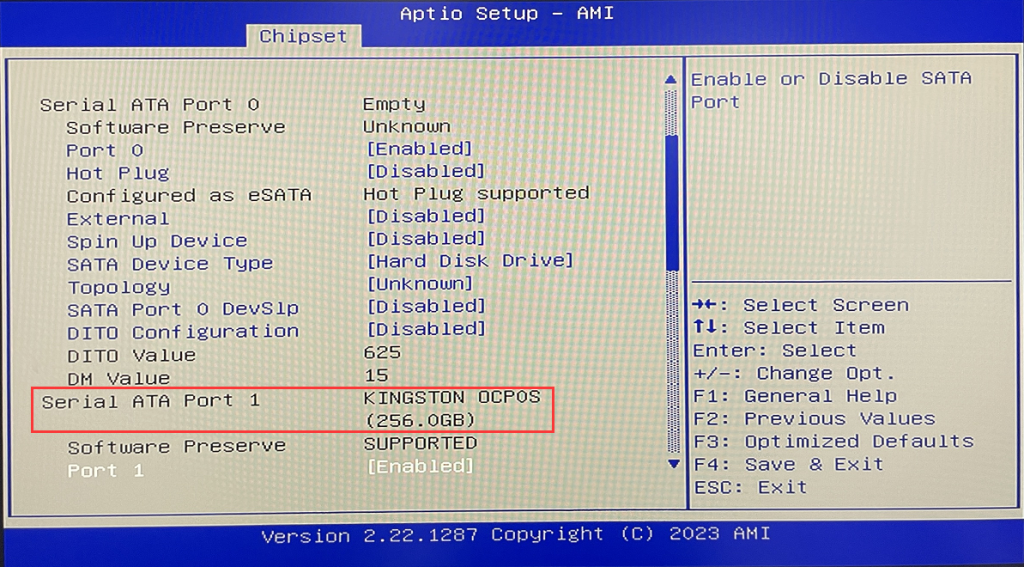
- Press arrow keys on the keyboard to enter Serial ATA Port 1 to query the hard disk name and capacity.
M2 (intel-N150/i3-N305) series models power on automatic restart configuration steps
M8-N100 with Auto Power on configuration
