
【H3-J4125-6U】Auto Power On configuration steps
author: VENOEN
2025-06-10
【H3-J4125-6U】Auto Power On configuration Procedure
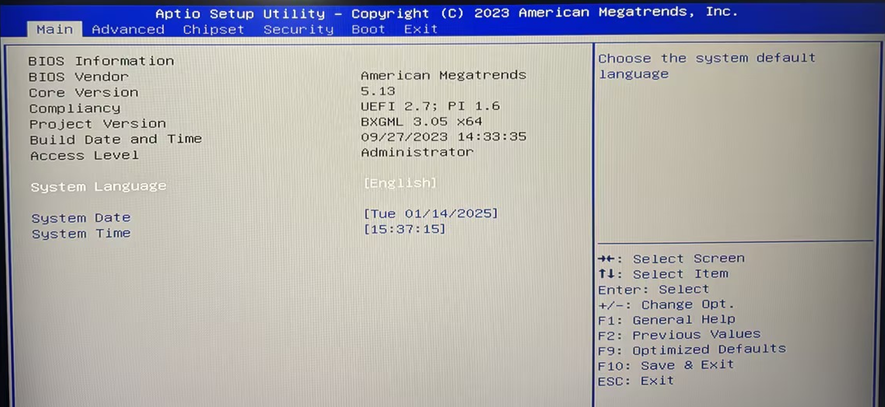
- Step 1 Press the SW button on the host to start the system. At this time, press the Del key on the keyboard to enter the BIOS.
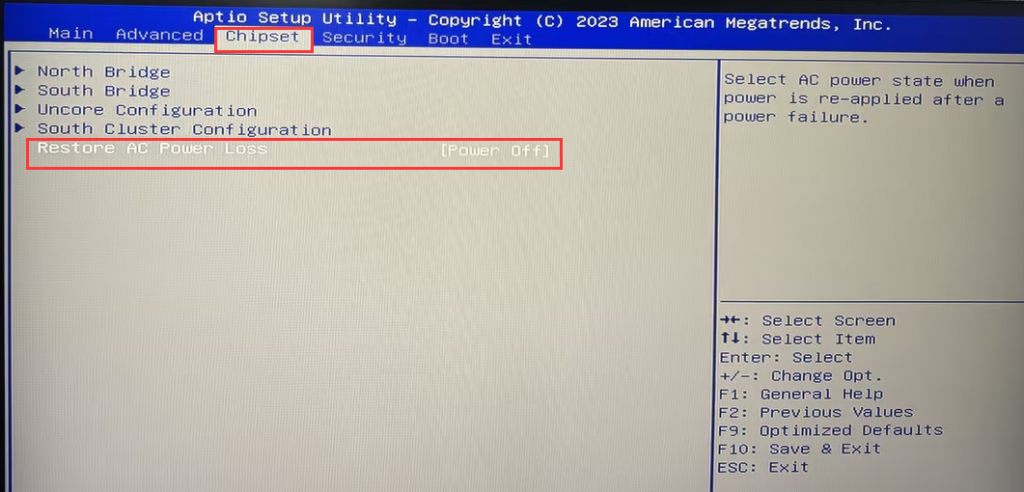
- Step 2: Select Chipset> Set Restore Ac Power Loss to [Power on].
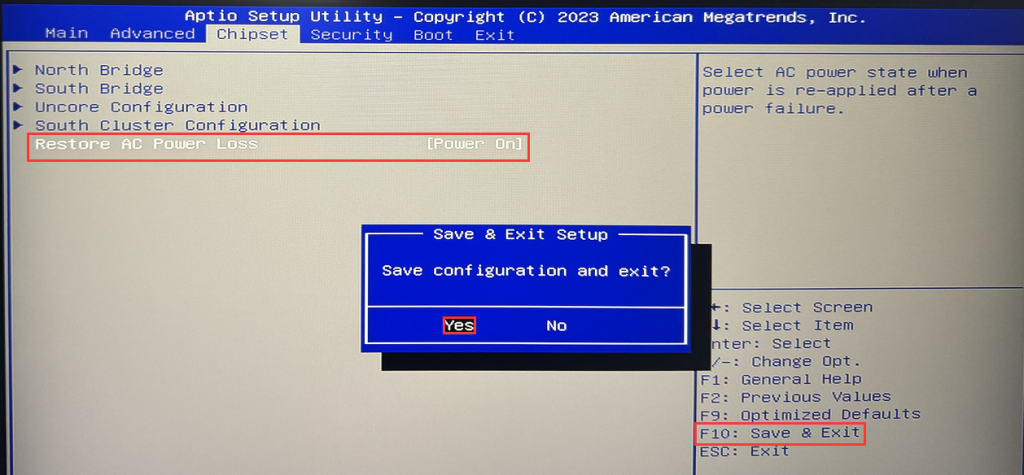
- Step 3: Press F10 to save the configuration and exit.
[K4-8 generation] Auto power on configuration steps
M2 (intel-N150/i3-N305) series models power on automatic restart configuration steps
Related Article
