
M8-N100 with Auto Power on configuration
author: VENOEN
2025-08-05
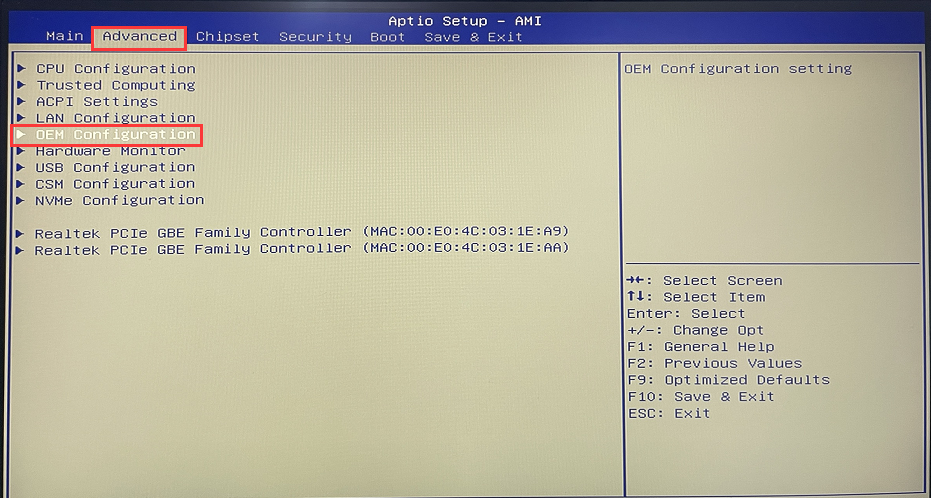
- Step 1: Press the SW button to start the system. When the startup Logo appears, press the Del key to enter the BIOS Setup.
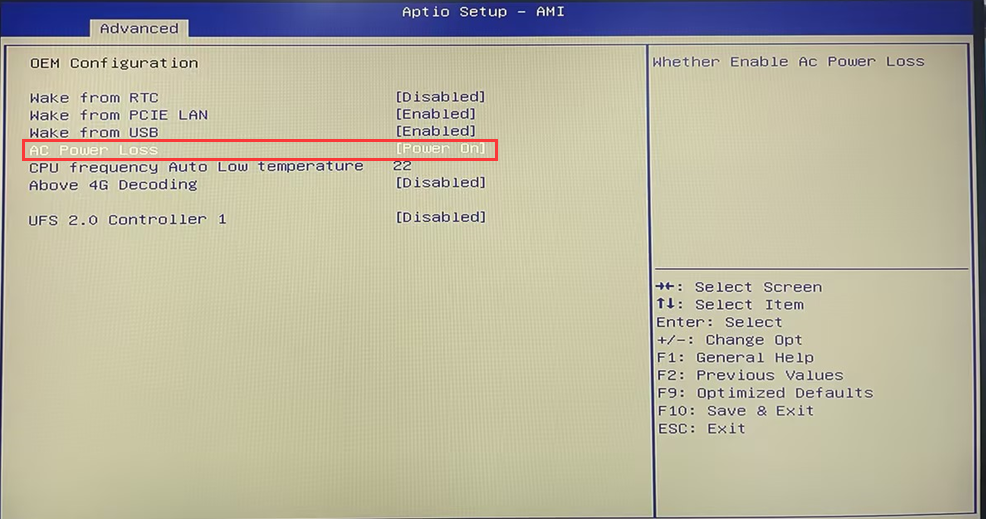
Step 2: After entering the BIOS, set Advanced>OEM Configuration>AC Power Loss to [Power off].
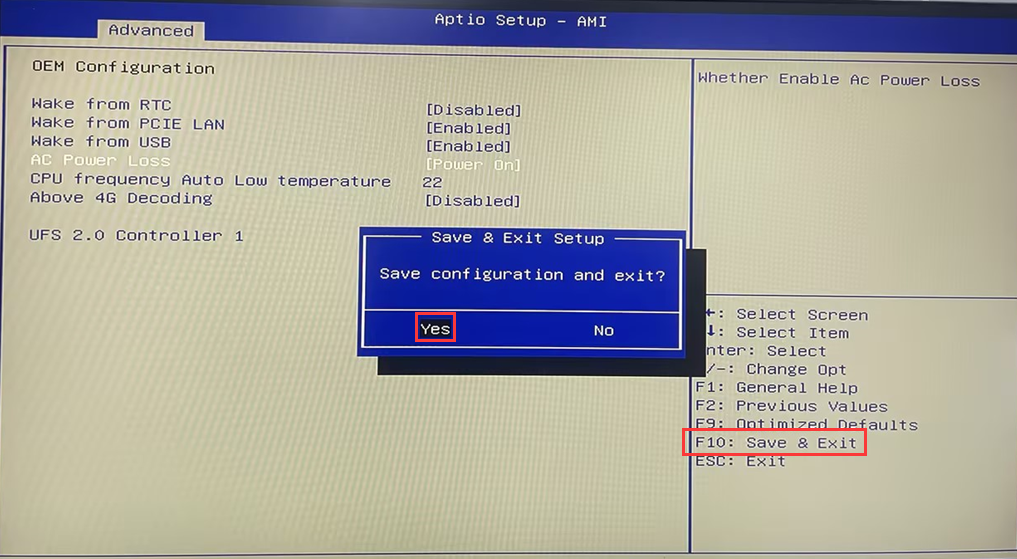
- Step 3: Press F10 to save the configuration and exit.
[P09B-N100-4L] How to turn off Auto Power on and query the hard disk in BIOS
“Industrial tablet [J4125] Auto Power On configuration steps”
Related Article
