
(H3D-N100)How to configure Auto Power on?
author: VENOEN
2023-11-27
(H3D-N100) How to configure the power-on auto-start function?
step 1:
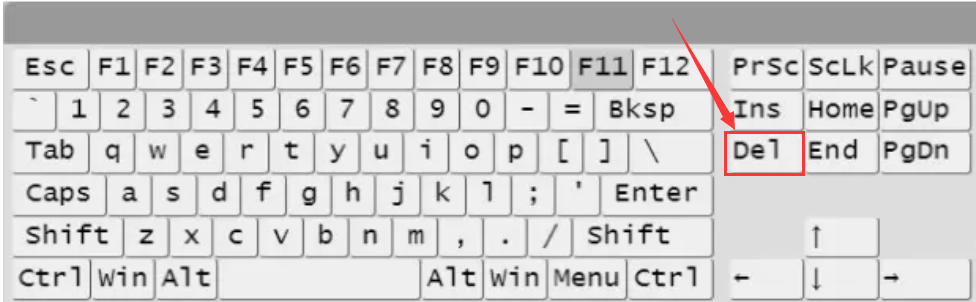
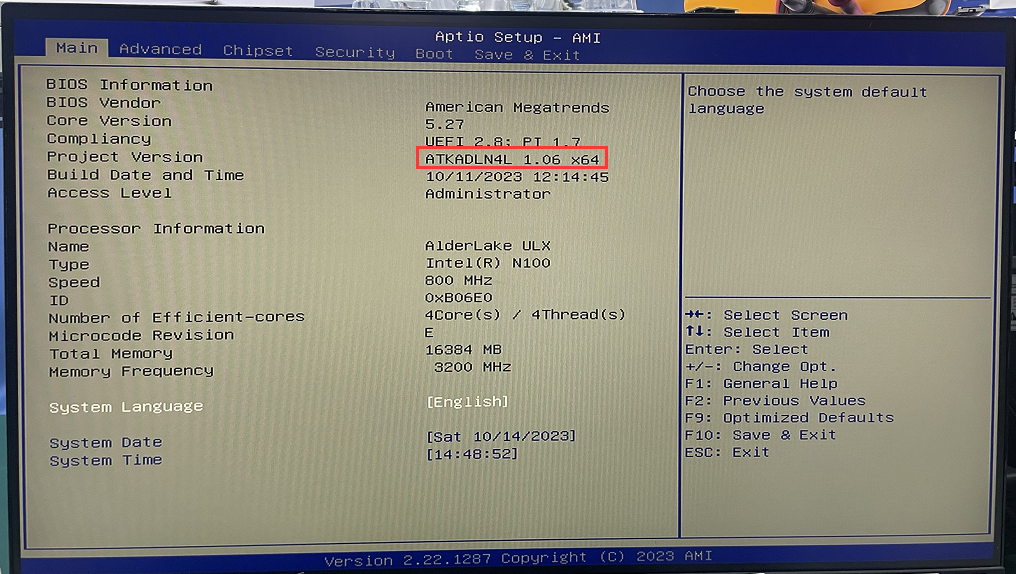
Press the switch button and quickly tap the Del/Delete key on the keyboard to enter BIOS Setup.
Press the switch button and quickly tap the Del/Delete key on the keyboard to enter BIOS Setup.
- Step 2:
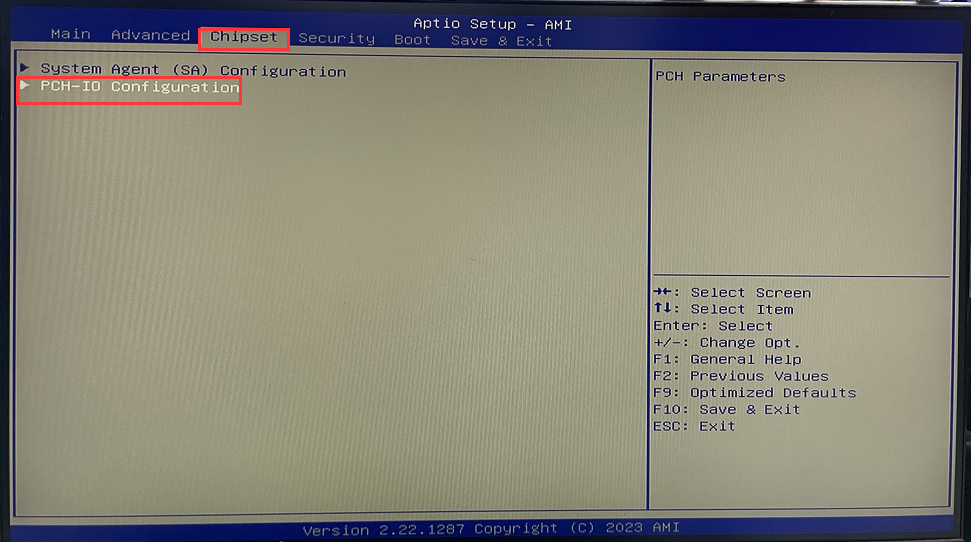
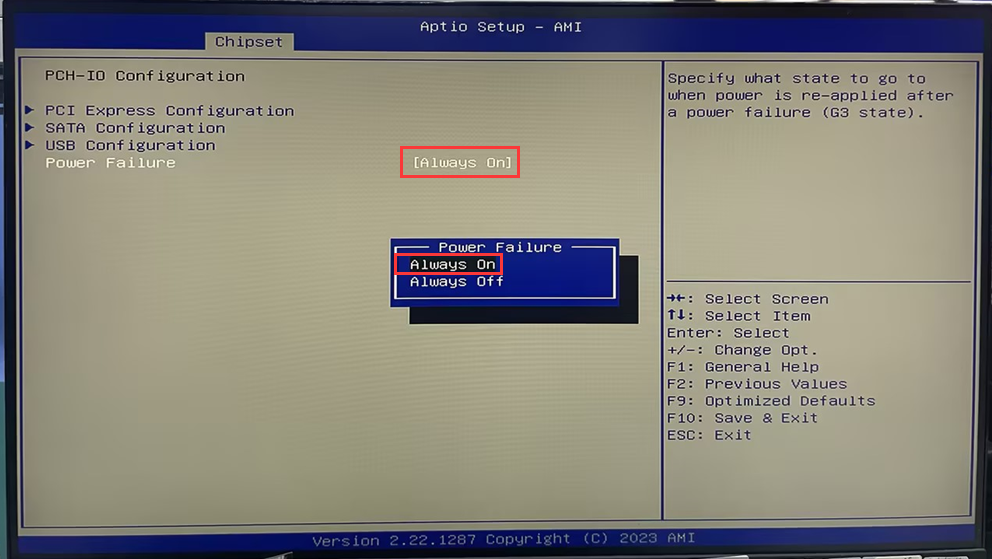
In the BIOS, select Chipset>PCH-IO Configuration>Configure Power Failure to Always on. After the configuration is completed, press the F10 key on the keyboard to save and exit.
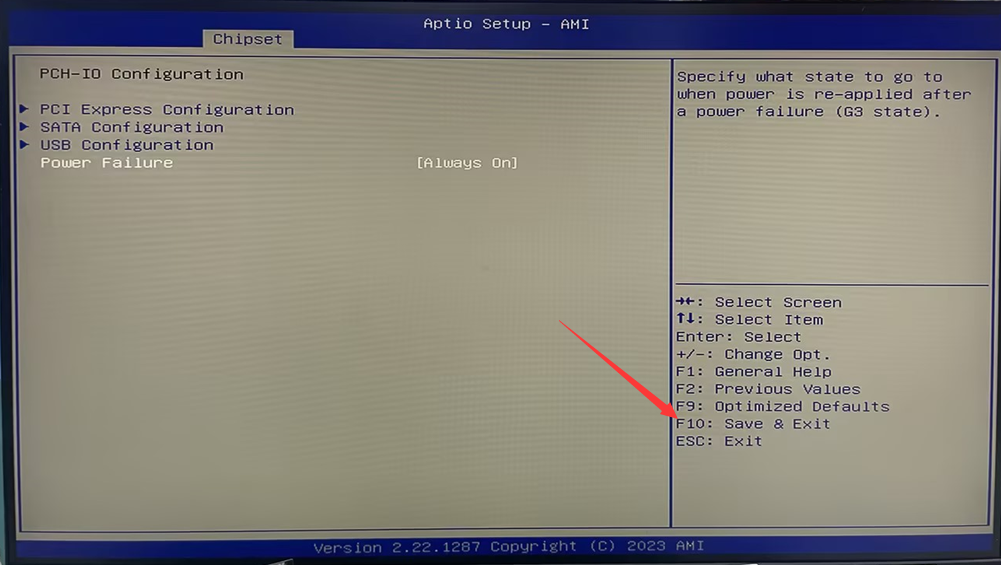
M5-How to set Auto Power On
Related Article
