
How does H6 switch between RS422/RS485 modes?
author: VENOEN
2023-11-27
How to switch RS422/RS485 mode on H6?
Overview: The full range of H6 products are equipped with 2 DB-9pin serial ports as standard. The default working mode is RS232. These two ports support three working modes: RS232, RS422 and RS485. Users can choose the required working mode according to their needs. Next Introduce the switching method.
1. Enter the BIOS and select the COM working mode
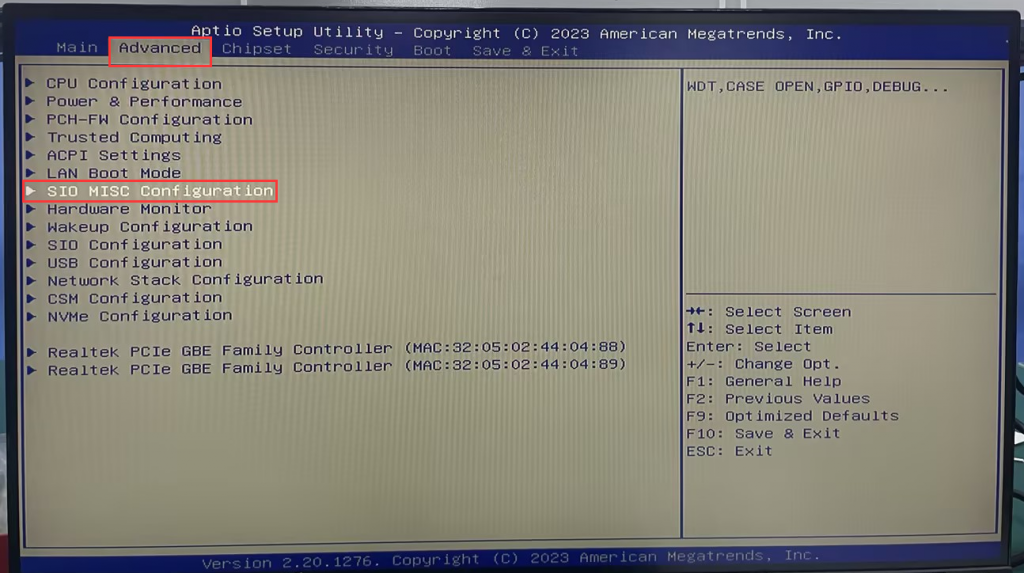
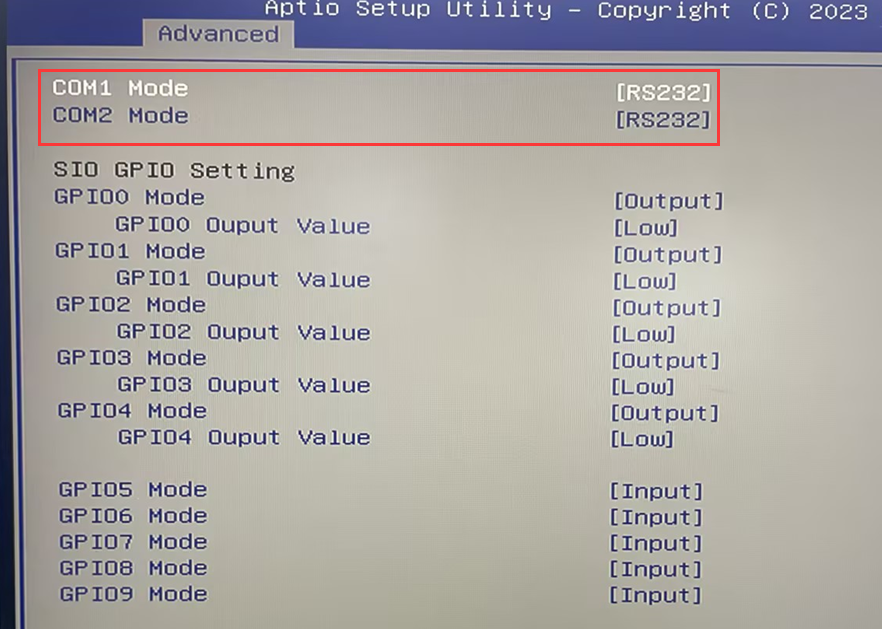
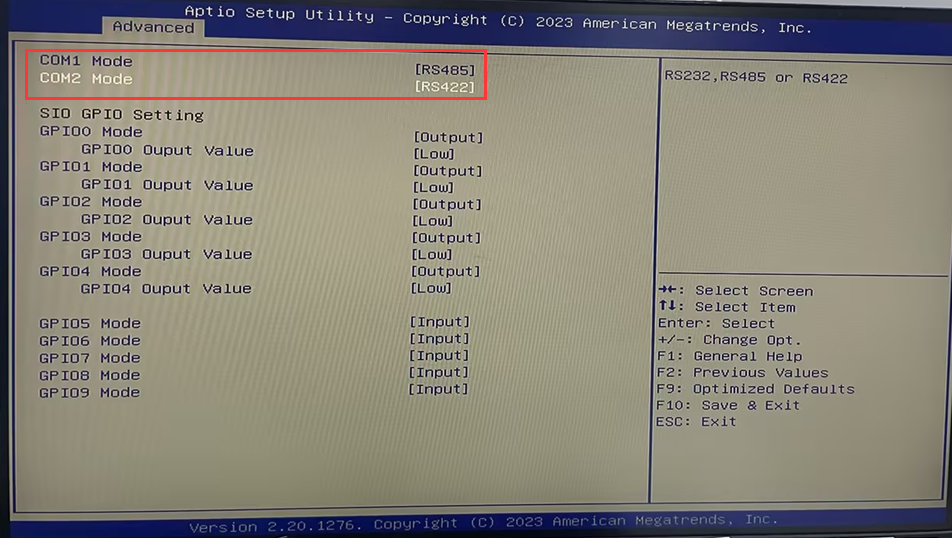
1-1. Press the switch button and quickly tap the Del key on the keyboard to enter the BIOS. Select Advanced>SIO MISC Configuration>You can select the required working mode in COM1 Mode and COM2 Mode, including RS232 (default), RS485, and RS422. Optional, users can choose according to their needs.
1. Enter the BIOS and select the COM working mode
1-1. Press the switch button and quickly tap the Del key on the keyboard to enter the BIOS. Select Advanced>SIO MISC Configuration>You can select the required working mode in COM1 Mode and COM2 Mode, including RS232 (default), RS485, and RS422. Optional, users can choose according to their needs.
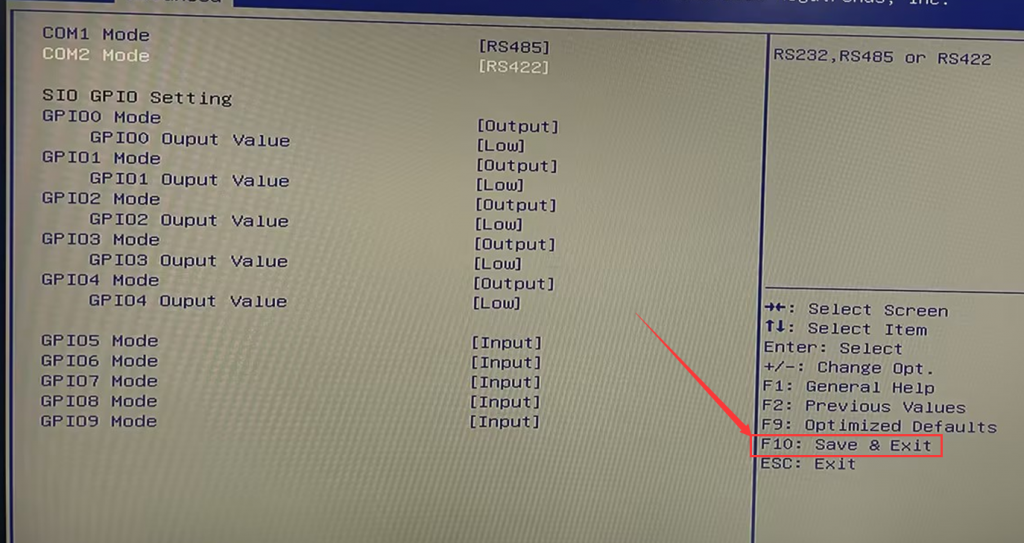
- 1-2. After the configuration is completed, press the F10 key on the keyboard to save and exit.
- 2. RS232, RS485, RS422 pin definitions
PS: Different working modes have different DB-9pin COM pin definitions. Please connect peripherals according to the working mode and pin definitions.
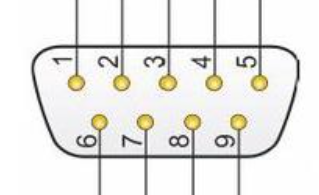
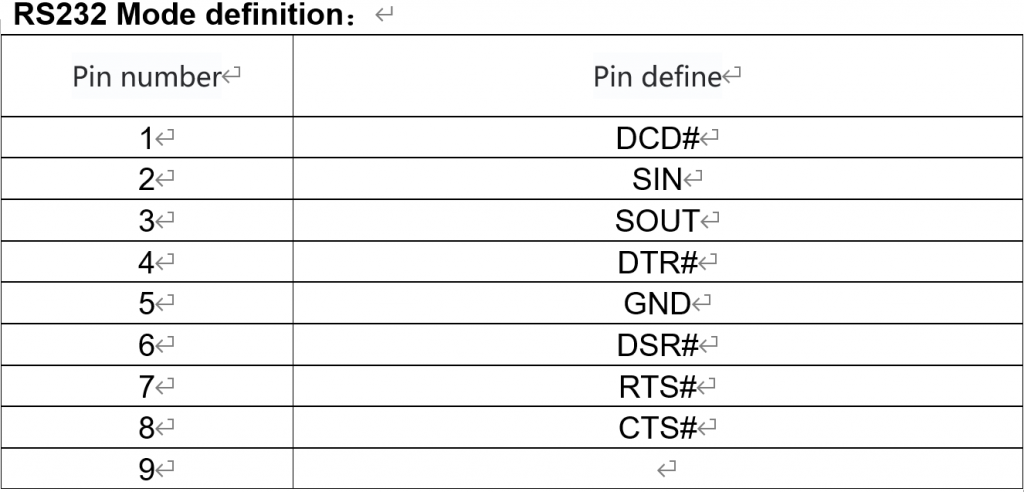
- 2-1. RS232 is defined as follows:
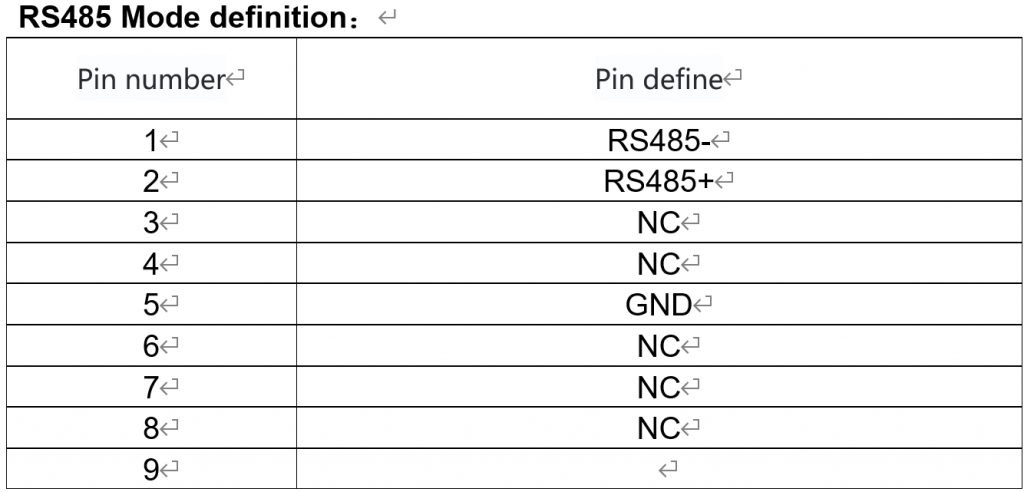
- 2-2. RS485 is defined as follows:
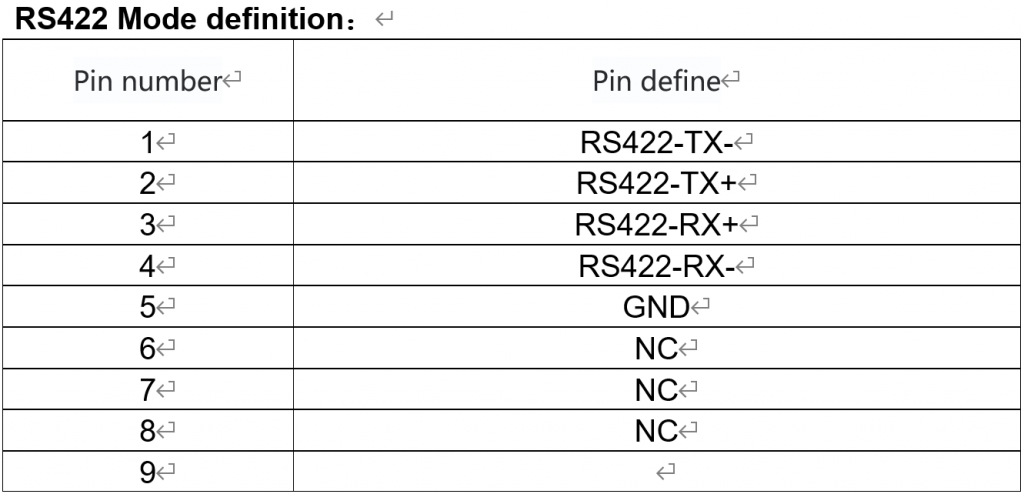
- 2-3. RS422 is defined as follows:
- 3. RS232, RS485, RS422 characteristics
- The RS232 transmission rate supports a maximum of 20kbps, and the maximum communication distance is 15 meters. Three wires are required for transmission, consisting of RX, TX, and GND. When used, RX needs to be connected to TX crosswise. RS232 uses negative logic levels, with a range of ±15V.
- RS485 is developed from RS232 and adopts half-duplex transmission mode. Similar to RS422, it adopts balanced transmission mode with a transmission rate of 10Mb/s and a transmission distance of up to 1200 meters. RS485 is generally composed of A (RS485+) and B (RS485- ) composed of two lines, using differential signal negative logic, +2V~+6V represents "0", -6V~-2V represents "1".
- RS-422 defines a balanced communication interface that uses twisted pair transmission to increase the transmission rate to 10Mb/s and extend the transmission distance to 1,200 meters. RS422 is composed of R+, R-, T+, T- and GND (similar to two sets of RS485). When used, R+ and T+ are one group, and R- and T- are the other group.
How do I turn off Windows 10 & 11 automatic updates?
Windows10-11-How to recover the operating system through (Windows RE)?
