
Steps for assembling RAID with NVME protocol SSDs
Practical Guide to Setting Up VMD+RST RAID for Mini PCs
This practical walkthrough covers VMD+RST RAID configuration specifically for Mini PCs. It applies to 12th‑14th‑generation processors (e.g. i5‑1235U) mini hosts. NVMe RAID0/RAID1 is implemented purely via the CPU without a dedicated RAID controller. All operations are performed visually within BIOS, suitable for NAS, industrial control and high‑speed storage scenarios.
I. Prerequisites (Mandatory)
Hardware: Two NVMe M.2 SSDs of identical specifications and capacity. Identical brand, model and capacity deliver optimum stability and compatibility.
System Boot Mode: BIOS boot mode must be UEFI. Legacy BIOS mode does not support RST RAID.
Backup Reminder: Creating a RAID array erases all data on both drives. Full data backup is required before proceeding.
II. Enable VMD and RST in BIOS (Critical Pre‑configuration)
2.1 Power on the device and repeatedly press the Del key to enter the BIOS setup interface.
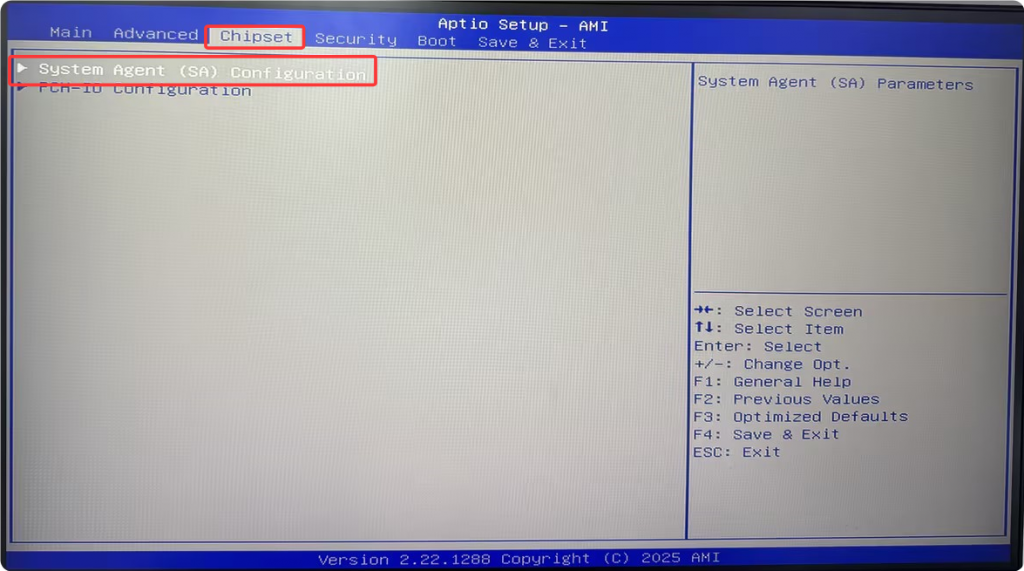
2.2 Navigate to Chipset > System Agent (SA) Configuration > VMD Setup Menu.
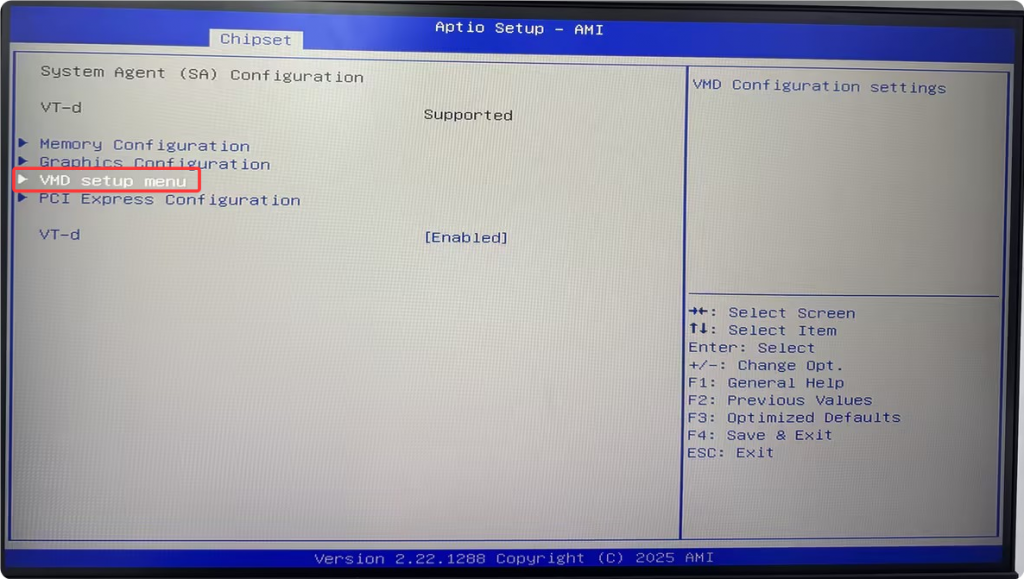
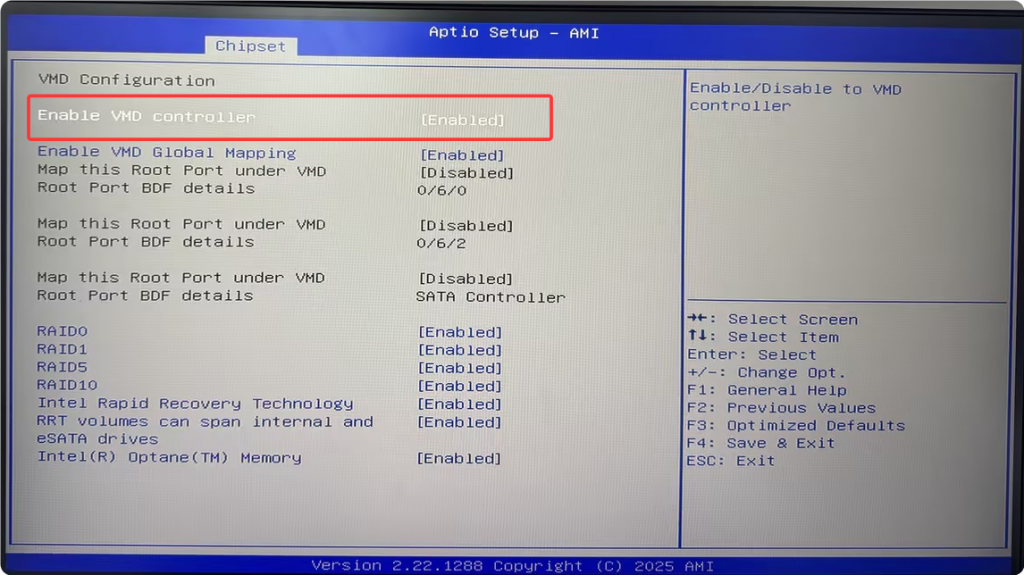
2.3 Set Enable VMD Controller to [Enabled].
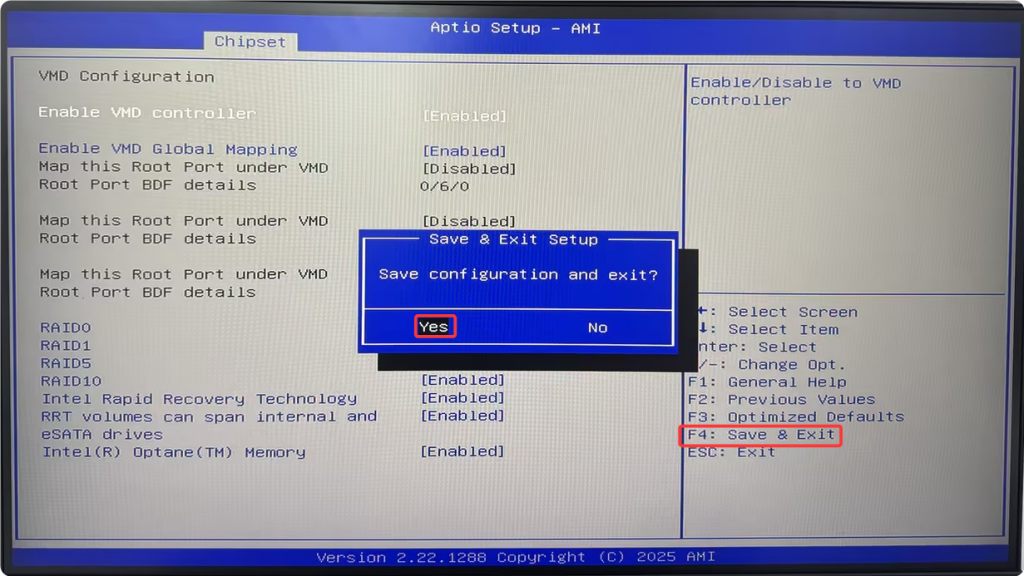
2.4 Press F4 to save changes and exit after enabling.
III. Create the RST RAID Array inside BIOS
3.1 Reboot and press Del repeatedly to re‑enter BIOS setup.
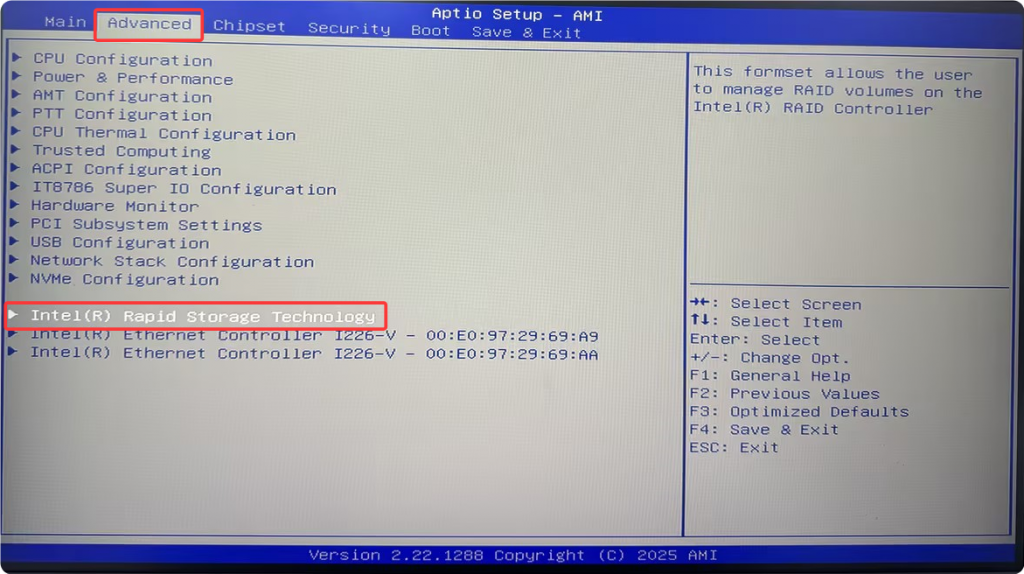
3.2 Go to Advanced > Intel(R) Rapid Storage Technology > Create RAID Volume.
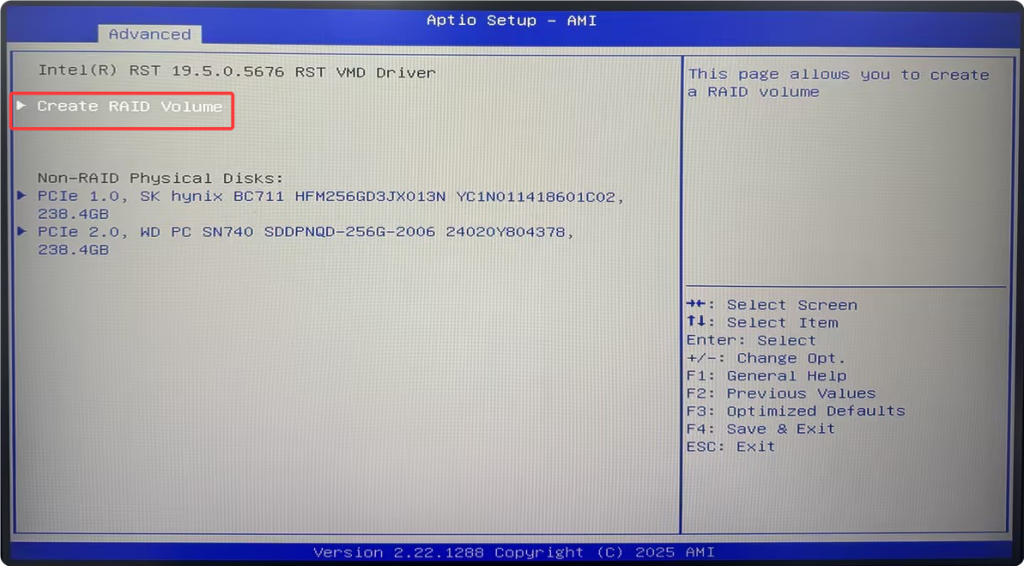
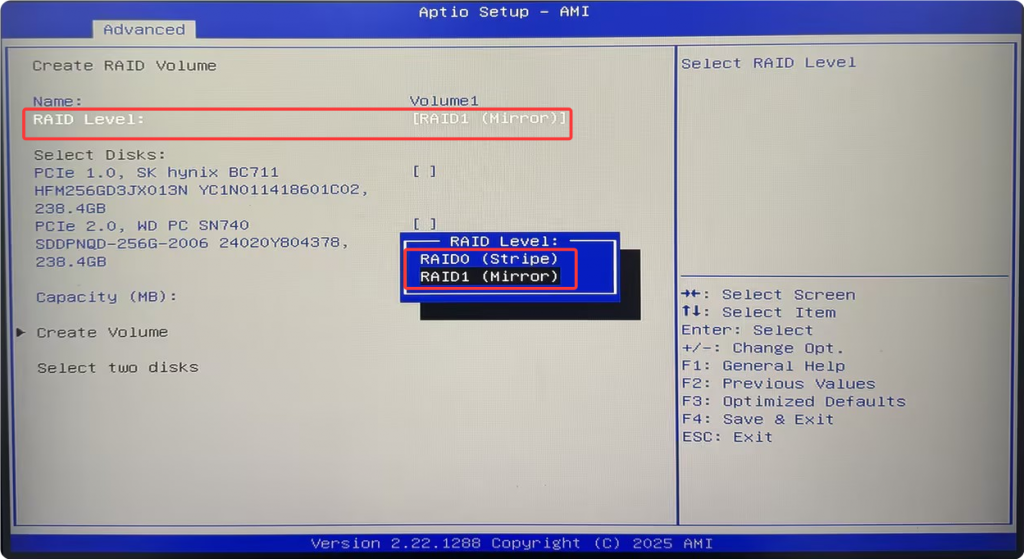
3.3 Select your desired RAID level (RAID0 or RAID1):
- RAID0 (Striping): Doubled read‑write performance with no data redundancy. Ideal for high‑speed gaming and media asset workflows. All data will be lost if either drive fails.
- RAID1 (Mirroring): Total usable capacity is halved. Data is duplicated across both drives. Data remains intact upon single‑drive failure. Suited for NAS deployments, data archiving and 24/7 continuous operation.
3.4 Under Select Disks, select the target NVMe SSDs using the Spacebar, then click Create Volume.
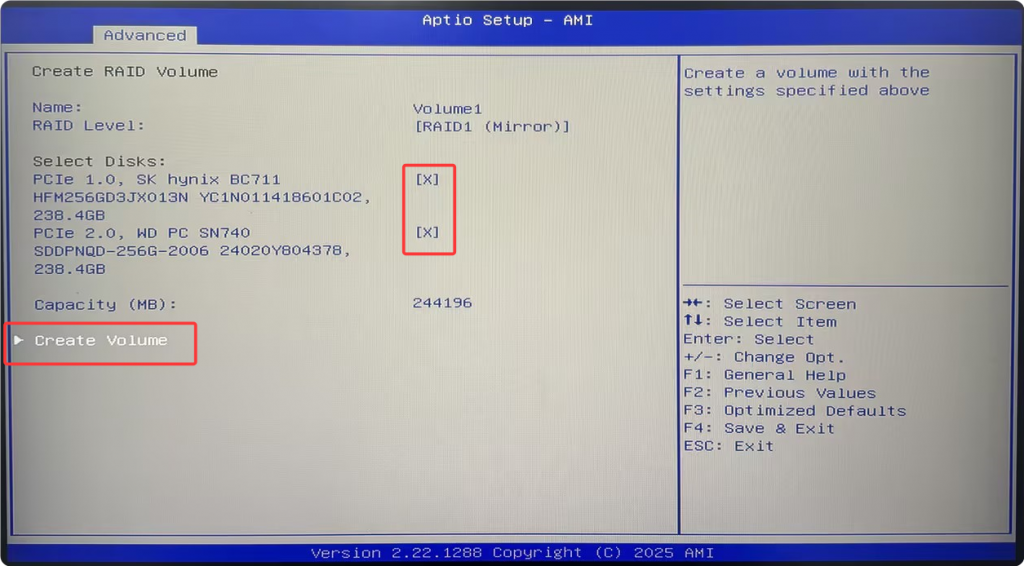
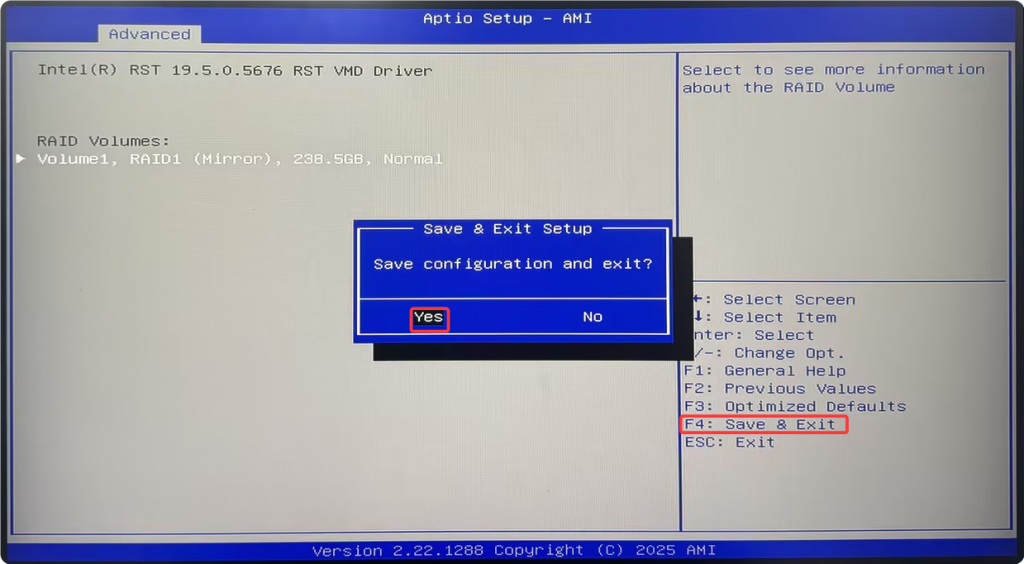
3.5 Press F4 to save settings and exit upon successful array creation.
IV. Additional Notes
After RAID creation, older Linux distributions whose kernels lack integrated Intel RST VMD drivers may fail to detect the RAID volume during OS installation. Intel RST VMD drivers are not available for Linux. RAID setup is not recommended when installing older Linux releases.
Vanilla Windows 10 may also fail to recognize the RAID array during installation. This can be resolved by manually loading the Intel RST VMD driver on the Windows installer screen. Please contact your device brand’s official customer support to obtain the driver package.
Alternatively, deploy the OS using the latest Windows 11 PE toolkit.
Build a RAID 1 mirrored array using Intel VMD technology
M6-R7-7840HS: Guide to Enabling AC Power Loss Boot in BIOS
Related Article
