
How to achieve 4G internet access for models with built-in SIM card slots on the motherboard?
author: VENOEN
2023-12-01
(How to achieve 4G Internet access for models with a built-in SIM card slot on the motherboard?)
Overview: Models with built-in SIM card slots can achieve 4G Internet access in places without wired networks and WIFI by expanding the 4G module + SIM card. Of course, the premise is that the usage scenario has 4G network coverage.
PS: If the 4G module is not installed, the SIM card cannot be recognized by directly inserting it into the motherboard. It must be equipped with a 4G module to recognize it. The 4G module is an optional part and is not shipped by default. You can contact customer service before purchasing the product, or you can purchase 4G module expansion by yourself. Note: When purchasing a 4G module, please confirm whether the 4G module complies with the network standards of your local network operator. For details, please consult the 4G module dealer or network operator business.
1. 4G module hardware installation (taking P12B as an example)
1-1. Remove the 6 screws at the bottom and open the bottom case
1-1. Remove the 6 screws at the bottom and open the bottom case

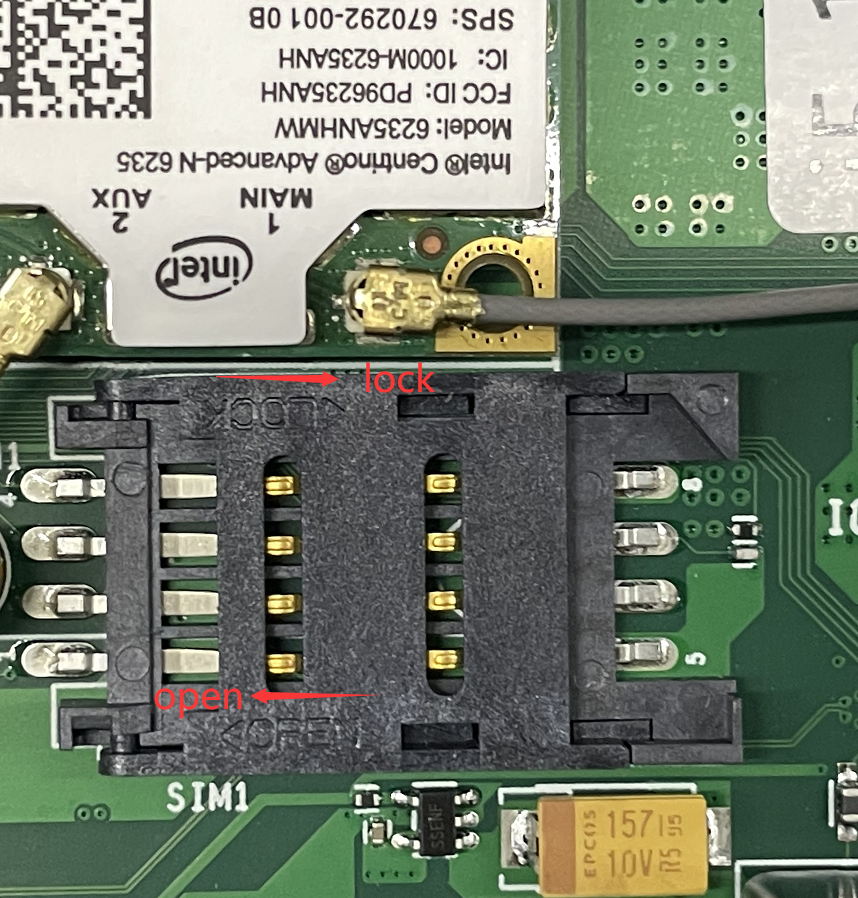
- 1-2. Insert the SIM card into the SIM card slot on the motherboard. Pay attention to the open and lock directions on the SIM card slot. Push in the open direction to open the SIM card slot, and push in the lock direction to lock the SIM card slot.
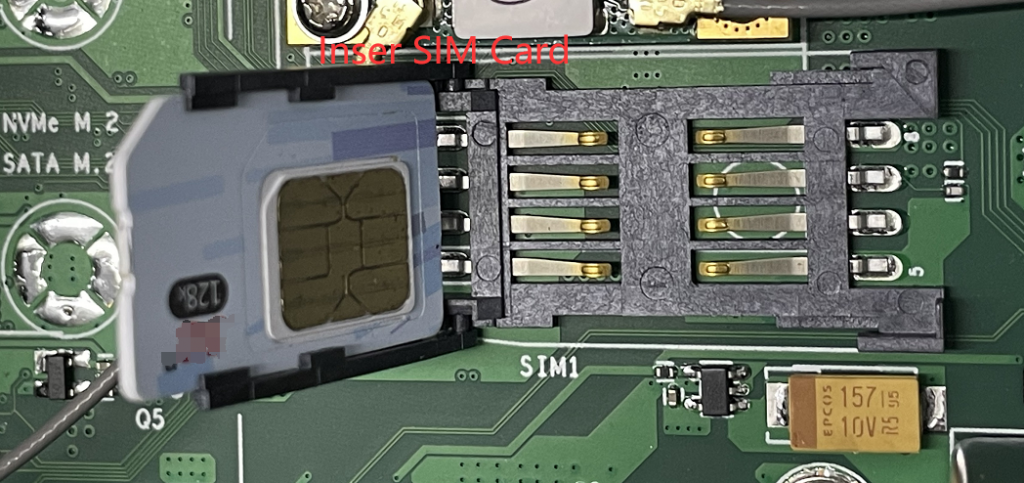
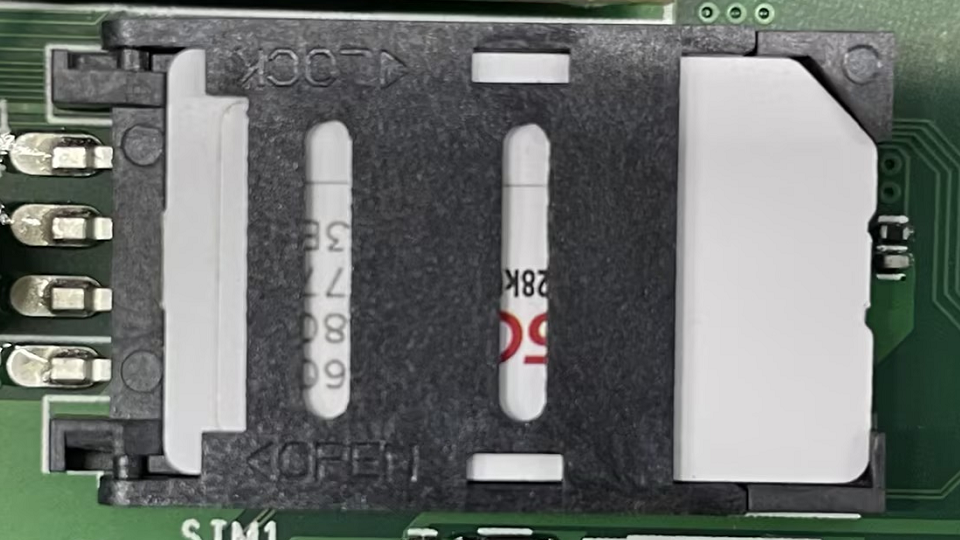
- 1-3. Insert the 4G module into the MPCIE full-height slot and connect the external gain antenna cable. PS: If you need to use the WIFI function and the 4G function at the same time, you need to unplug the gain antenna cable from the AUX port of the WIFI module and install it on the Main port of the 4G module. If you do not need to use the WIFI function, you need to connect the gain antenna cables on the Main and AUX ports on the WIFI module to the 4G module.

- 1-4. After the installation is completed, close the bottom case and install the external gain antenna.

- 2. Driver installation (please contact the 4G module supplier to obtain the driver)
2-1. Right-click Setup.exe and select Run as administrator>Next>Next>Finish to complete the installation.
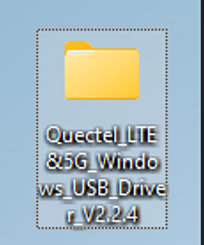
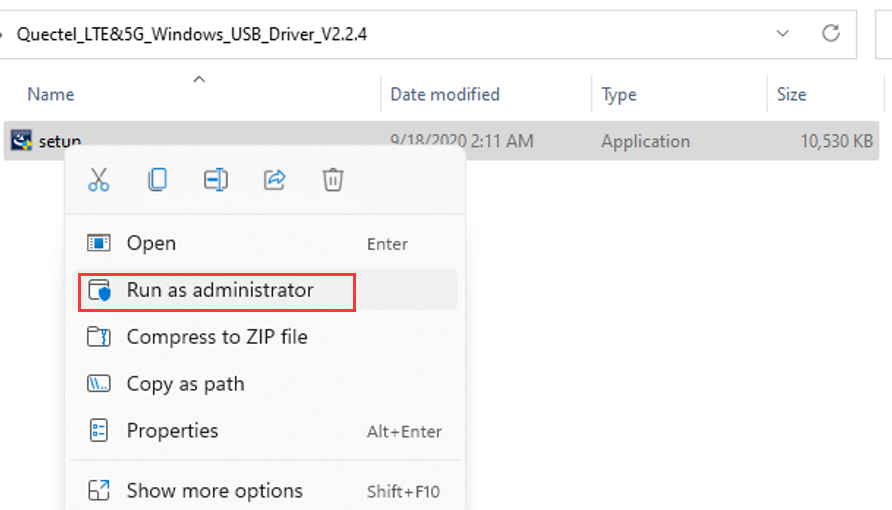
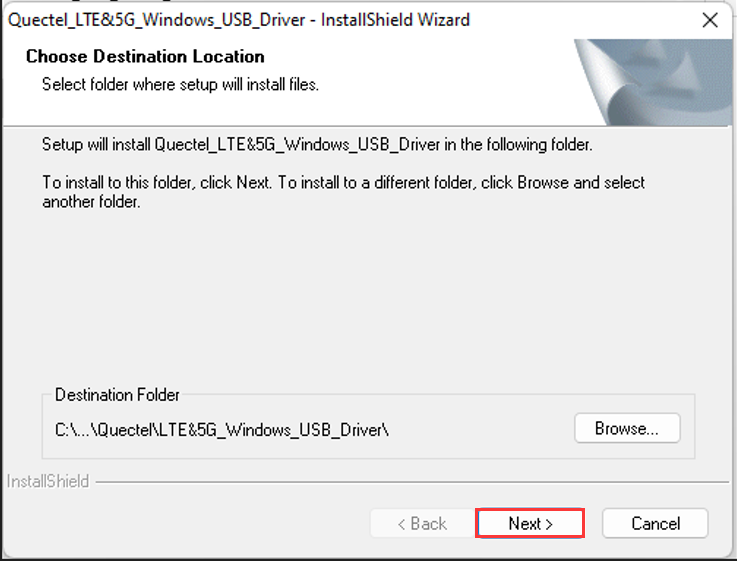
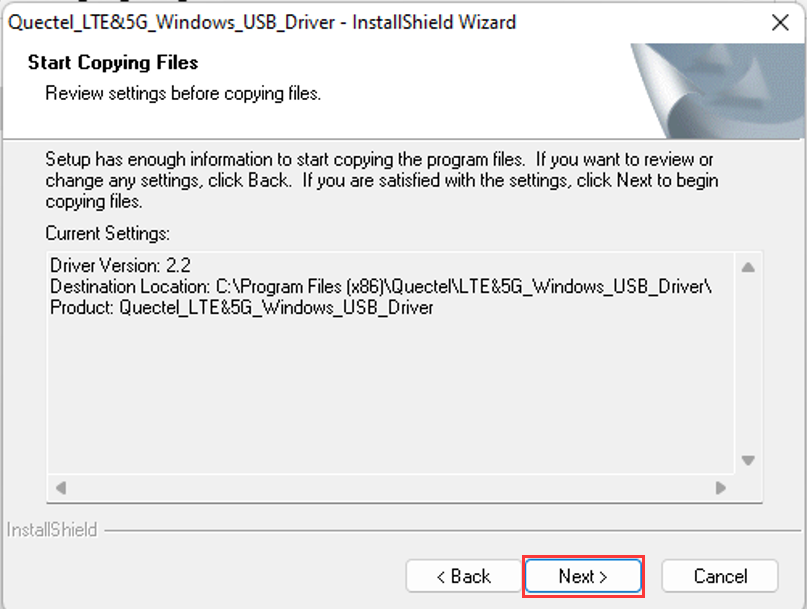
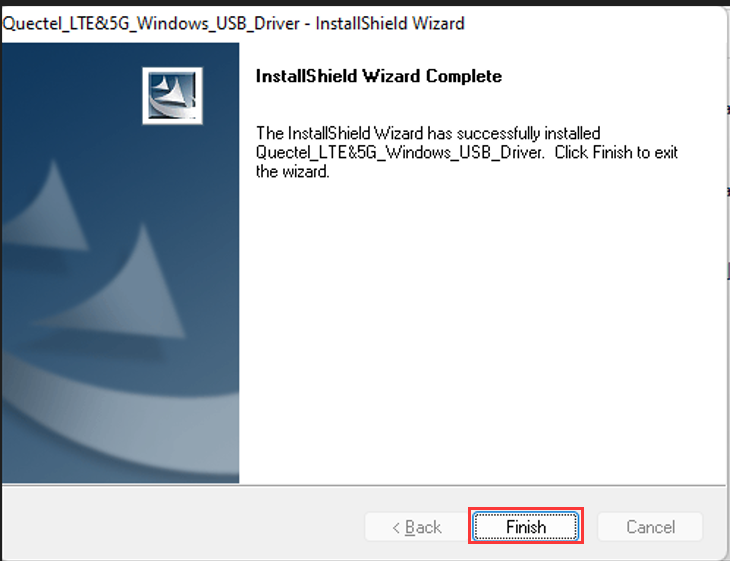
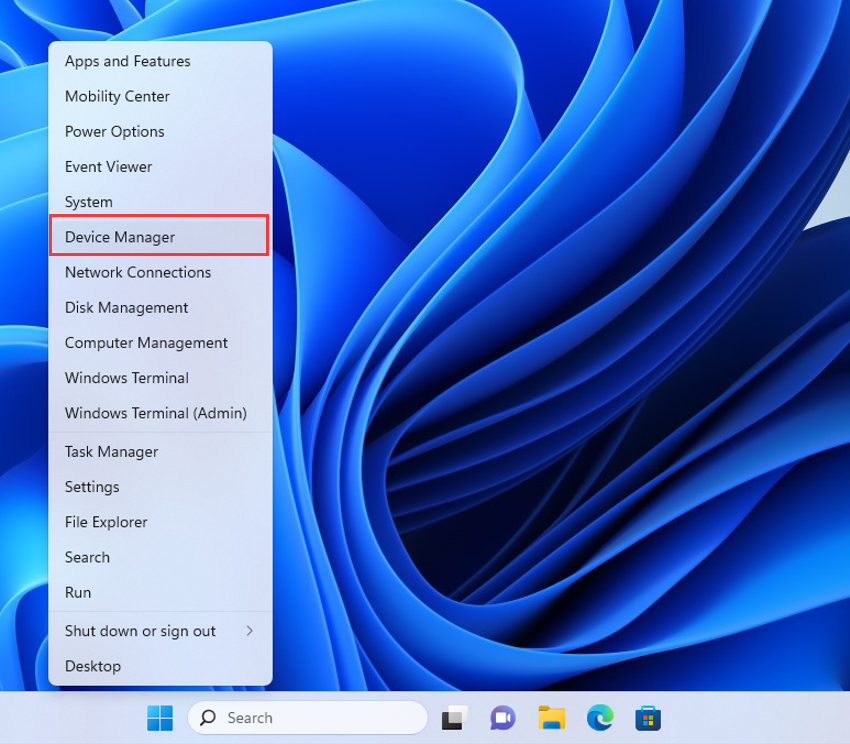
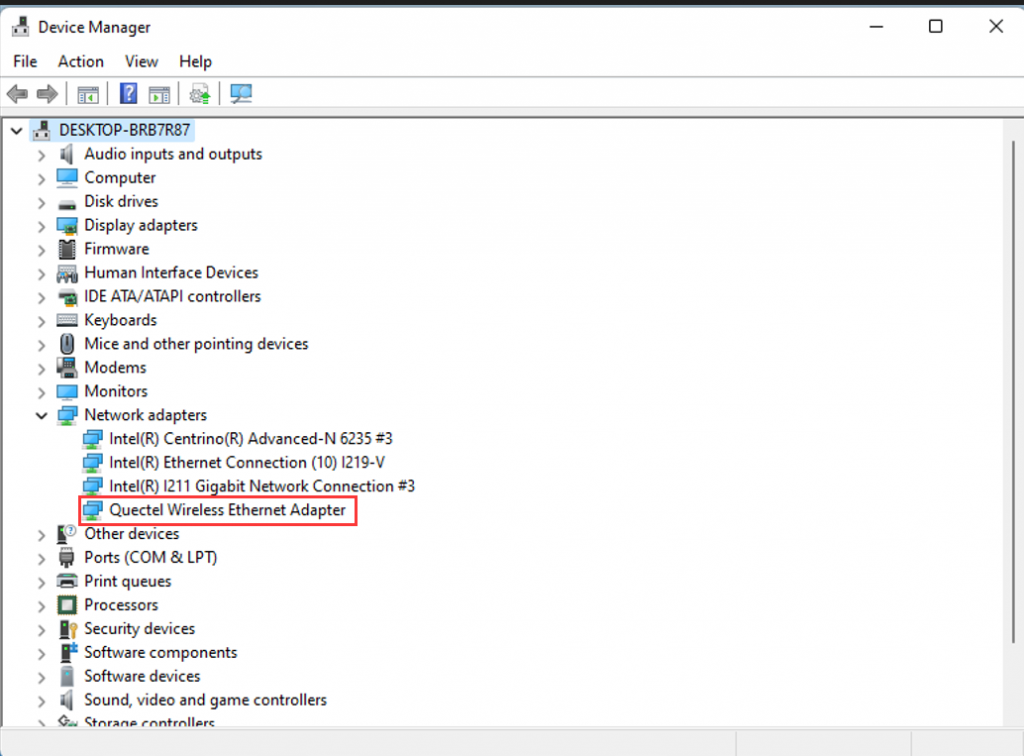
- 2-2. After the installation is completed, right-click Device Manager>expand the Network adapters page to check whether the 4G module model is recognized. If the 4G module can be recognized, the installation is successful.
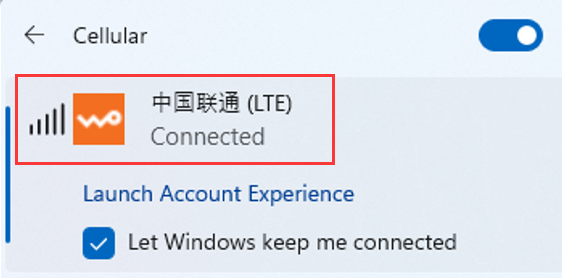
- 2-3. After restarting the computer, disconnect the wired network and WIFI. In an environment covered by a 4G network, the system will automatically connect to the 4G network. PS: Under Windows system, the network priority is
1. Wired network (RJ45)
2. Wireless network (WIFI)
3.4G network (LTE)
Windows10-11-How to recover the operating system through (Windows RE)?
How to Enable Administrator Users and Set Administrator Passwords in the Win10-Win11 System?
