
How to switch between RS485\RS422 for K4-4th Gen models?
author: VENOEN
2023-11-27
How to switch RS485\RS422 on K4-4th Gen model?
Applicable models: K4-i5-4200U/i7-4500U
PS: This model has two motherboard types. Type 1 is PE_H81U-V1.11 (1G network card model). This board type can be switched by changing the motherboard jumper without modifying the BIOS. Board type 2 is PE_H81U-V1.61 (2.5G network card model). This board type needs to enter the BIOS and change the COM port working mode + change the motherboard jumper.
PS: This model has two motherboard types. Type 1 is PE_H81U-V1.11 (1G network card model). This board type can be switched by changing the motherboard jumper without modifying the BIOS. Board type 2 is PE_H81U-V1.61 (2.5G network card model). This board type needs to enter the BIOS and change the COM port working mode + change the motherboard jumper.


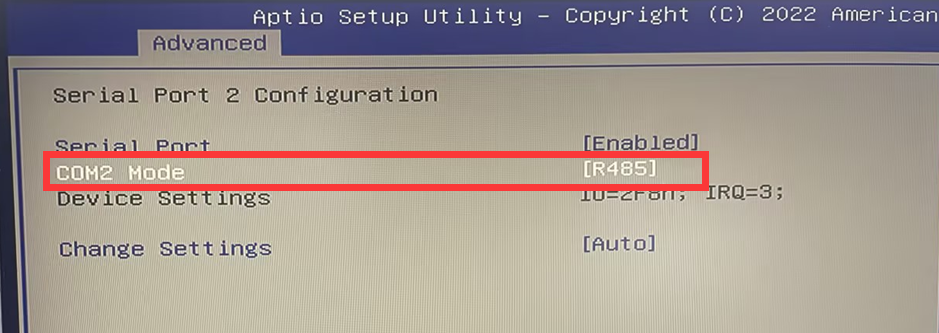
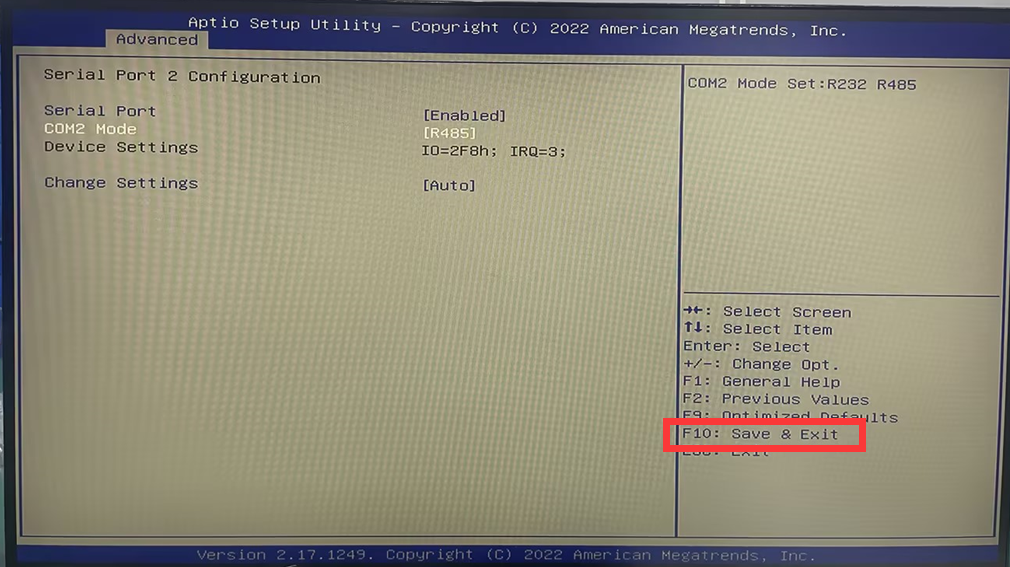
- 1. Press the switch button and quickly hit the Delete key on the keyboard to enter the BIOS. Select Advanced>IT8786 Super IO Configuration>Serial Port 2 Configuration>Set COM2 Mode to R485. After the setting is completed, press F10 to save and exit.
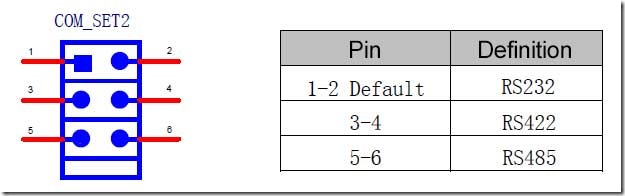
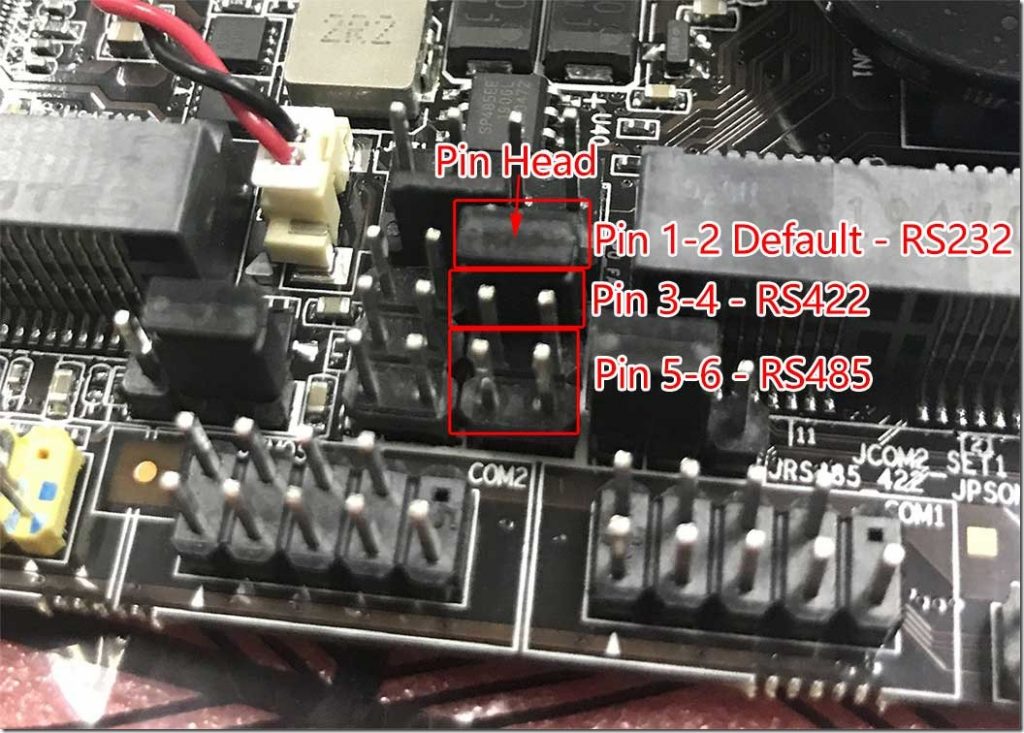
- 2. Disassemble the machine in the power-off state and find the JCOM2_SET1 pin header on the motherboard. This pin header is used to switch the RS232\422\485 mode. When you need to change it to RS422, move the jumper cap to pins 3-4; when you need to use RS485, move the jumper cap to PINs 5-6.
PS: The jumper cap is plugged into pin1 and pin2 by default. After moving the jumper cap, the external COM2 will be invalid!
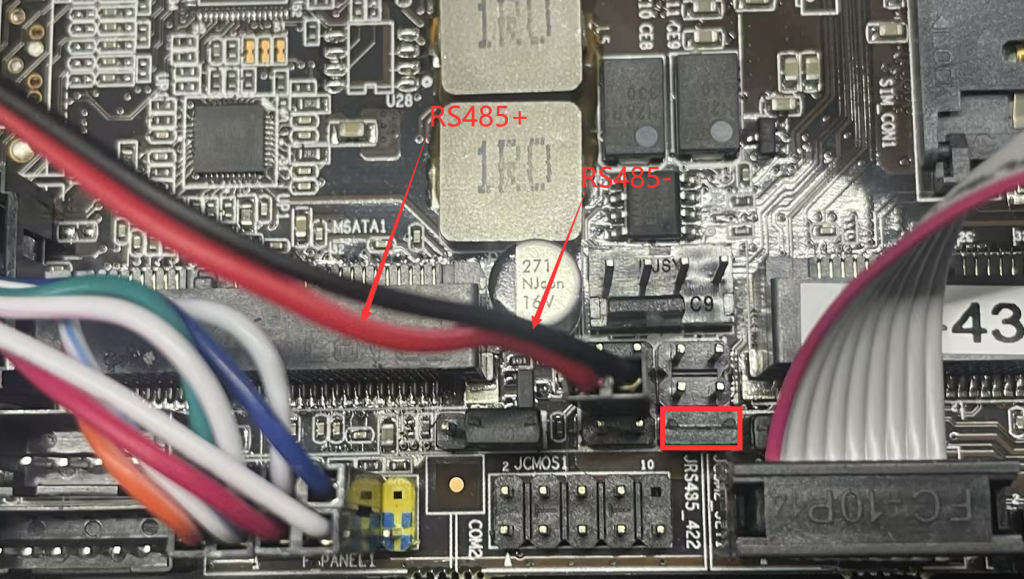
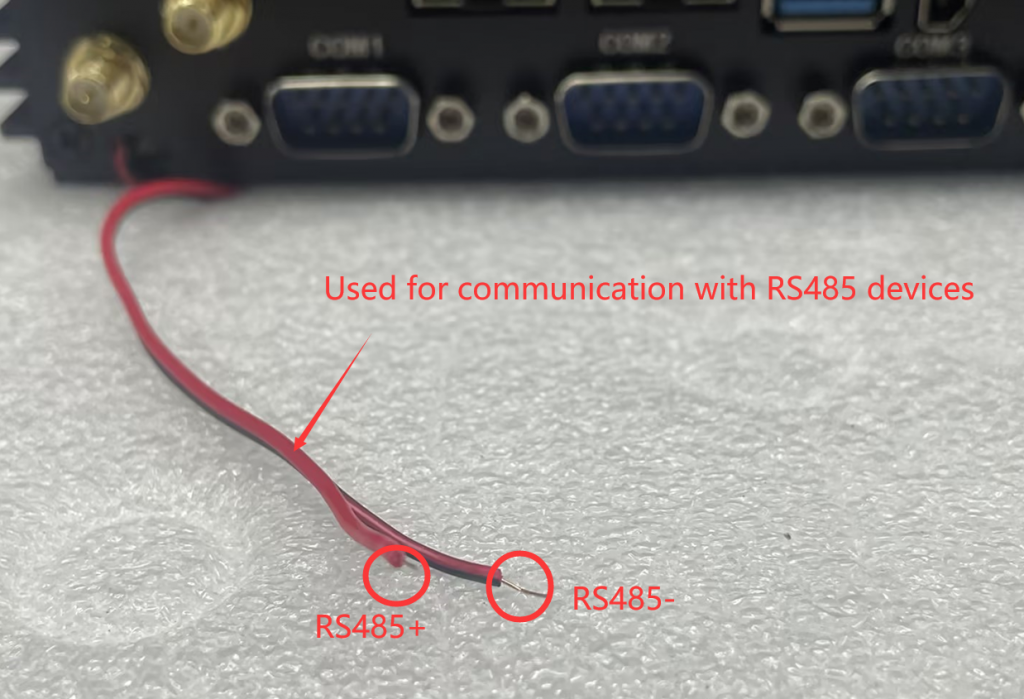
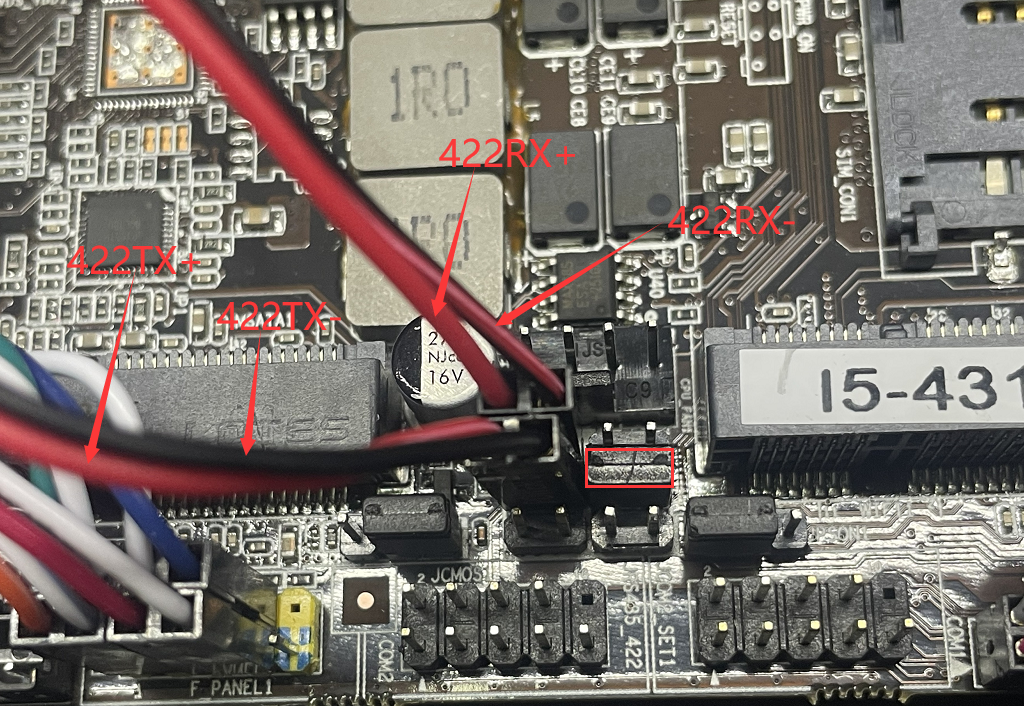
- 3. Connect an external RS422 or RS485 cable from the chassis to the motherboard’s JRS485-422 pin header as required. The pin spacing is 2.54MM. RS422 requires 4 wires and RS485 requires 2 wires. The following figure shows the JRS485-422 pin definition:

- RS 485 mode cable connection diagram:
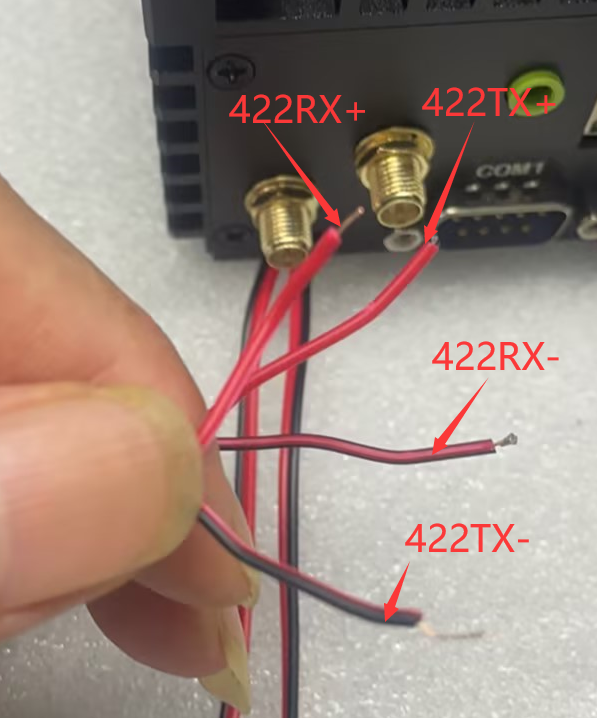
- RS422 cable connection diagram:
PS: Since RS422 requires 4 cables, use cables of different colors as much as possible to make it easier to distinguish the signal types of the cables!
How to install the Intel i225/i226-V network card driver under Windows Server system?
How do I turn off Windows 10 & 11 automatic updates?
