
What should I do if the MINI computer does not turn on after pressing the power button?
After pressing the power button on the computer, if it doesn't turn on and the power indicator light is not lit, what should you do?
Overview: These troubleshooting steps may not solve the problem in all cases, but have been proven to work for many customers. If you have tried all of the steps listed below and your VENOEN mini computer still cannot start normally, you can contact VENOEN customer support for help with more troubleshooting or warranty replacement.
Q: What should you do if the computer cannot turn on after pressing the power button and the power indicator light is not lit?
A: Please follow the steps below to troubleshoot one by one:
1. Check that the power adapter and power cord are installed correctly, and check that the power adapter indicator light is always on. For most models of VENOEN mini computers, the power adapters have LED indicators, but there are a few models that do not have LED indicators. If the power source conditions permit, you can use a multimeter to measure whether the DC interface has voltage, which is usually 12V or 19V.
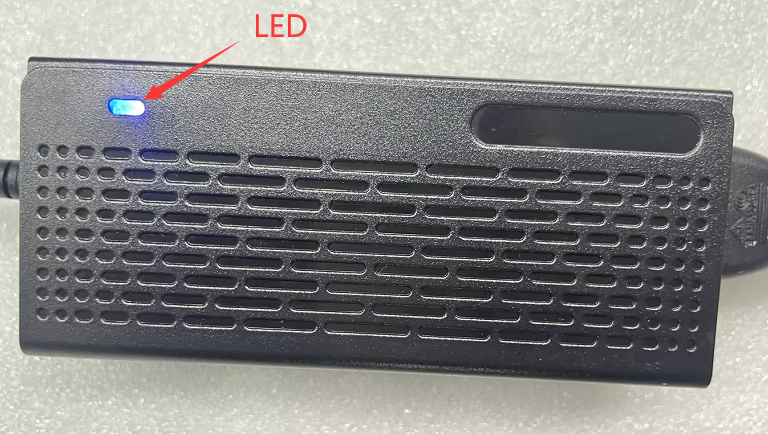
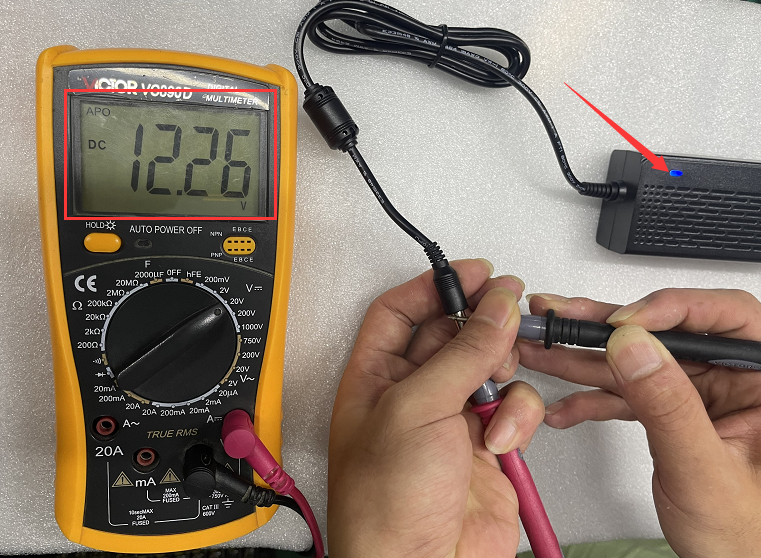
3. The S210 and P12B models have a one-key restore CMOS button on the computer case, so you do not need to remove the battery. The recovery method is to use a SIM card needle or tweezers to press and hold the one-key restore CMOS button for 5-10 seconds while the computer is powered on, and then release it to restore the BIOS default settings.
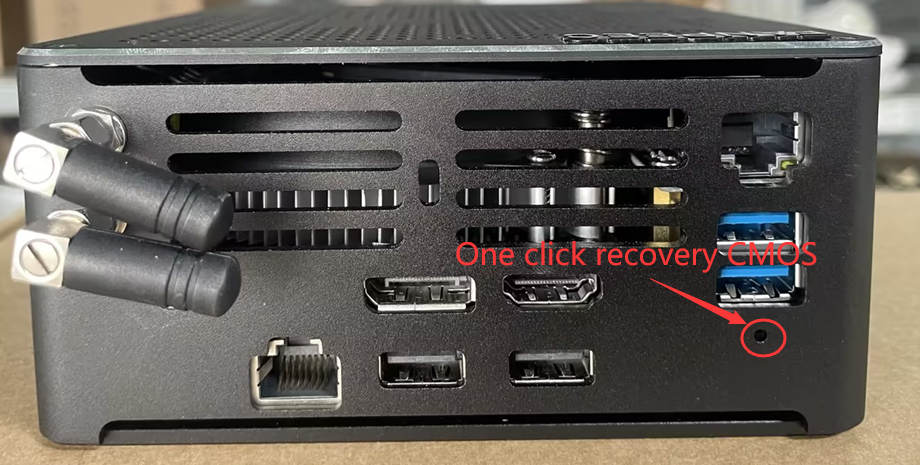
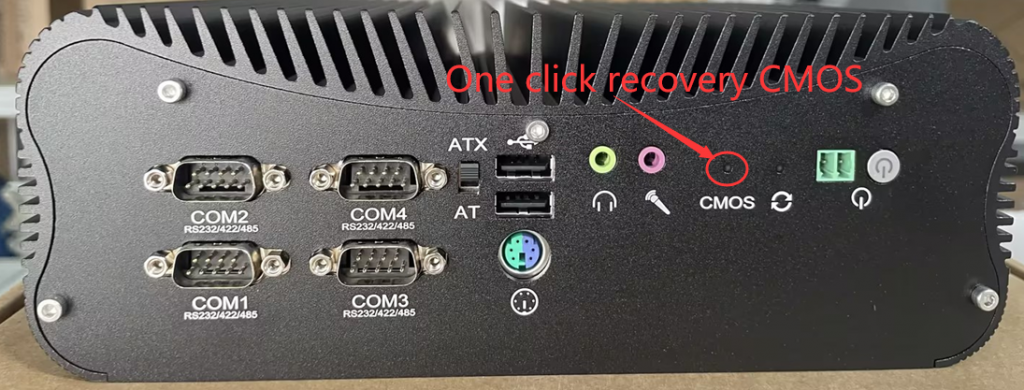
5. For a few models (such as M1-i9-11900H), the power button may require a forceful press of 2 seconds to trigger the power on, due to its different sensitivity from the standard model. If the computer does not turn on after a light press of 1 second, try pressing the power button forcefully for 2 seconds to test.
6. Please confirm whether you are using the original power adapter that comes with the computer. If you use the wrong power adapter, the computer may not turn on if the output voltage of the adapter does not match the model. You can refer to the product specification table to confirm whether the adapter specifications used match the model, or consult your customer service for details.
What if the Realtek RTL8821CE WIFI module is not recognized under the Ubuntu system?
What should I do if the XP system prompts that the system is not activated and cannot access the desktop?
