
M1-M6 AMD series models, core display memory shared system memory configuration steps
author: VENOEN
2023-12-02
- Overview: AMD core-core graphics cards have many advantages, which can bring sufficient graphics processing power, and their performance has improved significantly compared to the previous generation of products. The core graphics card can support DX11, SM4.0, OpenGL2.0, and Full HD MPEG2/H.264/VC-1 format decoding technology.
- The M1 and M6 AMD series can be configured with the graphics memory capacity in the BIOS. After the configuration, the graphics performance can be improved. It is recommended that you configure 2G for shared video memory, because this configuration requires memory capacity and is limited by the processing capability of the core video card. Therefore, the improvement of the video memory with a higher configuration is not obvious. Of course, if the existing memory capacity is larger than 32 GB, you can adjust the video memory capacity to test whether the GPU performance is significantly improved.
- The default shared video memory capacity of M6 is 2 GB. You can use the default configuration if no special requirements are required.
- The M1-AMD series is all automatic shared video memory. The default video memory capacity of the operating system is 512MB. You can configure it based on your own requirements.
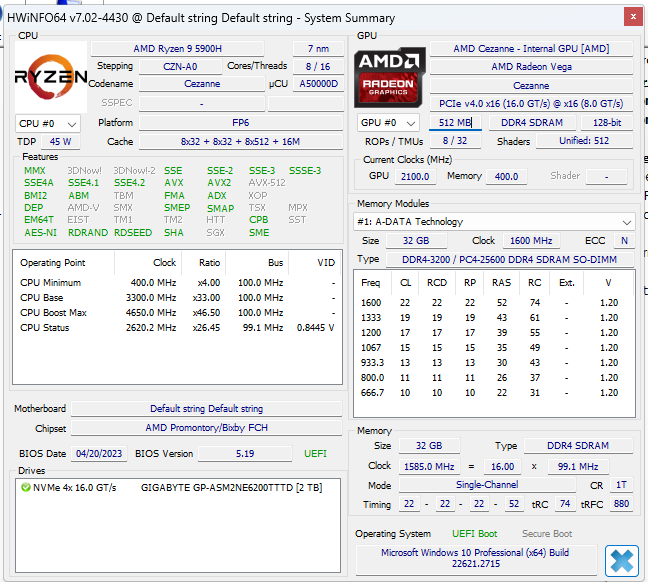
Configuration procedure:
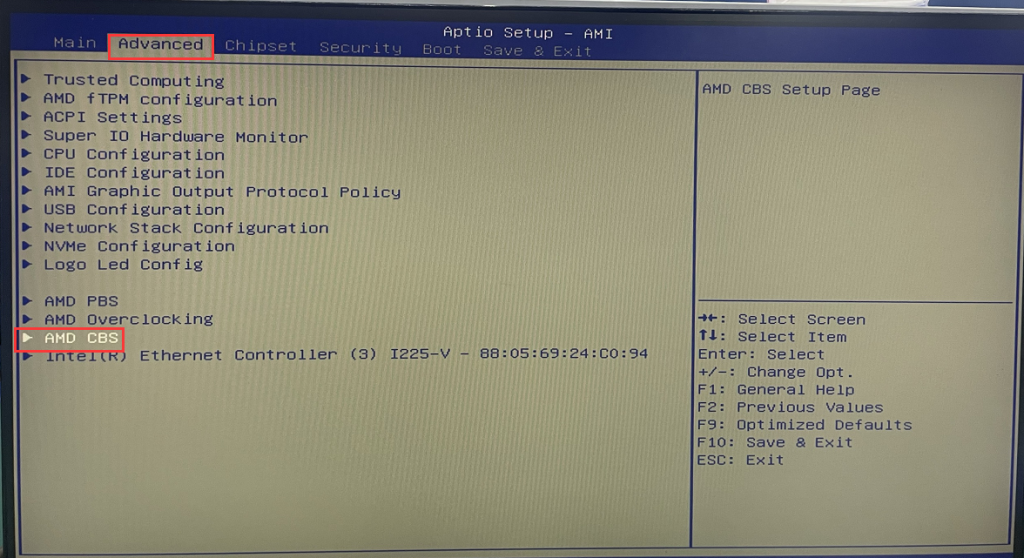
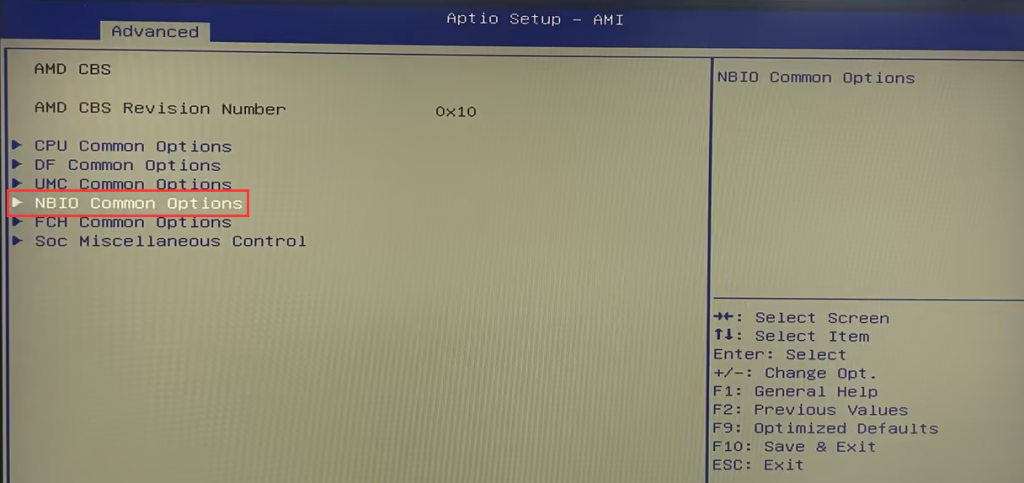
- Step 1 Ensure that the keyboard is connected properly. A wired keyboard is recommended. A Bluetooth keyboard cannot enter the BIOS. Press the switch button to start the device and quickly press the Del key on the keyboard to enter the BIOS Setup. Select Advanced>AMD CBS>GFX Configuration> Set IGPU Configuration to [UMA_SPECIFIED]. Set the required share capacity in the UMA Frame buffer Size. In this blog post, set it to [2G].
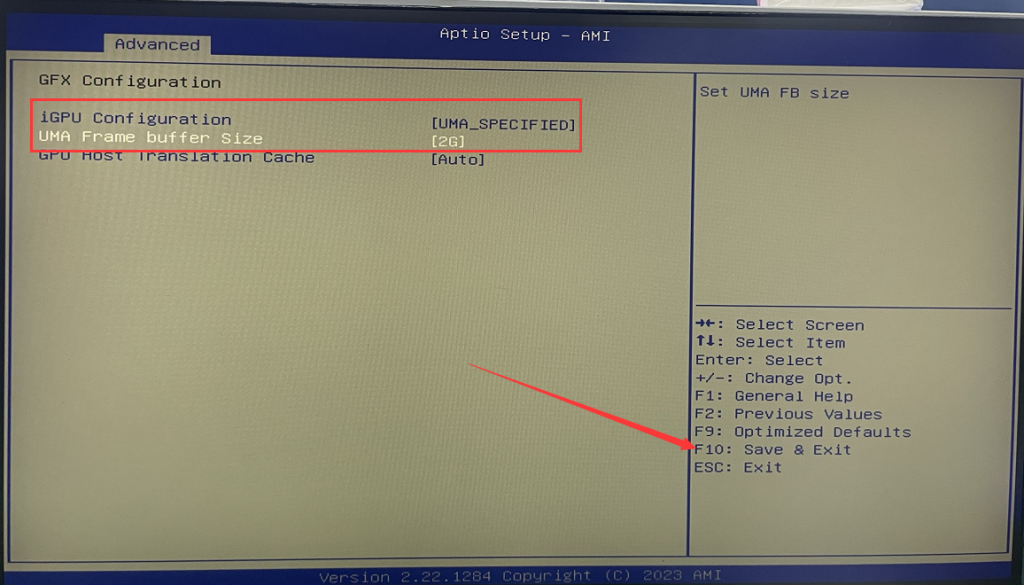
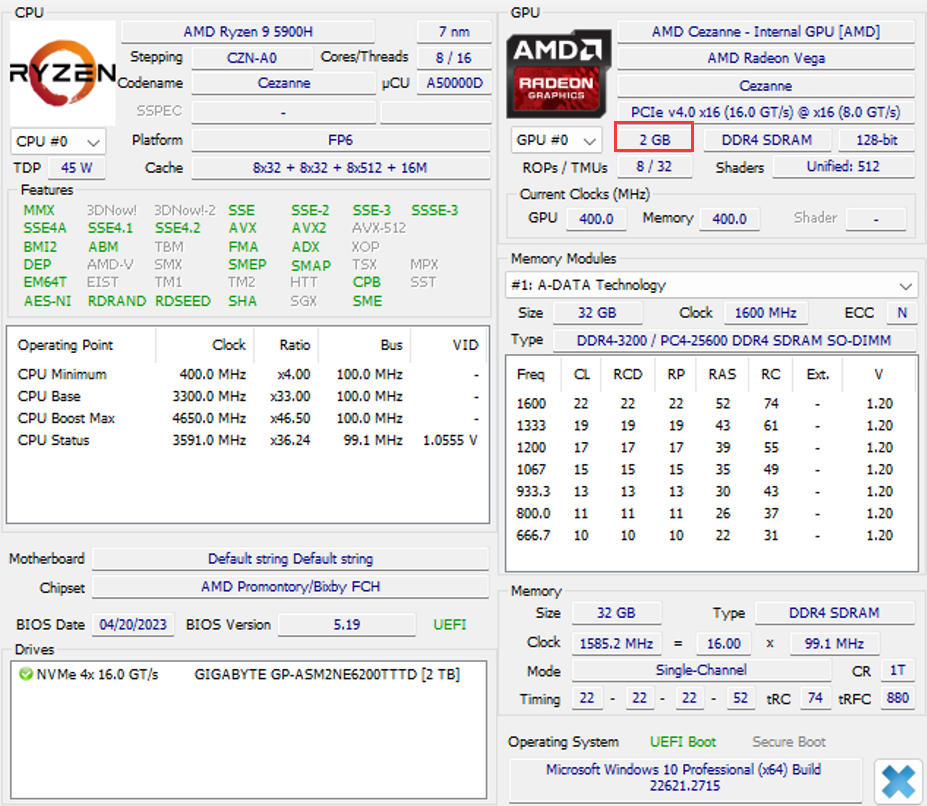
- Step 2: After the configuration is complete, press F10 to save and exit, and then the computer will automatically enter the operating system. After entering the system, we can check the video memory capacity through the third-party software. As shown below, the video memory capacity we configured has shown the 2GB video memory.
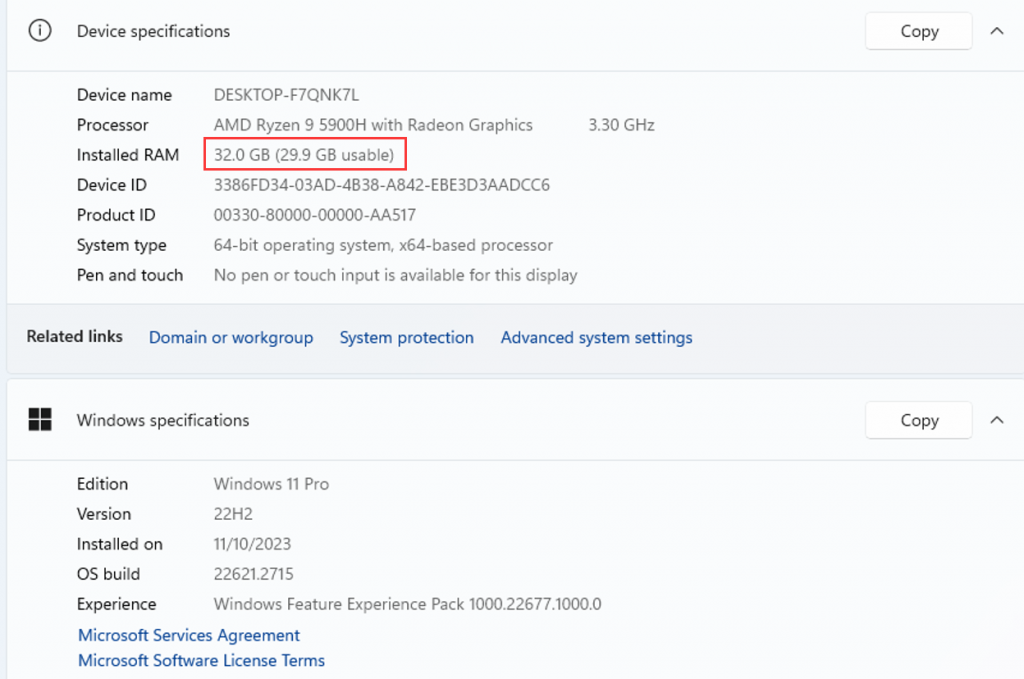
- PS: Adjusting the video memory capacity will occupy the system memory capacity of the computer. For example, if the memory capacity is 32GB, the available system memory of the computer will be reduced by 2G after the video memory capacity is adjusted, and only 29.9G running memory is available.
《H6》How about installing a Linux like system that displays abnormalities or does not display?
Windows10-11-How to recover the operating system through (Windows RE)?
