
《H6》How about installing a Linux like system that displays abnormalities or does not display?
Install linux class system display abnormal or not display how?
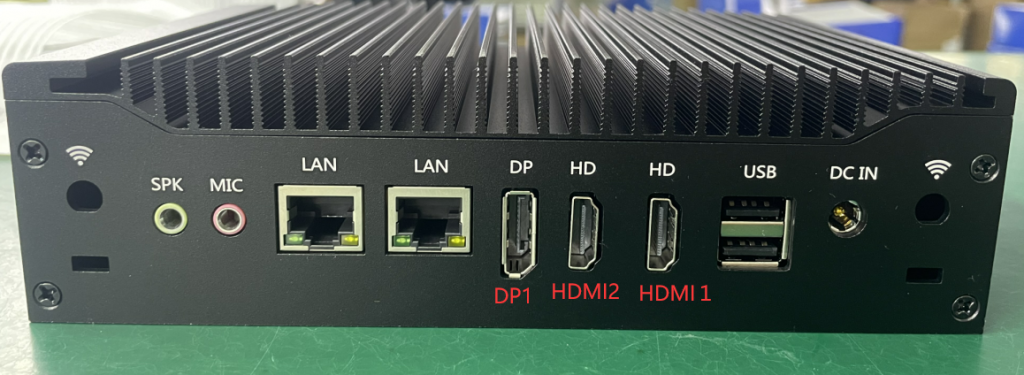
Overview: H6 This model is designed with 3 display ports (HDMI1, HDMI2, DP), of which HDMI2 is the built-in output port by default, the port output depends on the built-in EDP chip output. Therefore, if the HDMI2 port is not used during the installation of a linux system, the installation page may not be displayed or the display is abnormal if other ports are used. To solve this Bug, we updated the Bios version. After updating the BIOS, you can disable the HDMI2 port in the BIOS. PS: After the HDMI2 port is disabled, the model can only achieve dual output, and the HDMI2 port is invalid.
- Q: Which BIOS versions support disabling?
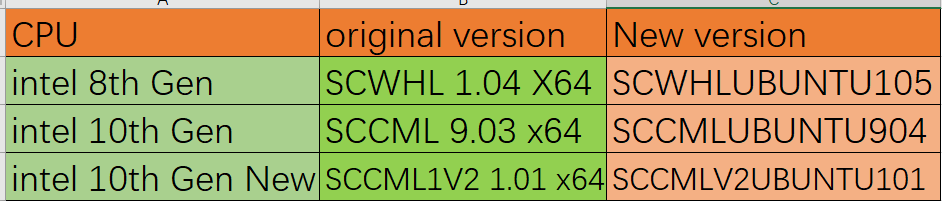
A: Generation 8 CPU BIOS version: SCWHLUBUNTU105
10gen CPU BIOS version: SCCMLUBUNTU904\SCCMLV2UBUNTU101
- Q:Where to download BIOS files?
A: BIOS brushing has certain risks. In order to avoid the phenomenon that BIOS is not displayed after BIOS brushing, please contact your supplier to obtain BIOS files. When you contact the supplier, you should provide the current BIOS version of your model.
To enter the BIOS, perform the following steps:
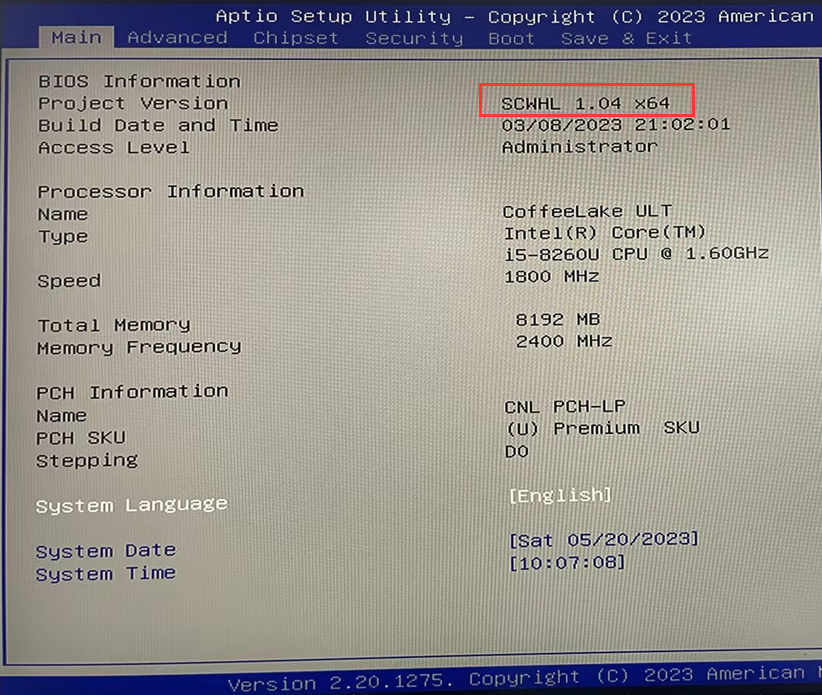
Press the switch button and quickly press the Delete key on the keyboard to enter the BIOS, and provide the Version number or screenshot behind Project Version.
- How do I update the BIOS?
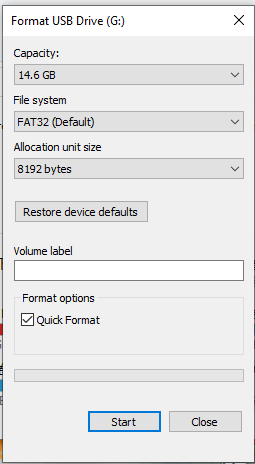
1. Prepare a USB flash drive with a capacity greater than 4GB and format it as Fat 32.
2. Decompress the compressed folder and copy all files in the folder to the root directory of the USB flash drive.
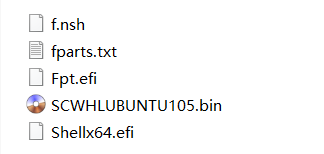
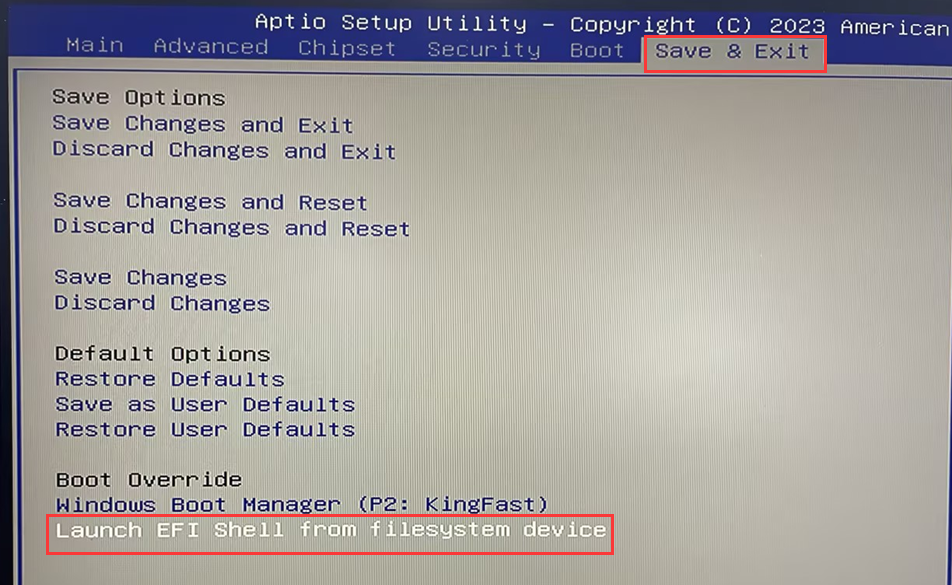
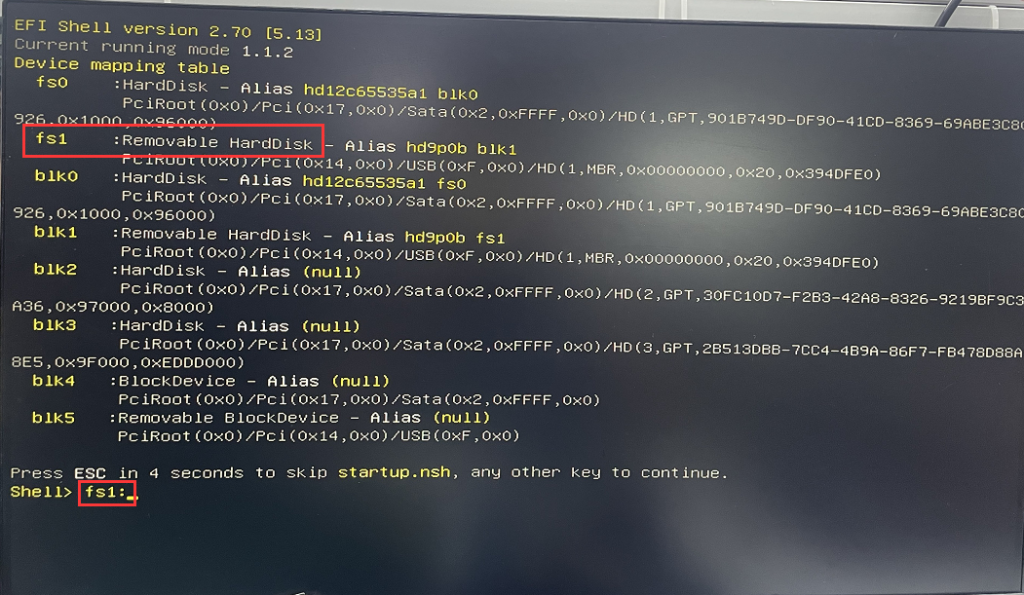
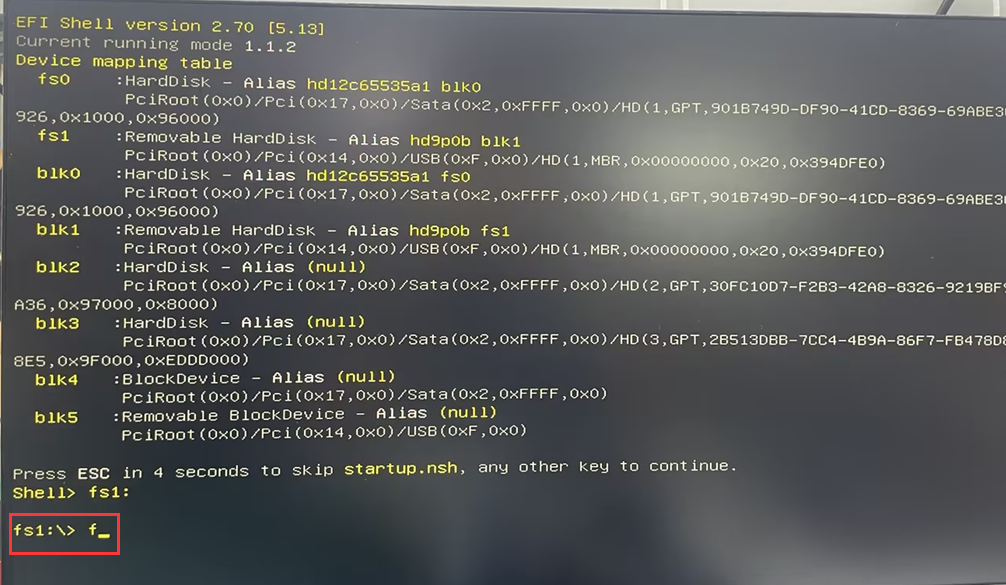
3、Insert the USB flash drive into the USB port of the BIOS model to be updated, press the switch button, and then quickly press the Delete key on the keyboard to enter the BIOS. Choose Save & Exit>Launch EFI Shell from filesystem device> Enter the EFI Shell mode and check the Removable HdrdDisk-Alias drive name. For example, if the drive letter is fs1:, Enter fs1: in Shell> and press Enter, fs1:\> Enter F and press Enter, the Bios update will start, wait for the BIOS update to be completed, and when FPT Operat ion successful is displayed. Indicates that the update is complete. Press the switch button to turn off the computer.
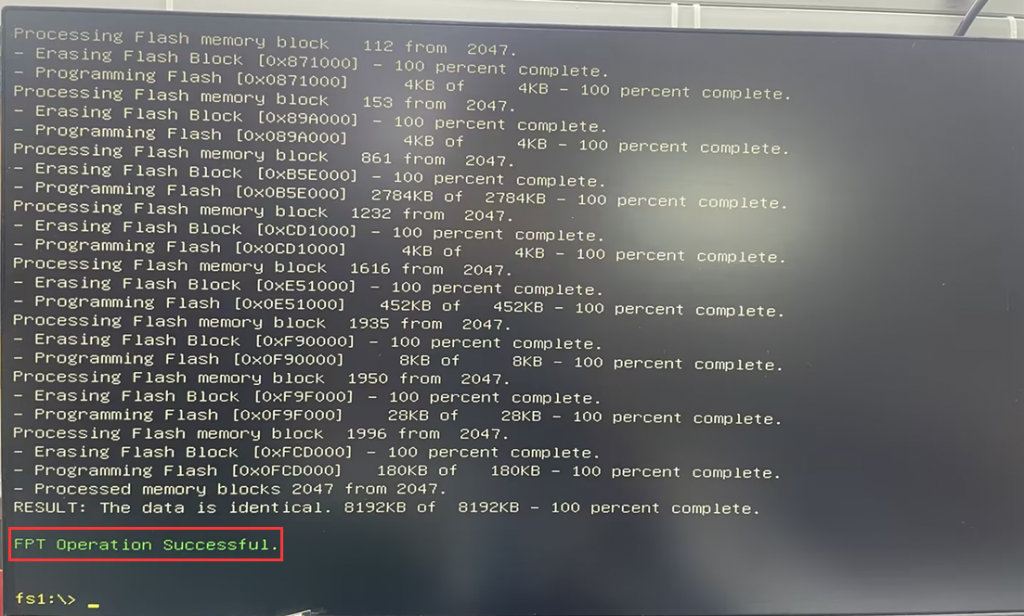
- Q: How do I disable the HDMI2 port in the BIOS?
A: 1. Connect the monitor through DP or HDMI1 port
2. Press the switch button and quickly press the Delete key on the keyboard to enter the BIOS Setup, Select Advanced>LCD Control> Set VBT Select to HDMI1+DP1, and press F10 to save the Settings and exit.
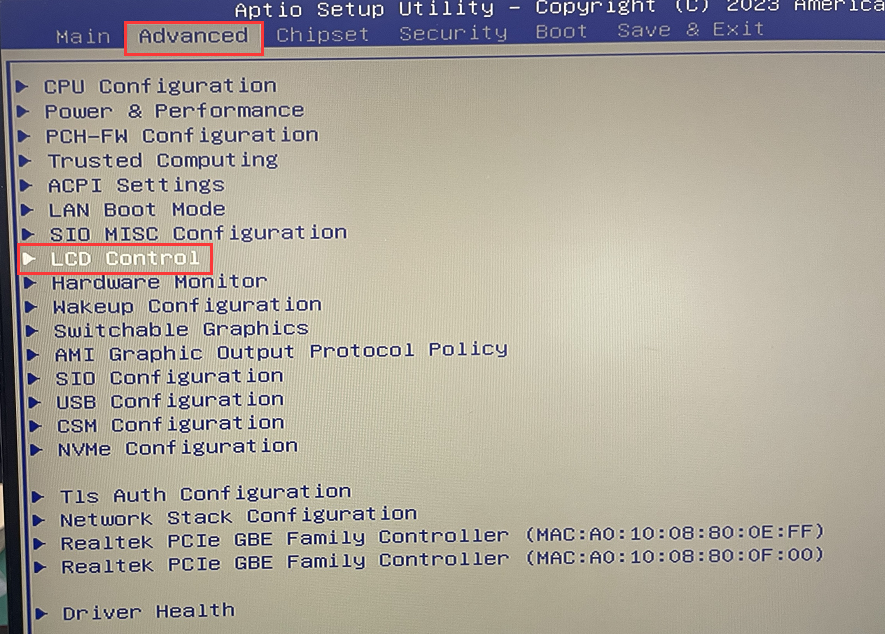
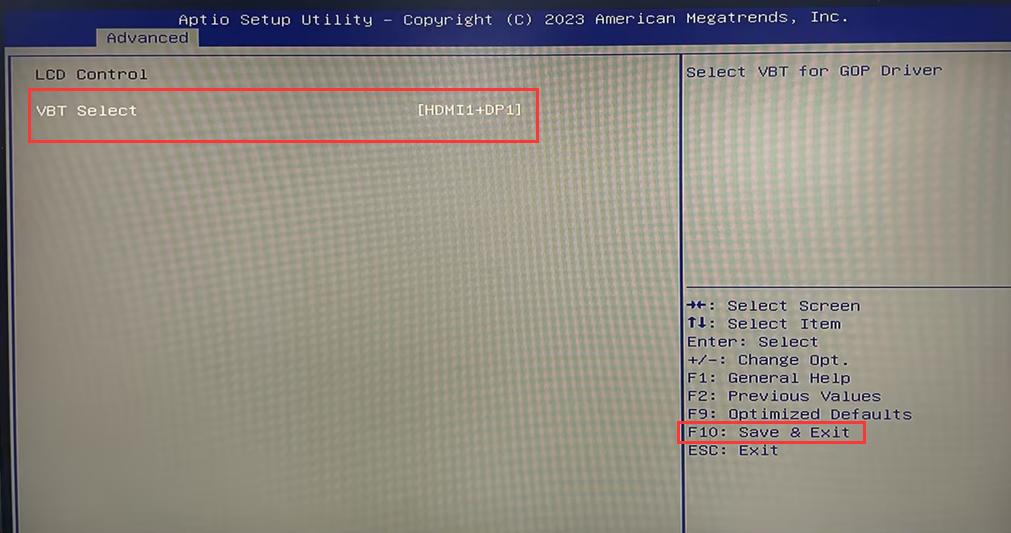
Why does the graphics card core display Intel on the 12th generation core graphics card model ® UHD?
M1-M6 AMD series models, core display memory shared system memory configuration steps
