
How to Enable Administrator Users and Set Administrator Passwords in the Win10-Win11 System?
author: VENOEN
2023-12-04
How to open the administrator user and set the administrator password in Windows 10-11 system?
Overview:
By default, the pre-installed Windows10-11 operating system does not enable the Administrator user, which can effectively reduce security risks. Of course, according to different user needs, some users need to have Administrator rights to better use the computer, below we describe how to open the Administrator user and set the administrator user password.
By default, the pre-installed Windows10-11 operating system does not enable the Administrator user, which can effectively reduce security risks. Of course, according to different user needs, some users need to have Administrator rights to better use the computer, below we describe how to open the Administrator user and set the administrator user password.
Windows10-11 PRO version opening steps:
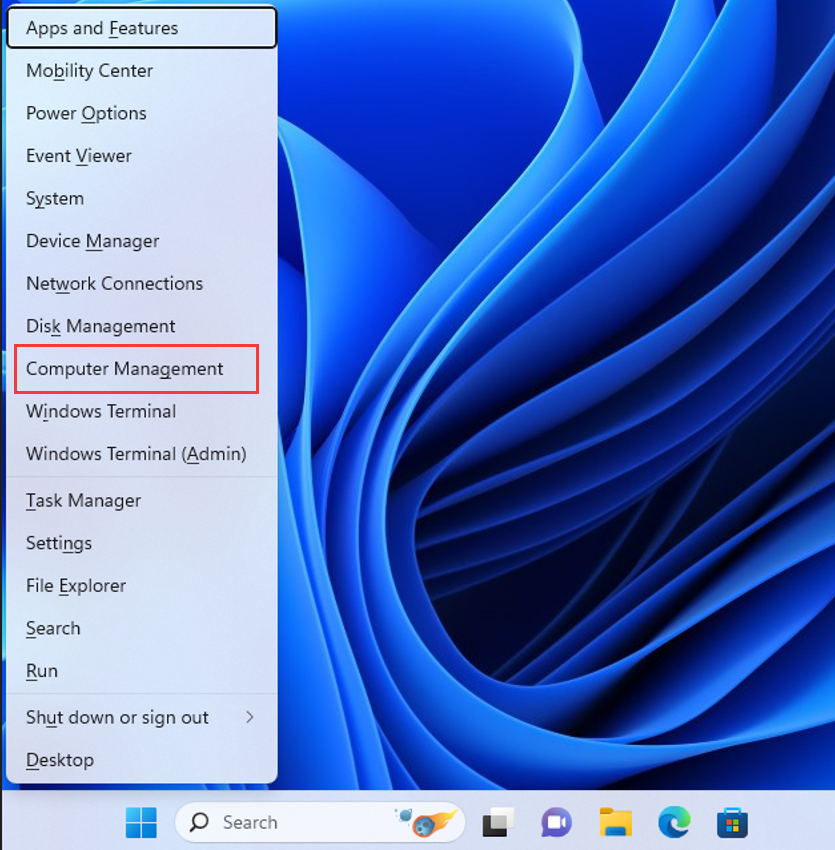
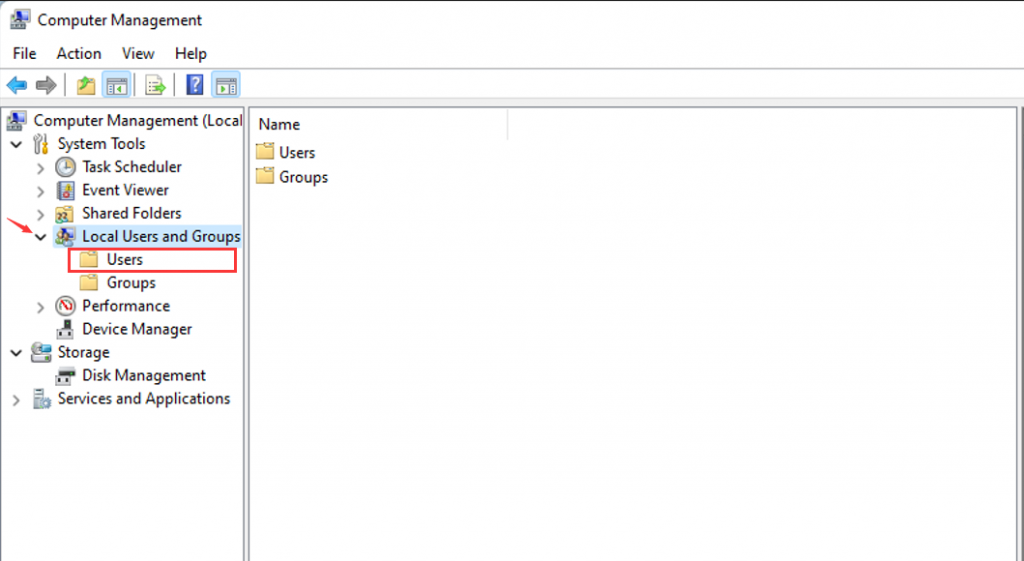
1. Press the keyboard Win+X to open the shortcut menu, and choose Computer Management> Expand Local Users and Groups>Users
1. Press the keyboard Win+X to open the shortcut menu, and choose Computer Management> Expand Local Users and Groups>Users
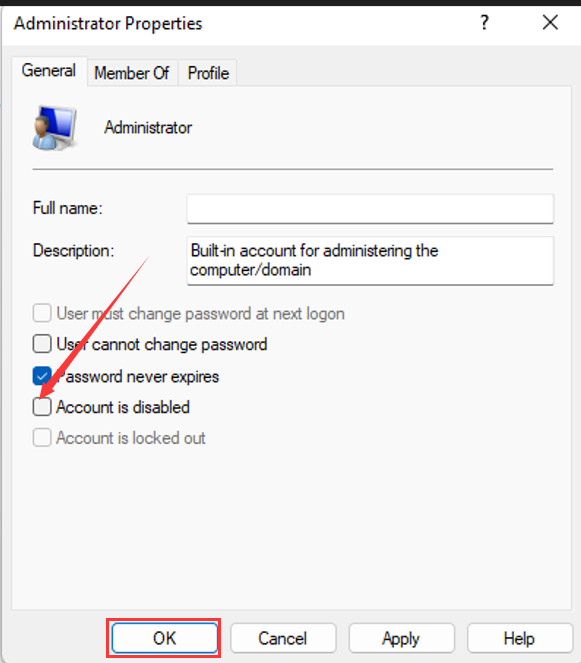
- 2. Right-click Administrator, choose Properties> Remove the check mark in front of Account is disabled > and select OK to save the changes.
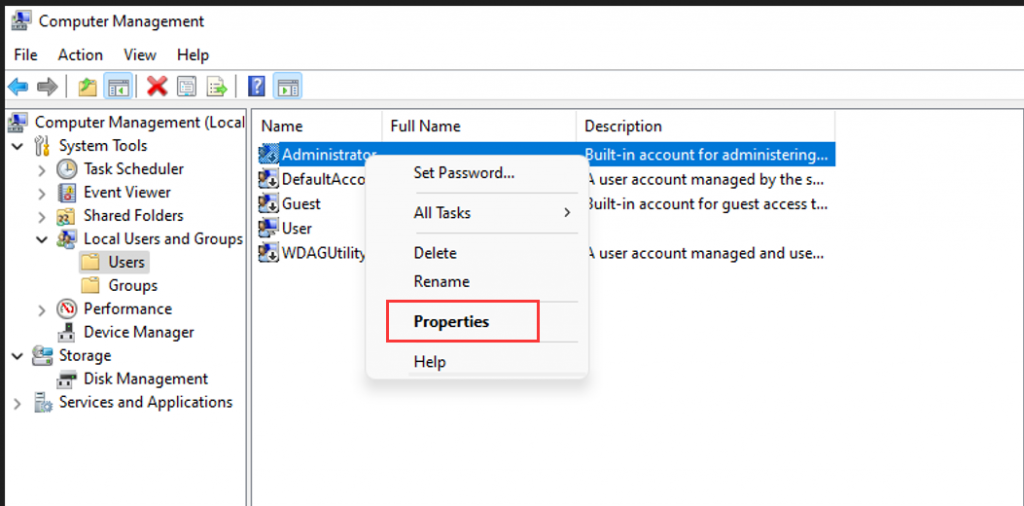
- 3. If you want to Set the Administrator Password, right-click Administrator, choose Set Password>proceed> Enter the password, and confirm the password >OK.
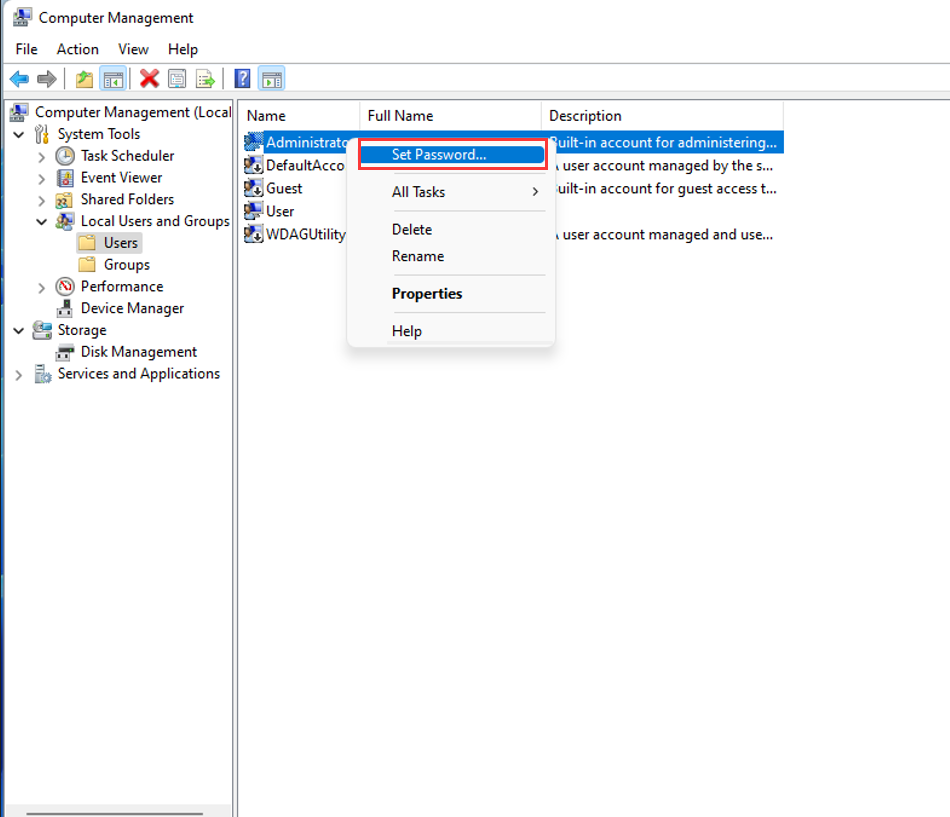
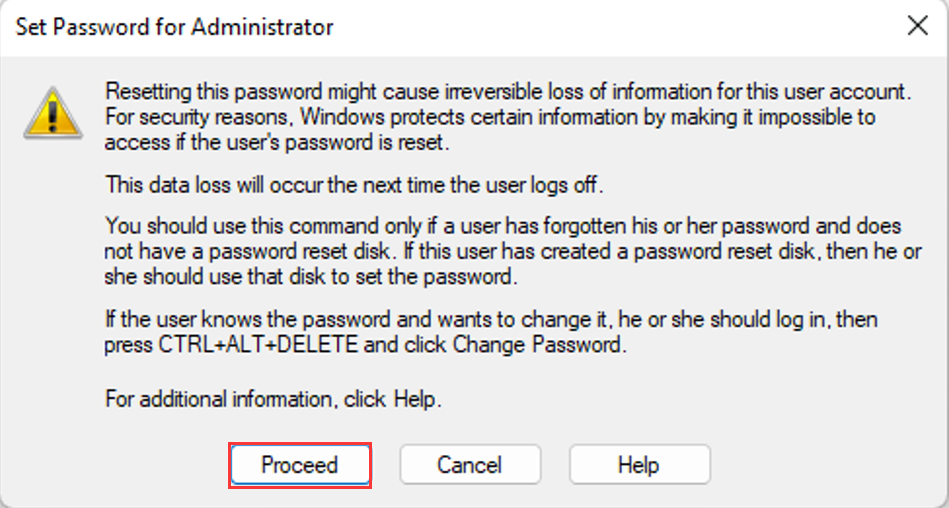
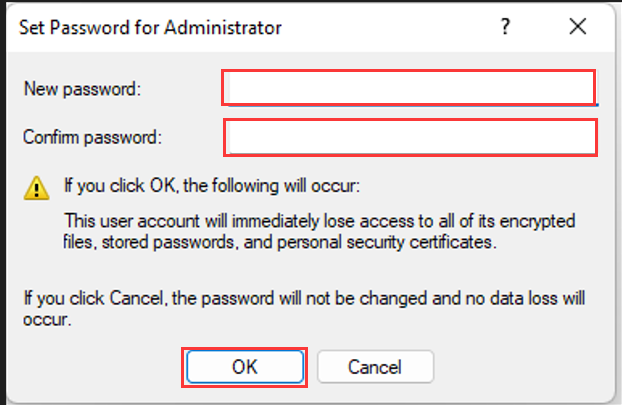
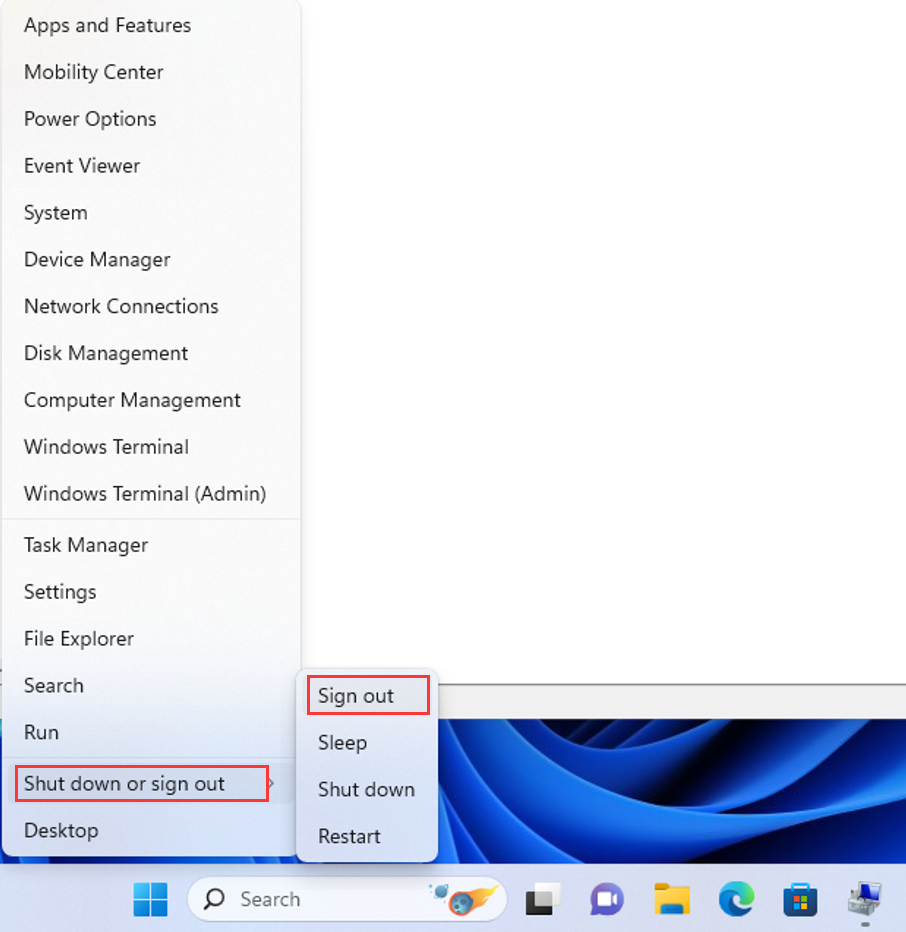
- 4. The Administrator user and its password have been successfully configured. Remember your password. Press Win+X shortcut keys and choose Shut down or sign out>Sign out to take effect.
How to achieve 4G internet access for models with built-in SIM card slots on the motherboard?
How to install the Intel i225/i226-V network card driver under Windows Server system?
