
Why does the graphics card core display Intel on the 12th generation core graphics card model ® UHD?
author: VENOEN
2025-07-16
Why is the graphics core displayed as Intel® UHD on 12th generation core graphics models?
Overview:
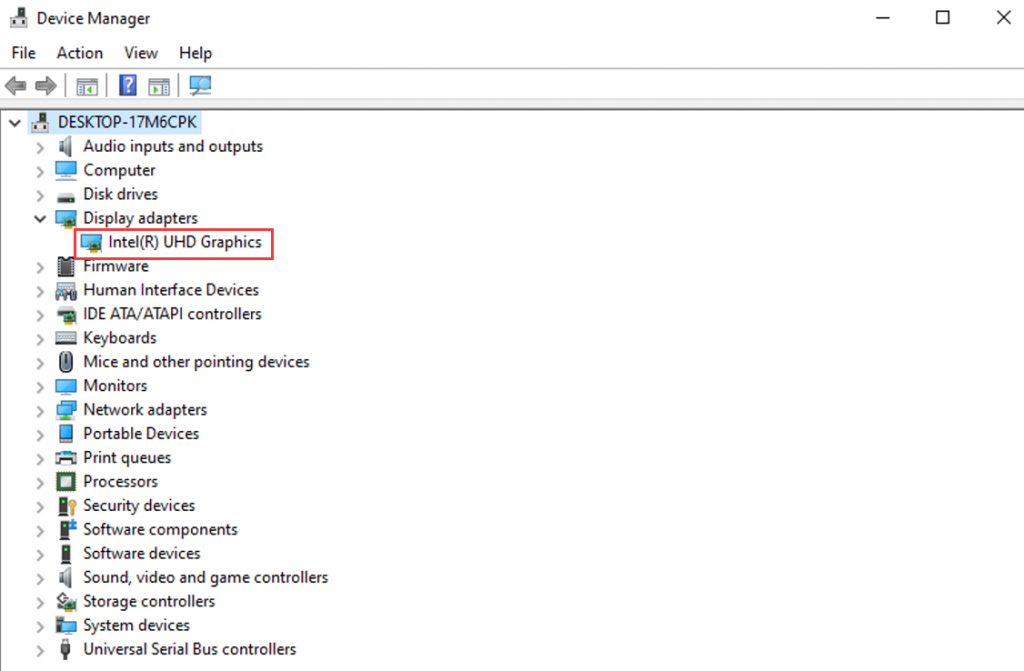
Intel 12th generation CPU (such as M1-i5-1240P\i7-1280P\i7-1265U), the graphics card model in Intel's official specification sheet is "Intel® Iris® Xe Graphics eligible", but some customers reported that when receiving the computer, the The graphics card model in the system shows "intel(R) UHD Graphics"
- Phenomenon analysis:
When the computer is not equipped with a dual-channel memory module, the graphics card model will display "intel(R) UHD Graphics". This is normal and does not affect use. If you need to use intel(R) Lris(R) Xe Graphics graphics card, you can solve the problem according to the following methods.
solution:
Prepare 1 memory stick of the same brand and capacity
Disassemble the machine when the power is off and install the memory module into the SODIMM slot of the motherboard.
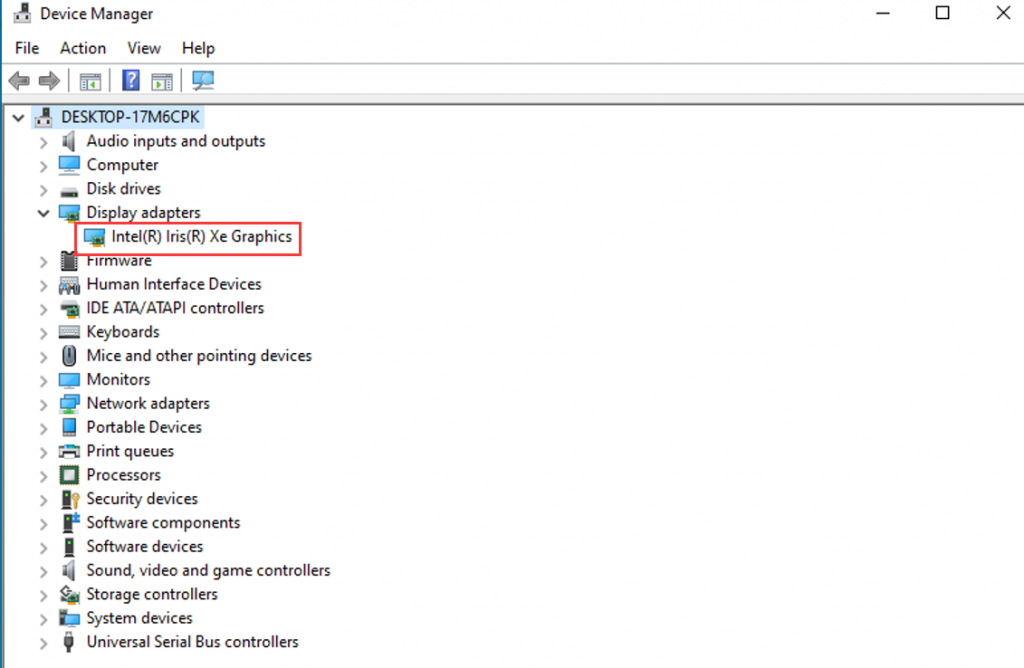
Under normal circumstances, after booting into the operating system, expand "Display adapters" in "Device Manager" and the graphics card model will change to "intel(R) Lris(R) Xe Graphics", as shown in the following figure:
Update BIOS under DOS system
《H6》How about installing a Linux like system that displays abnormalities or does not display?
