
How to configure multiple networks (Ethernet, WLAN, 4G) to connect to the Internet, Windows domains, or both simultaneously under the Windows 10-11 system?
author: VENOEN
2025-08-20
How to configure multiple networks (Ethernet, WLAN, 4G) to connect to the Internet, Windows domain, or both under Windows 10-11 system at the same time?
step 1:
Right-click the start menu to open Run, enter "gpedit.msc" during run to open the "Local Group Policy Editor".
Right-click the start menu to open Run, enter "gpedit.msc" during run to open the "Local Group Policy Editor".
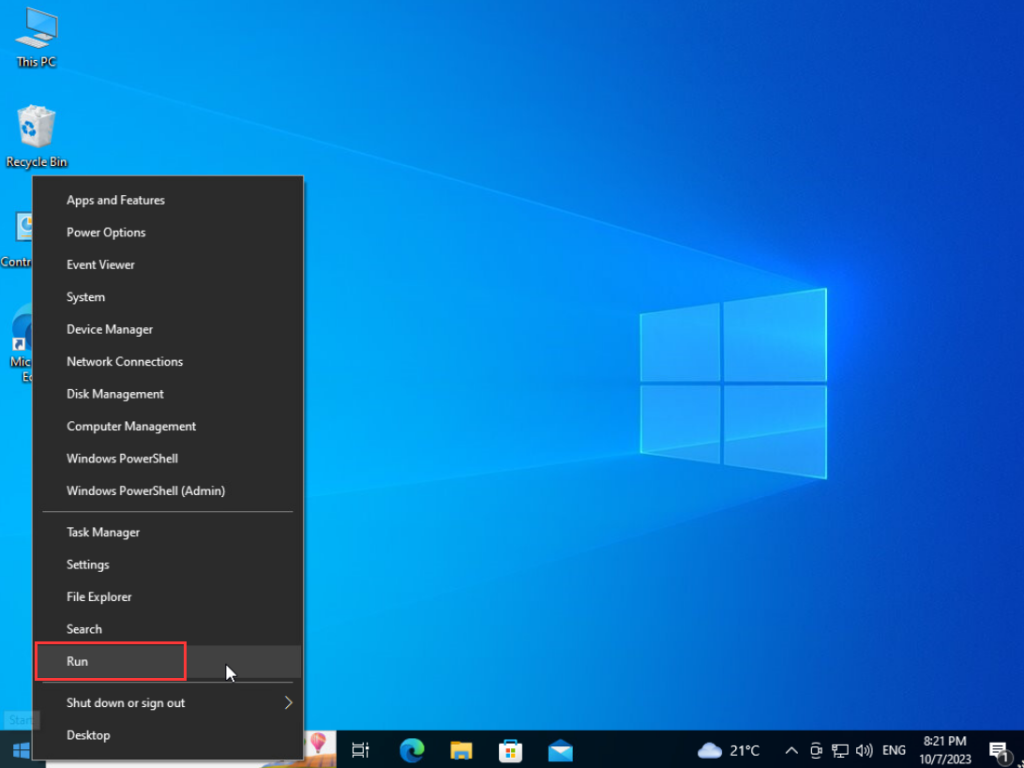
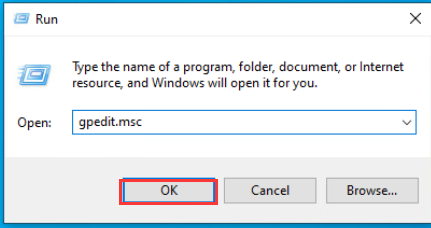
- Step 2:
In the Local Group Policy Editor, expand Administrative Templates>Network>Windows Connection Manager>Double-click Minimize the number of simultaneous connections to the internet or a Windows Domain>Configure this option to Enabled>Configure Minimize Policy Options to 0= Allow simultaneous connections, Click OK after the configuration is complete.
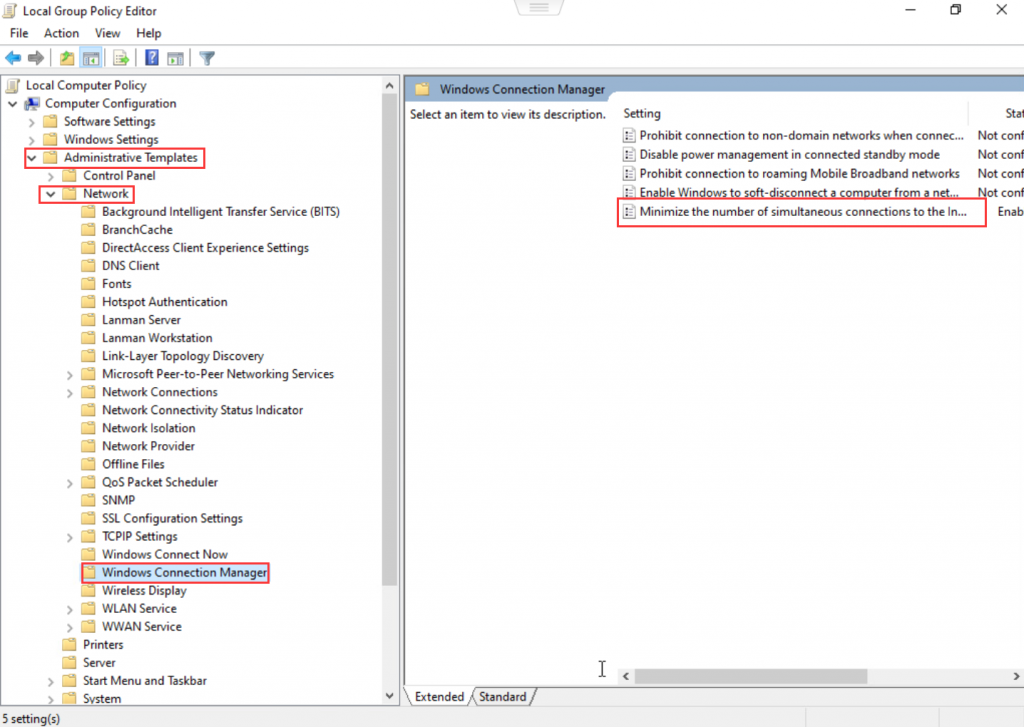
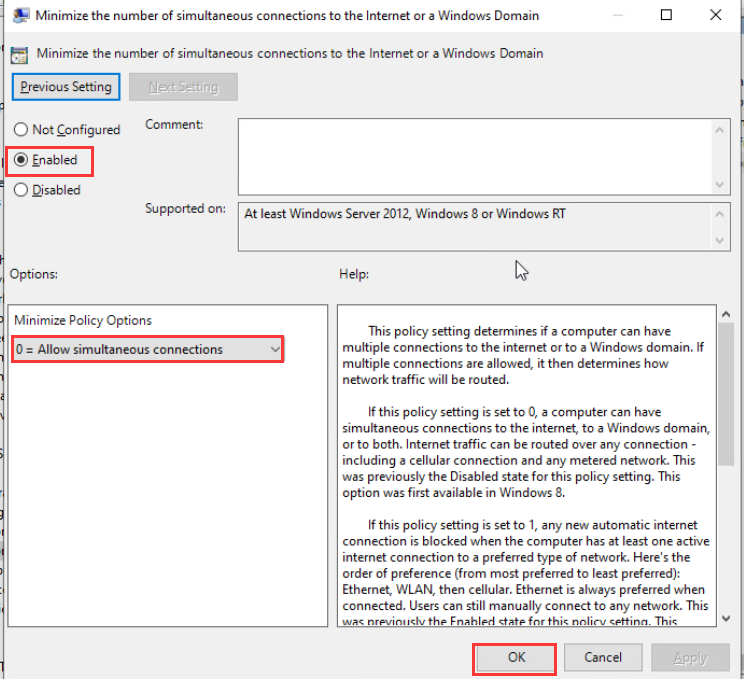
How to extend the CAN bus?
Switch FTPM to TPM enable Bluetooth guidance in H4T BIOS
