
How to install the Lubuntu operating system?
author: VENOEN
2025-09-16
How to install lubuntu operating system?
Preparation:
>8G capacity USB flash drive
Rufus.exe (image file writing tool)
Lubuntu ISO file
Networked computer (Windows)
1. Download the Rufus installation file and Lubuntu image file
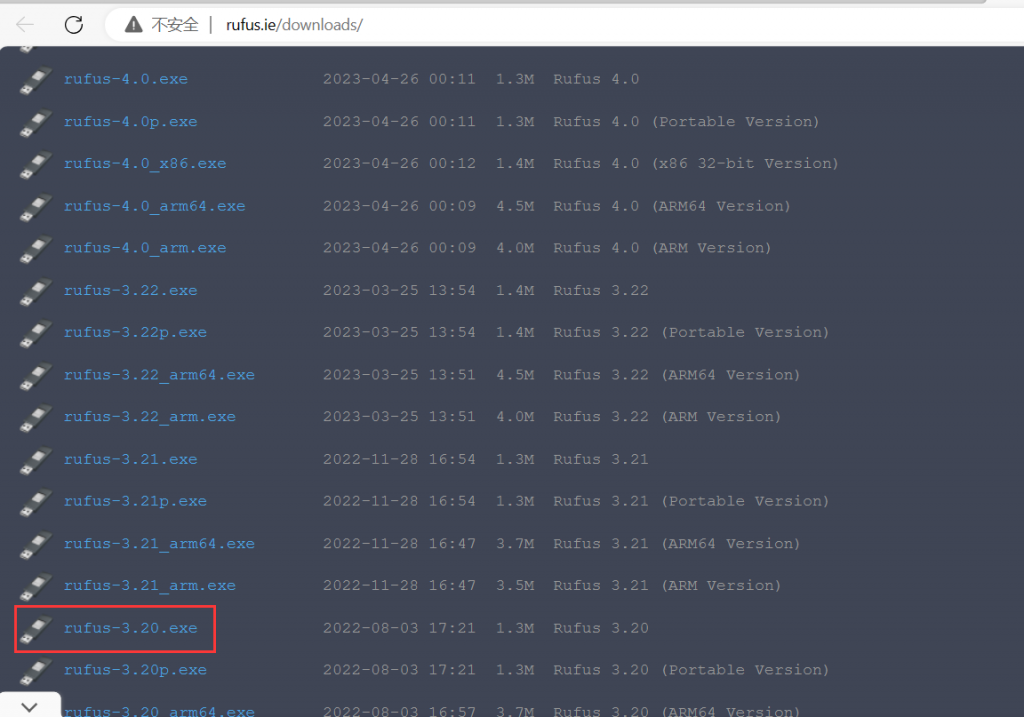
1-1. Copy this URL in the browser address bar to download Rufus: http://rufus.ie/downloads/. This article takes rufus 3.2 as an example.
Preparation:
>8G capacity USB flash drive
Rufus.exe (image file writing tool)
Lubuntu ISO file
Networked computer (Windows)
1. Download the Rufus installation file and Lubuntu image file
1-1. Copy this URL in the browser address bar to download Rufus: http://rufus.ie/downloads/. This article takes rufus 3.2 as an example.
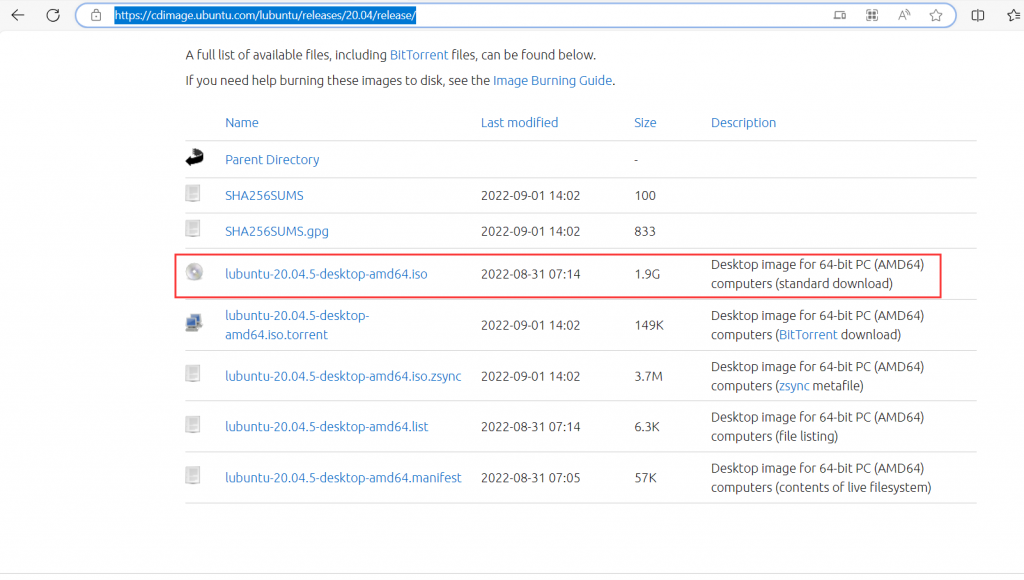
- 1-2. Copy the URL in the browser address bar to download the lubuntu image file. The download address is: //cdimage.ubuntu.com/lubuntu/releases/20.04/release/. In this article, lubuntu-20.04.5-desktop- amd64.iso as an example
- 2. Make Lubuntu20.04 installation media
2-1. Insert the U disk into the USB port of the connected computer, confirm that the U disk has been recognized, and record the U disk letter.
PS: This operation will delete all data in the USB flash drive. If you need important data, please back it up in advance!
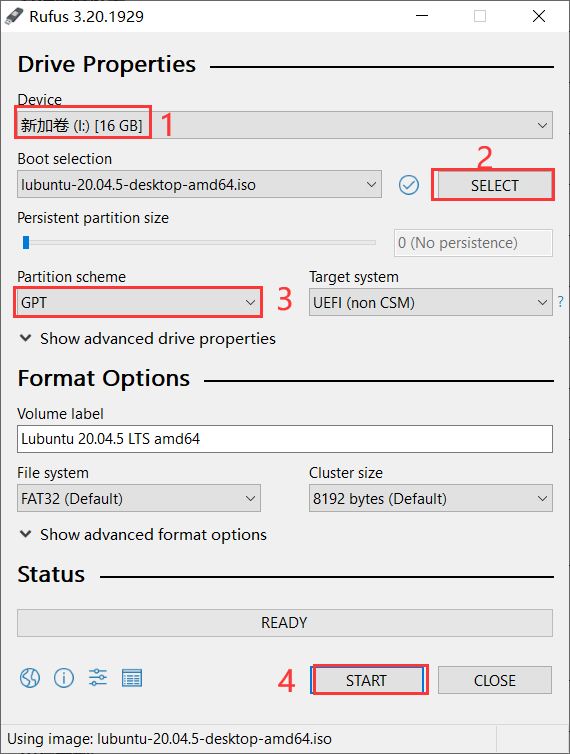
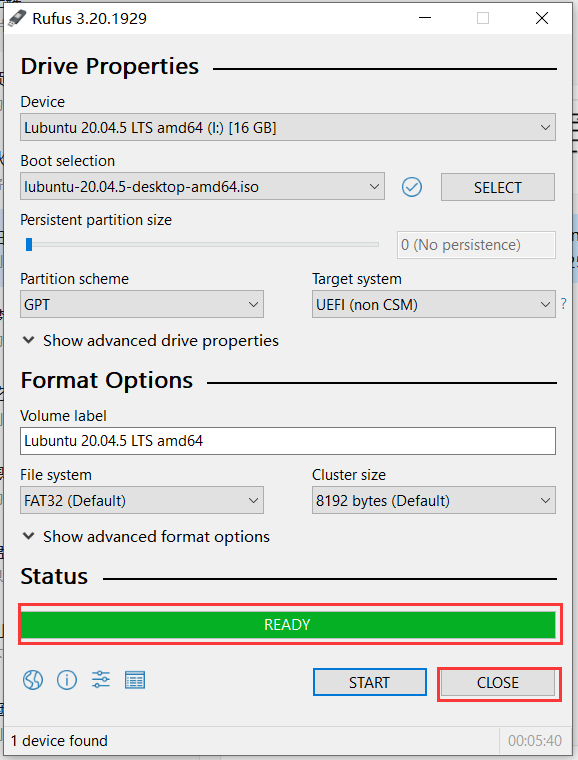
2-2. Run rufus 3.2, select the inserted U disk in Device, select the lubuntu-20.04 ISO image file in Boot Selection, select GPT as Partition scheme, and click START after confirming that it is correct.
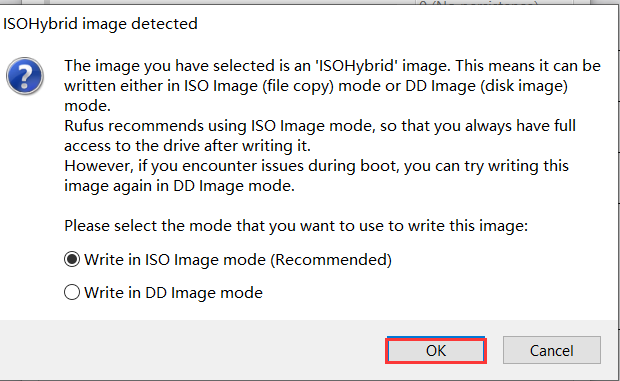
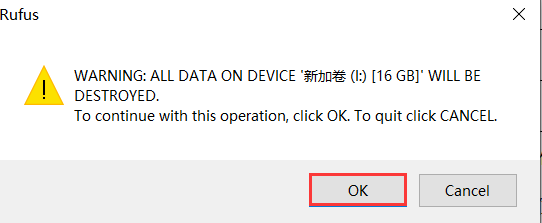
- 2-3. It is recommended to use Write in lSO image mode (Recommended), click OK, and click OK again to confirm writing.
- After waiting for the writing to be completed, a green READY icon will appear, indicating that the writing has been successful. Click CLOSE to exit.
- 3. Install Lubuntu20.04
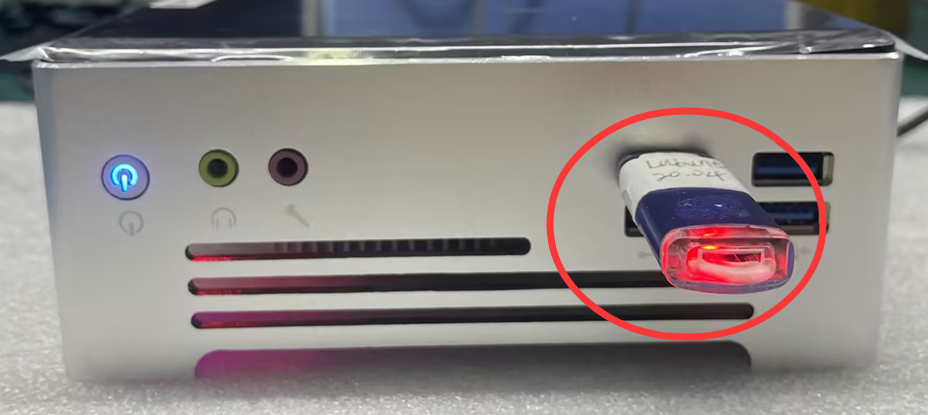
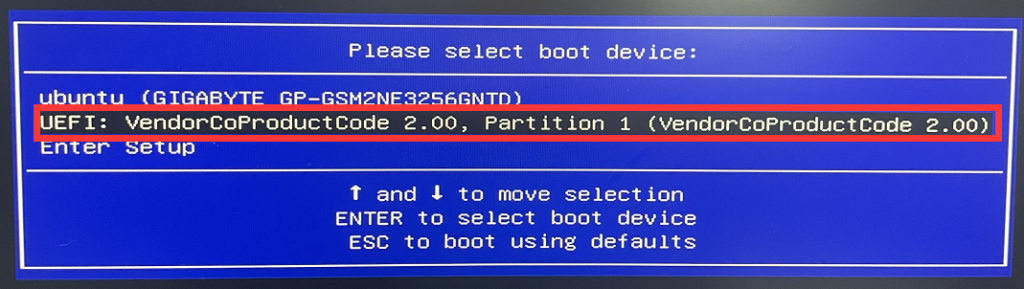
3-1. Insert the U disk into the USB port where the system needs to be installed, then press the switch button (SW) to turn on the computer, and quickly tap the F11 key on the keyboard to enter the Boot menu, select the U disk with the UEFI: prefix and press Enter to enter the system installation guide.
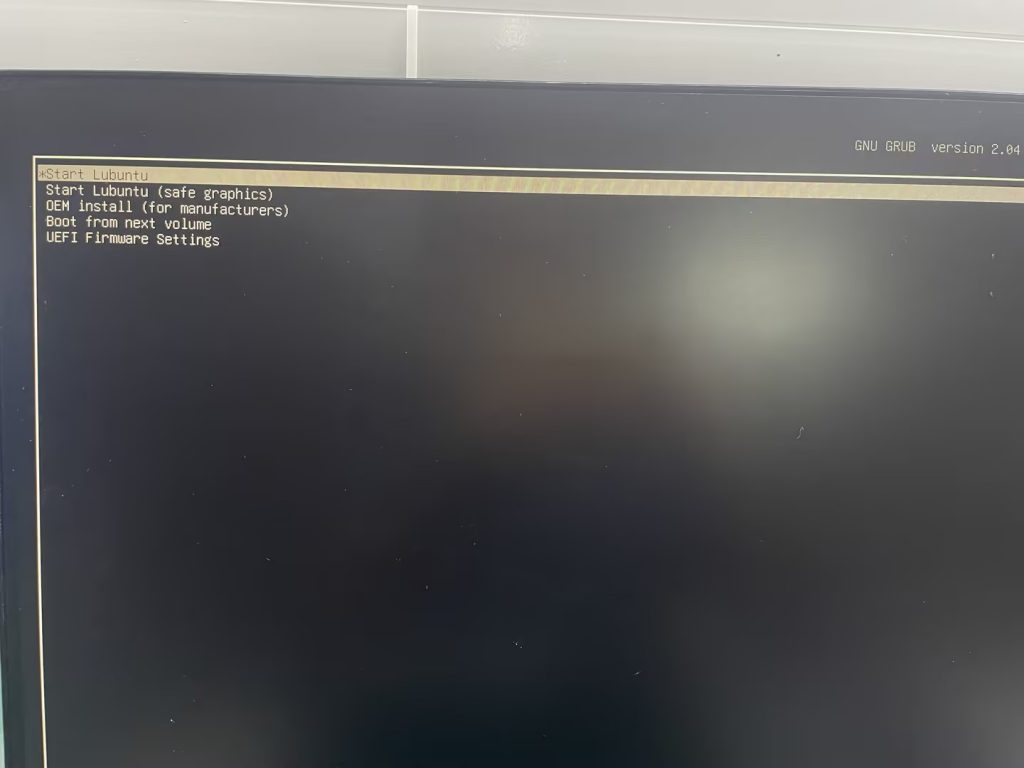
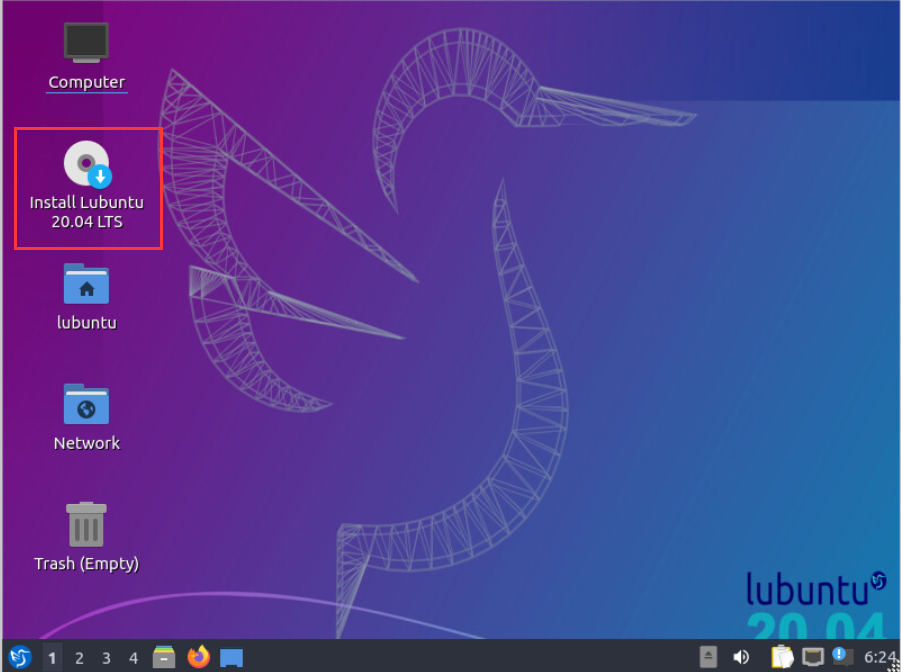
- 3-2. Select Start lubuntu>double-click Install Lubuntu 20.04 LTS
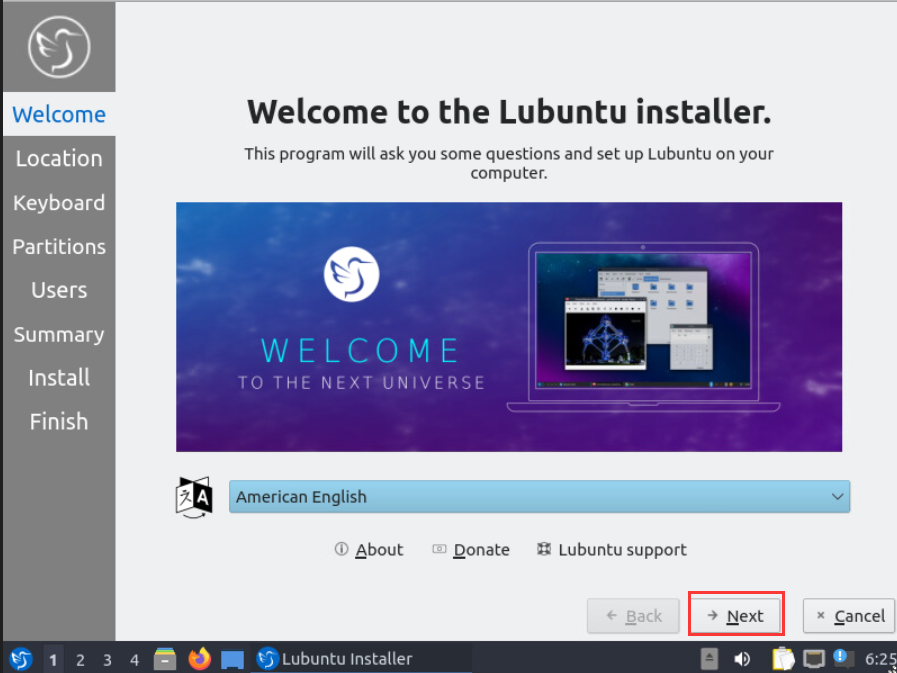
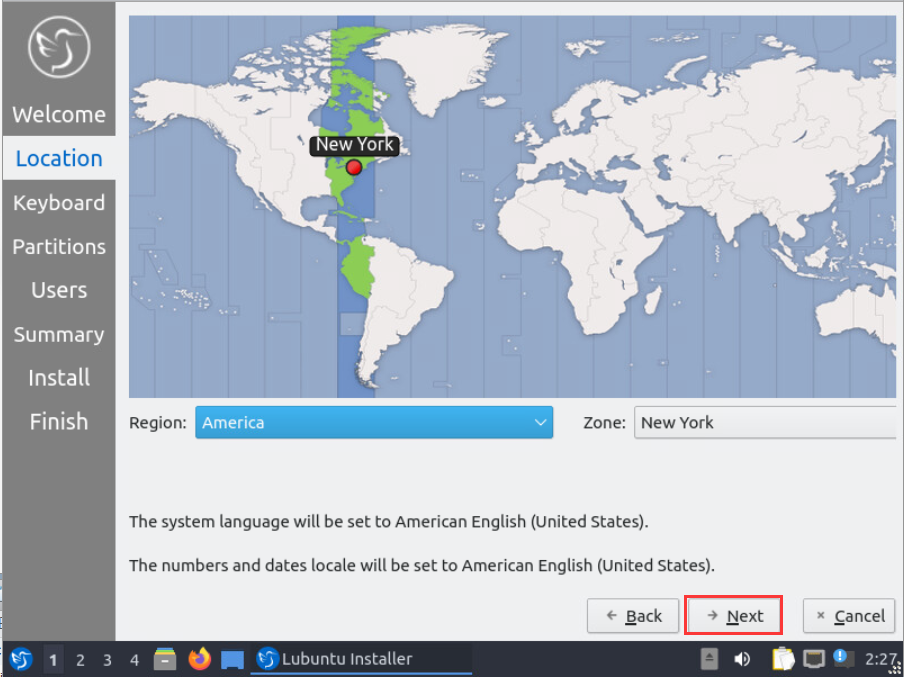
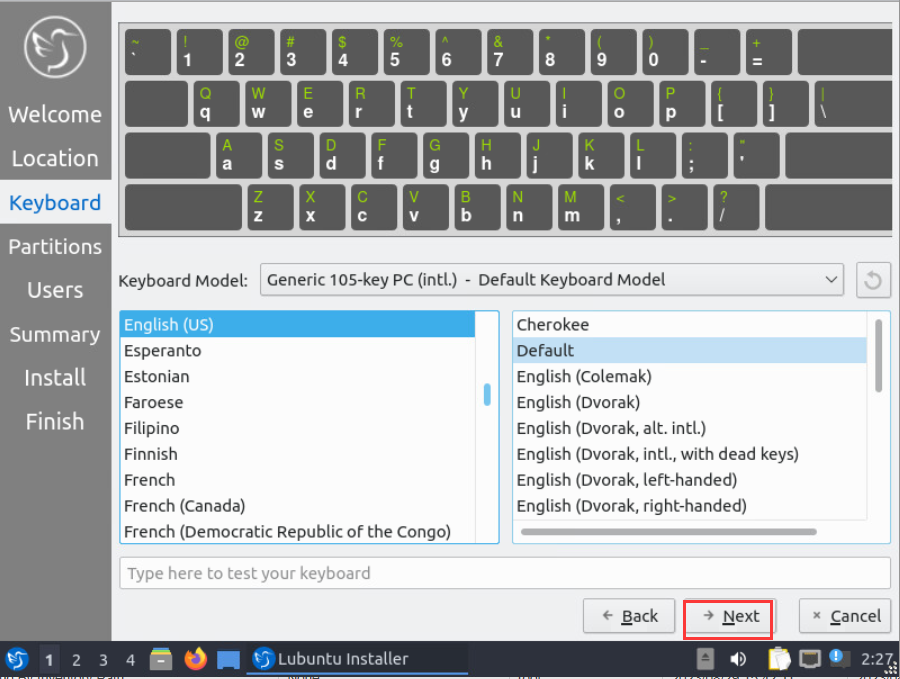
- Select the required language, region, and Keyboard Model according to your needs>Click Next to proceed to the next step.
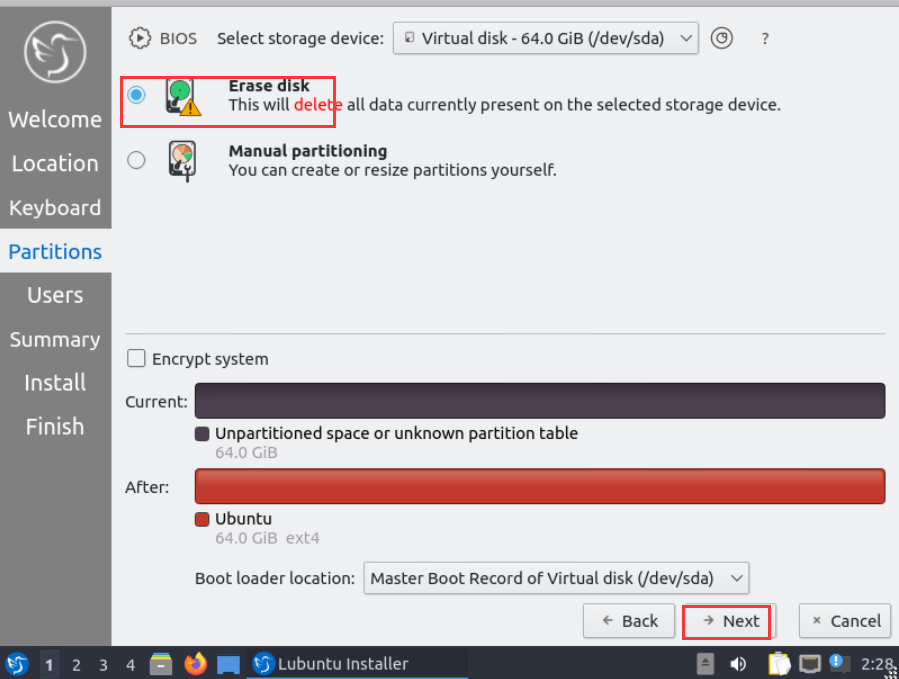
- 3-3. Select storage device: Select the drive letter of the storage device (hard disk) and select Erase disk>Next.
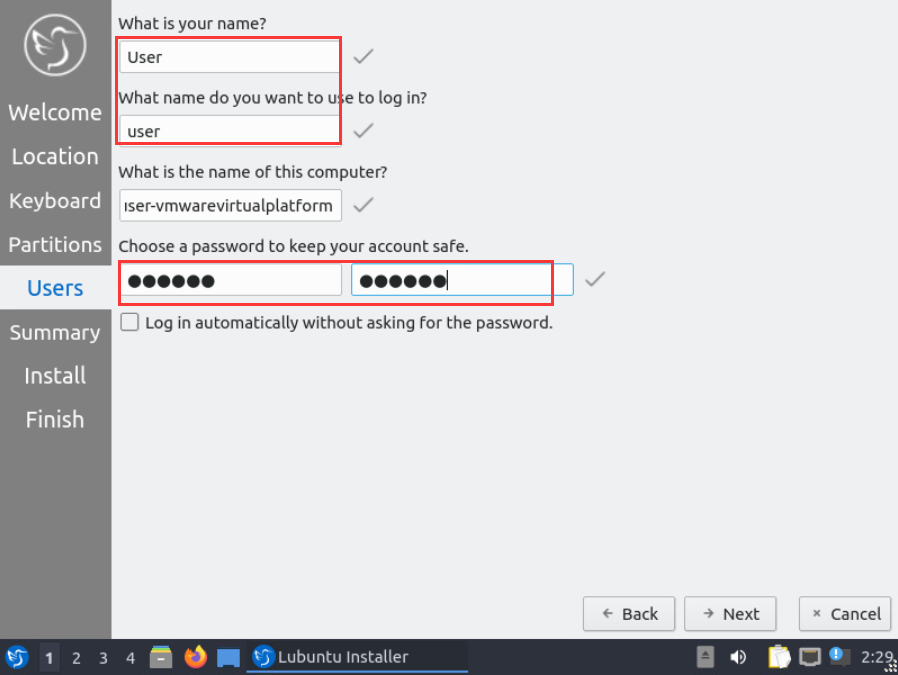
- Set username and password>Next
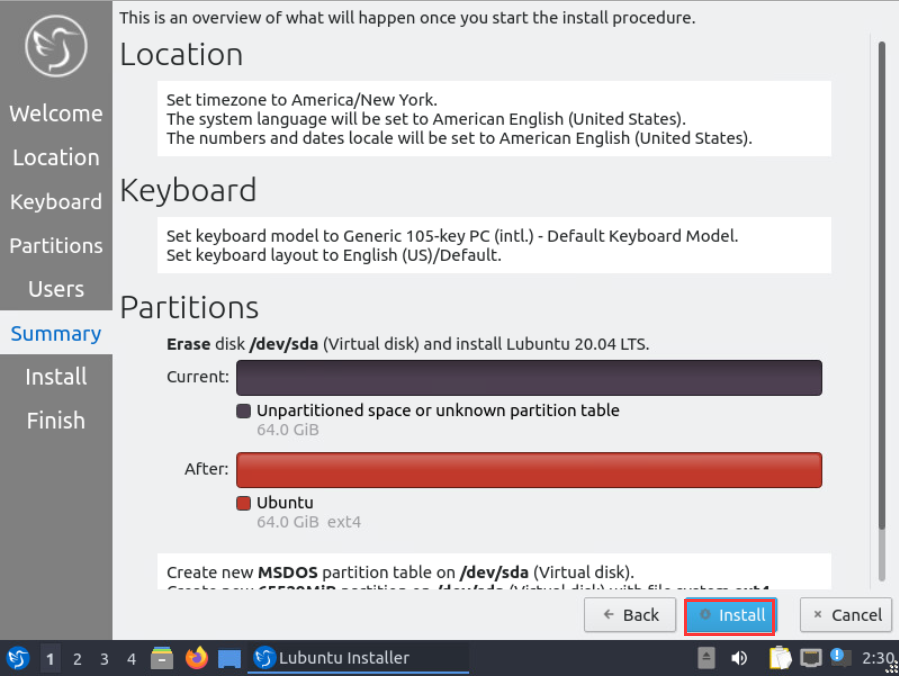
- After confirming that the configuration is correct, click install>install now to start the installation.
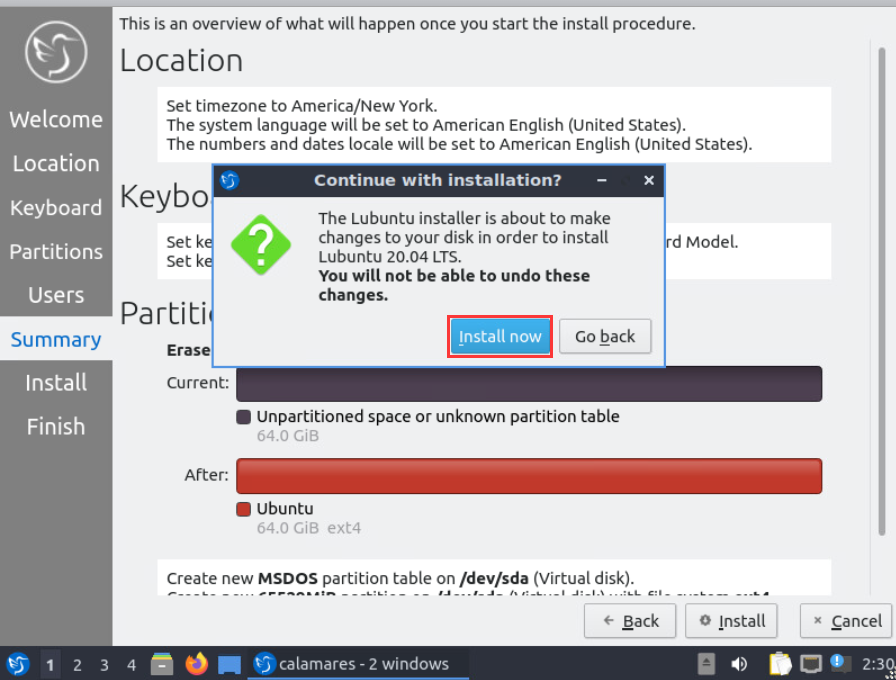
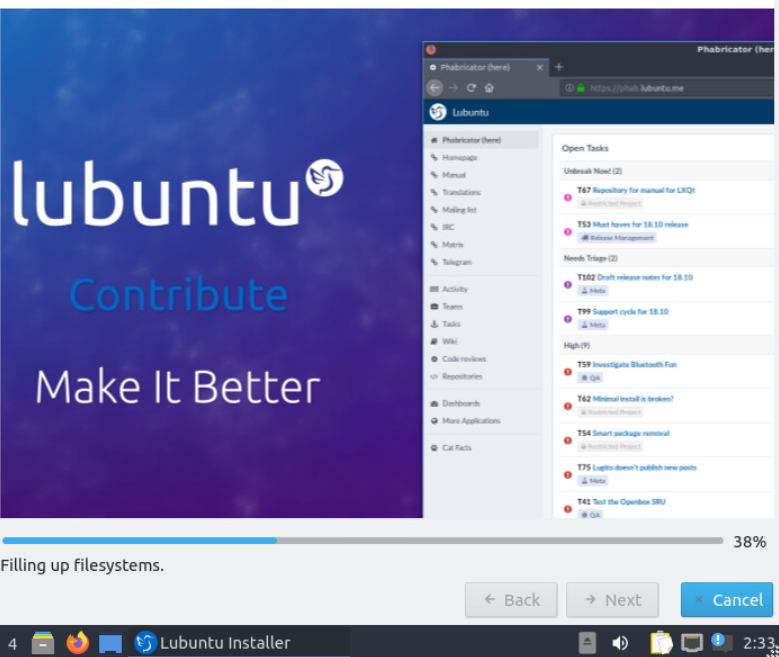
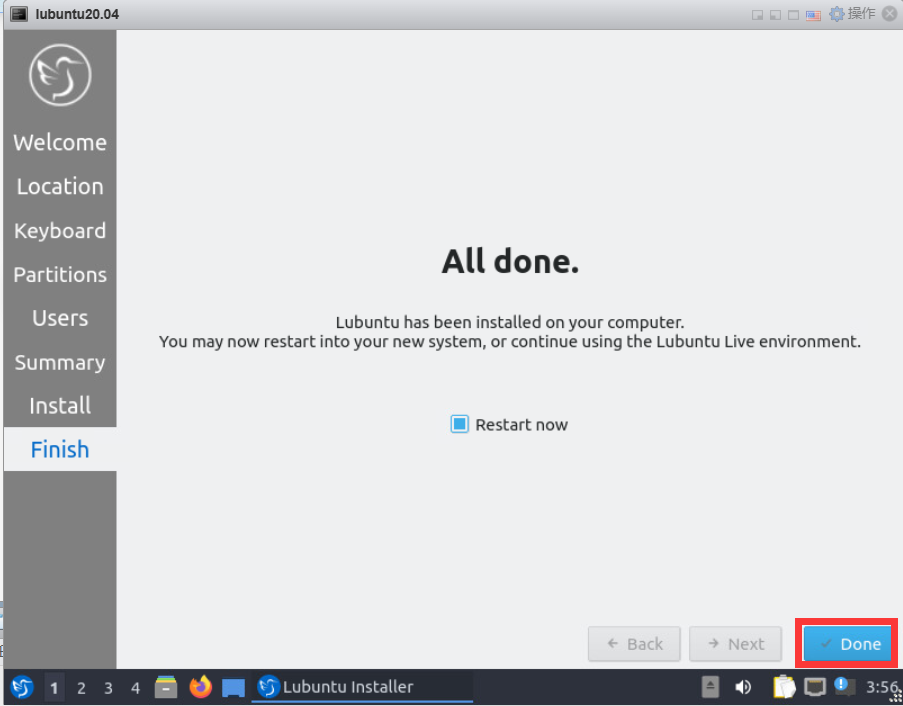
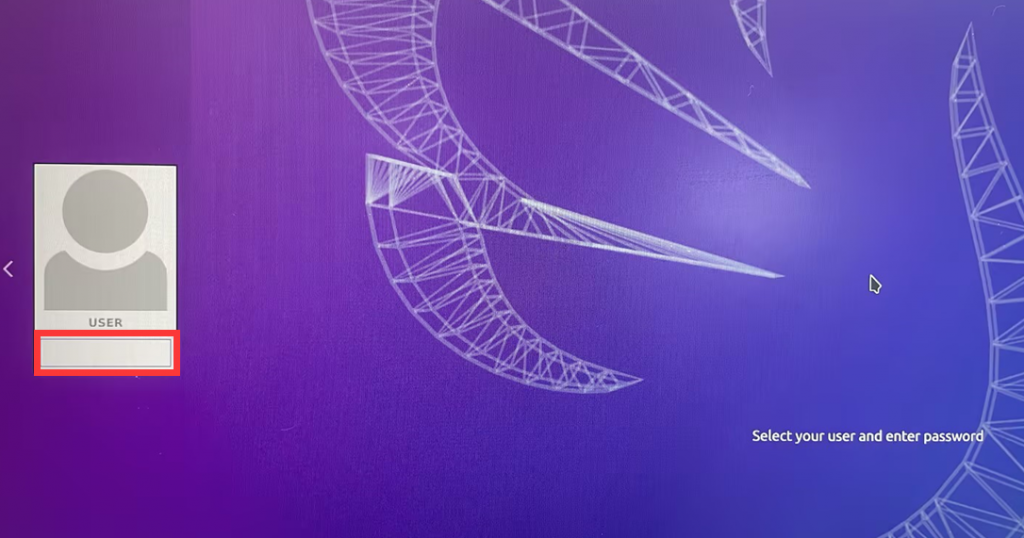
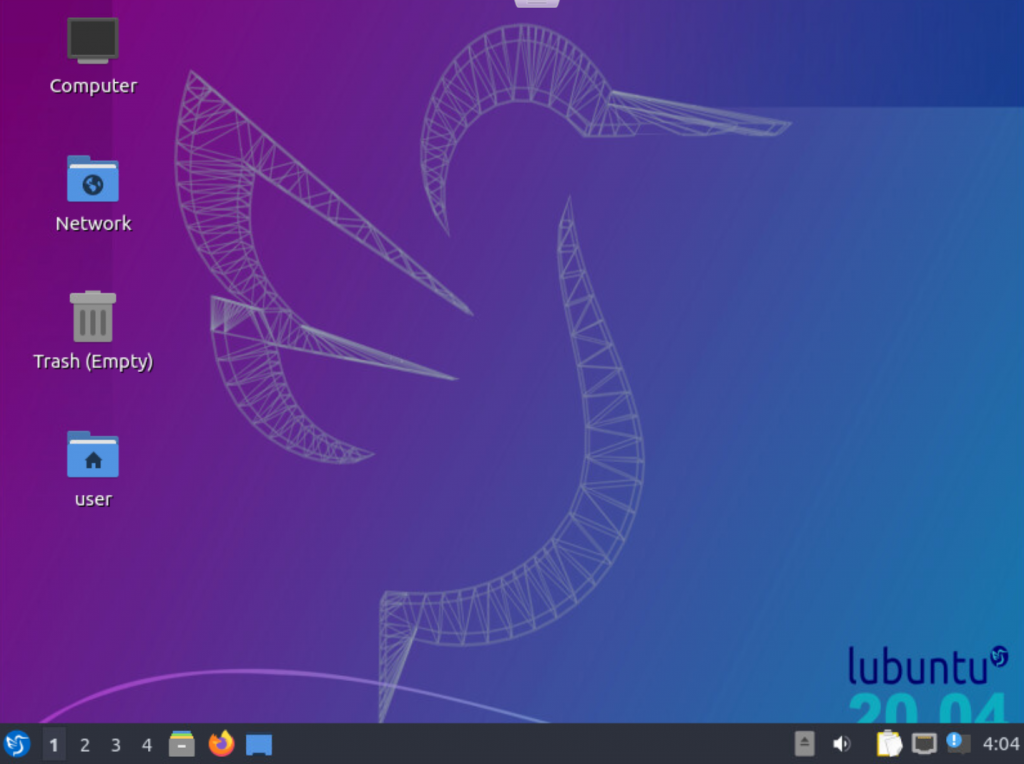
- 4-4. Click Done after waiting for the file to be written successfully. The computer will restart itself. After restarting, remove the USB flash drive (installation media) and press Enter to enter the Lubuntu system. After entering the password, you can enter the desktop.
What is the difference between laptop DDR3L, DDR4, and DDR5?
How to extend the CAN bus?
