
J1900 series model, stuck on Windows welcome page, unable to access system desktop solution
author: VENOEN
2025-09-01
J1900 series models are stuck on the Windows welcome page and cannot enter the system desktop solution.
Applicable models: J1900 series CPU models
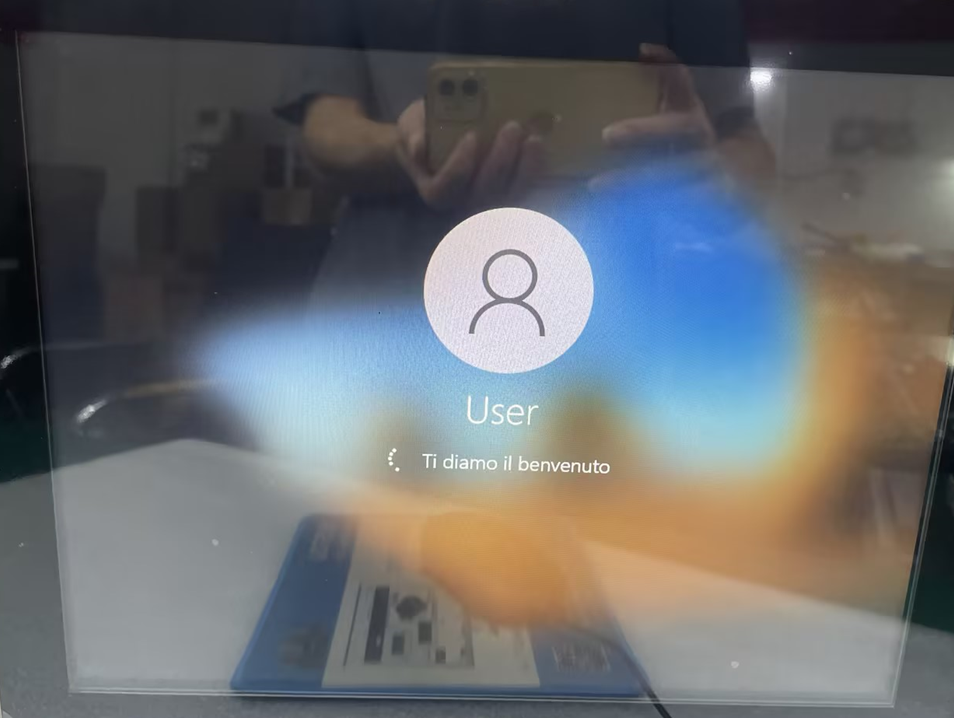
Symptom: Unable to enter the Windows 10 desktop after booting, and remains stuck on the welcome page. Figure 1-1 below is a screenshot of the fault phenomenon:
Symptom: Unable to enter the Windows 10 desktop after booting, and remains stuck on the welcome page. Figure 1-1 below is a screenshot of the fault phenomenon:
- Solution 1: Enter the BIOS to set the OS version
1-1. Disconnect the power adapter to force shutdown, then connect the power adapter, press the power button, and quickly tap the Del key on the keyboard to enter BIOS Setup.
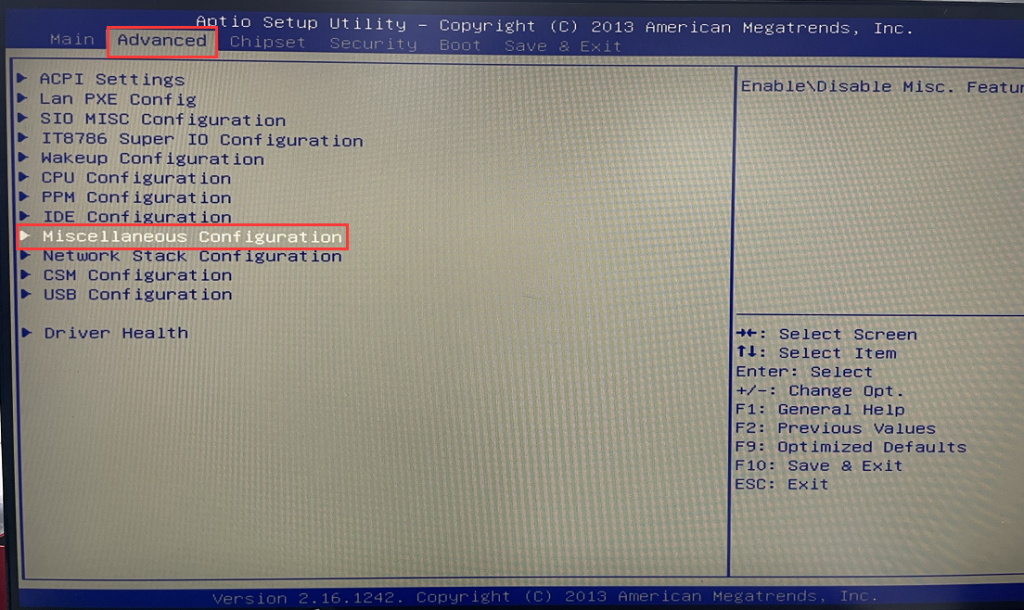
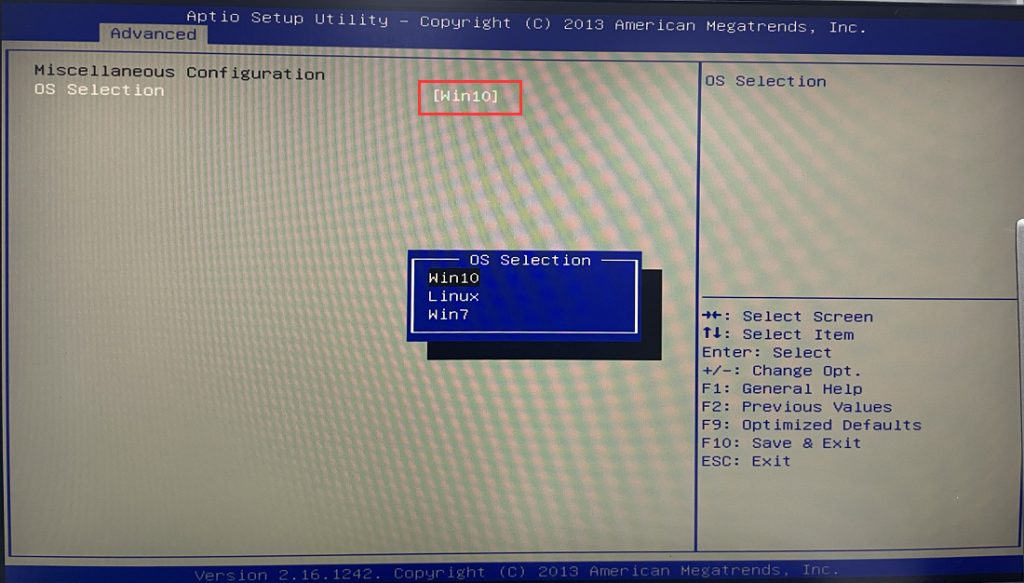
1-2. After entering the BIOS, select Advanced>Miscellaneous Configuration>select the installed system version in OS Selection. If Windows10 is installed, select Win10. After the setting is completed, press F10 on the keyboard to save and exit. Check whether the fault is successfully solved. If not, go to Solution 2.
- Solution 2: Reinstall the operating system
If the problem persists after entering the BIOS and setting the OS version, the operating system may be damaged. Try reinstalling the system according to the link.[Windows 11/10] How to create and use installation media to reinstall Windows 11/10 via USB drive
How to upgrade Windows 11 on a Windows 10 system?
XP system repeatedly restarts automatically and cannot enter the system desktop solutionF
