
[H6 Series] Steps to check the hard disk in BIOS (M.2 NVME/M.2 SATA/SATA)
author: VENOEN
2025-08-06
Overview: The H6 series supports up to two hard drives, one M.2 2280 SATA/NVME protocol SSD and one SATA protocol SSD/HDD.
One M.2 slot with type 2280 (supports PCIe 3.0 x4 or SATA 3.0 mode) that supports NVME Gen3 SSDS or SATA SSDS.
1 SATA 6Gb/s ports, which can be installed with 2.5-inch SSDS or HDDS;
1 SATA 6Gb/s ports, which can be installed with 2.5-inch SSDS or HDDS;

Procedure For querying hard disks in the BIOS:
Step 1. (For M.2 NVME SSDS)
Press the SW button to start the system. When the AMI Startup LOGO page is displayed, press Del key on the keyboard to go to BIOS Setup.
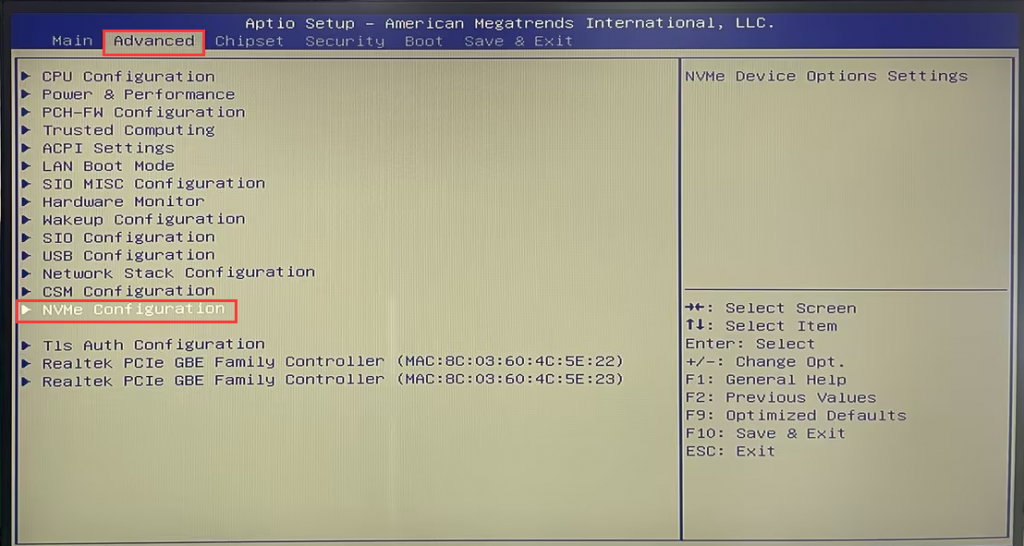
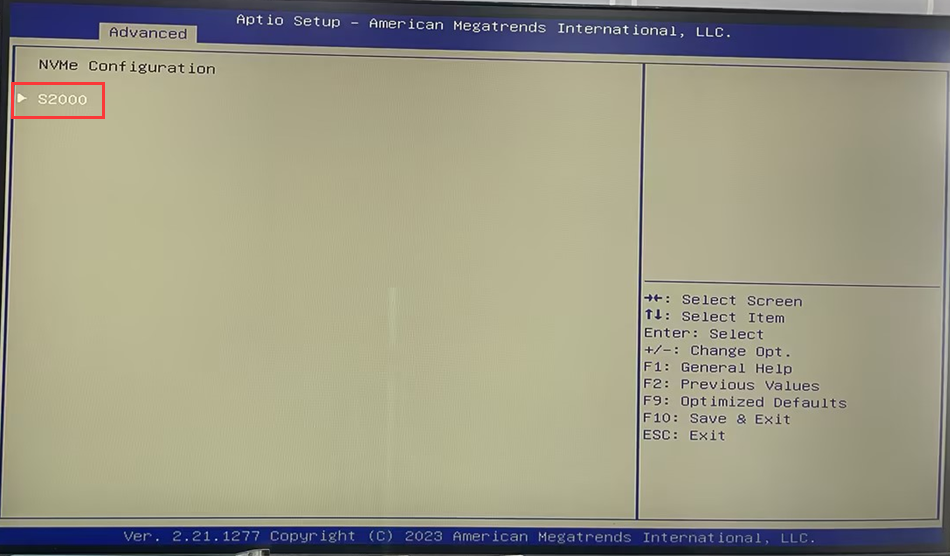
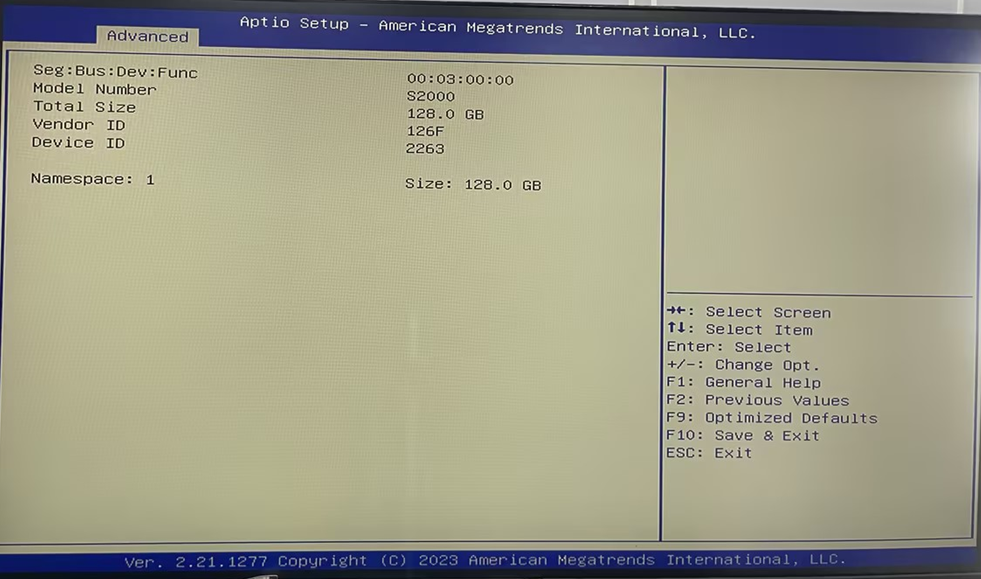
Select Advanced>NVME Configuration> This page displays the NVME name, select the NVME name, and Enter the NVME details.
Note: If the NVME SSD is correctly installed but is not detected in the BIOS, remove and reinstall the NVME SSD in the poweroff state or replace the NVME SSD with a normal one, and then query the NVME SSD in the BIOS.
Press the SW button to start the system. When the AMI Startup LOGO page is displayed, press Del key on the keyboard to go to BIOS Setup.
Select Advanced>NVME Configuration> This page displays the NVME name, select the NVME name, and Enter the NVME details.
Note: If the NVME SSD is correctly installed but is not detected in the BIOS, remove and reinstall the NVME SSD in the poweroff state or replace the NVME SSD with a normal one, and then query the NVME SSD in the BIOS.
- Step 2: (Applicable to M.2 SATA and SATA SSD/HDD)
Press the SW button to start the system. When the AMI Startup LOGO page is displayed, press Del key on the keyboard to go to BIOS Setup.
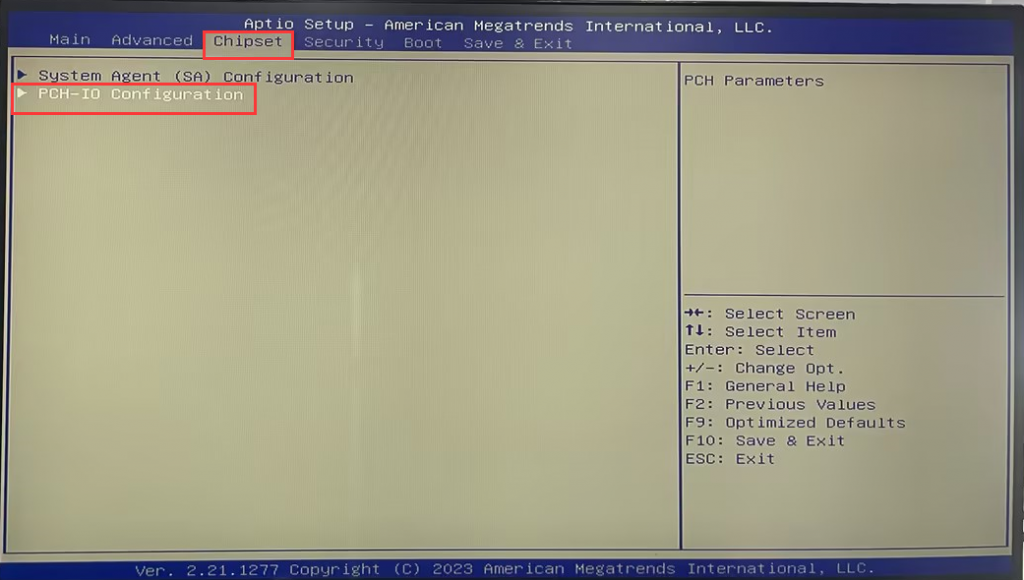
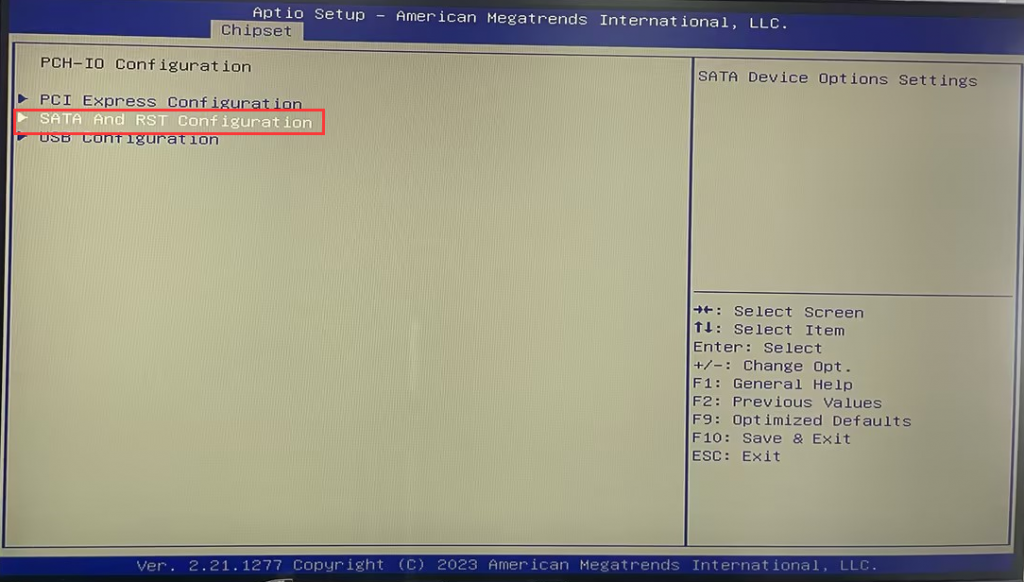
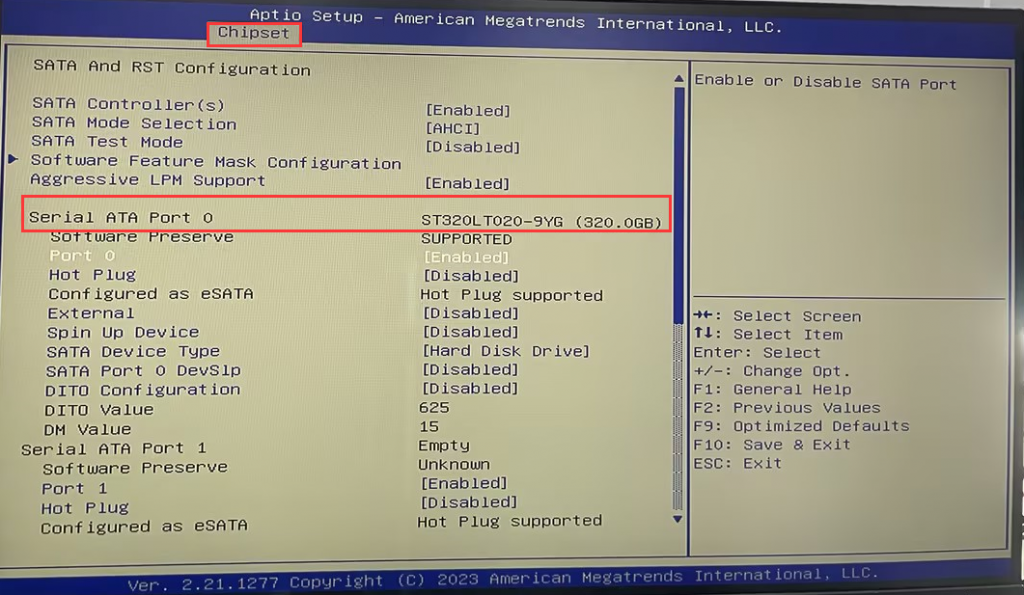
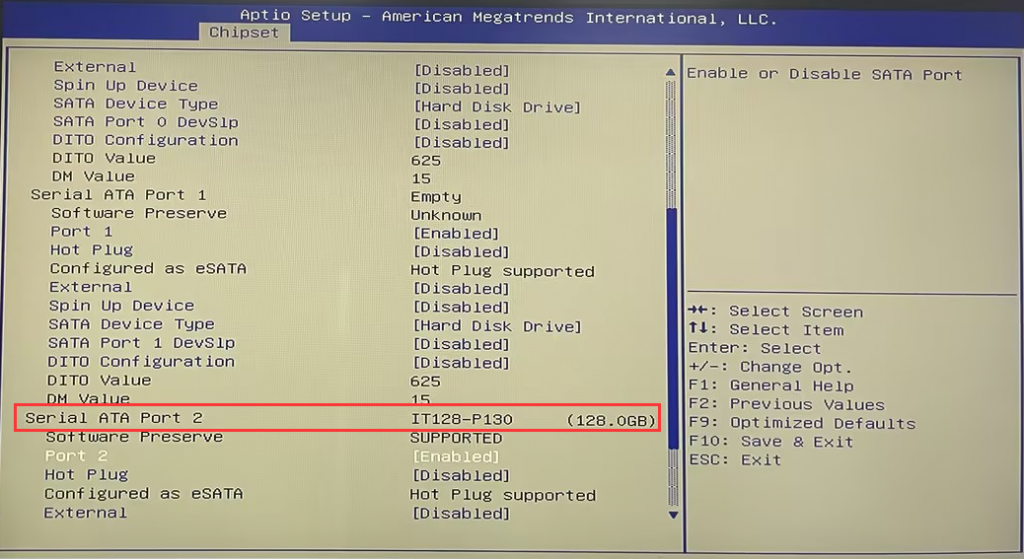
Choose Chipset>PCH-IO Configuration> SATA And RTS Configuration> Check whether the disk name and capacity can be identified in Serial ATA port 0 and Serial ATA port 2.
Note: Serial ATA port 0 corresponds to 2.5-inch SSD/HDD, and Serial ATA port 2 corresponds to M.2 SATA SSD.
Note: If the SSD is correctly installed but not detected in the BIOS, remove and reinstall the SSD in the power-off state or replace it with a normal SSD and then check in the BIOS again. If the hard disk name is recognized, but the hard disk capacity is not recognized, it is generally caused by abnormal hard disk, please provide relevant screenshots and contact your dedicated customer service to provide certain technical support and solutions.
[P05B-I7-5500U ]Auto Power ON Configuration Steps
P05B common function opening steps
