
F9-11 th Gen Configuration Auto Power on Steps
author: VENOEN
2025-07-31
- Step 1. Insert the keyboard into the USB port. A wired keyboard is recommended. (Bluetooth keyboard cannot enter BIOS)
Step 2. Press the switch button and press Del key to go to BIOS Setup. Choose Chipset>PCH-IO Configuration> Set State After G3 to [S0 Stale], and press F10 to save the configuration and exit.

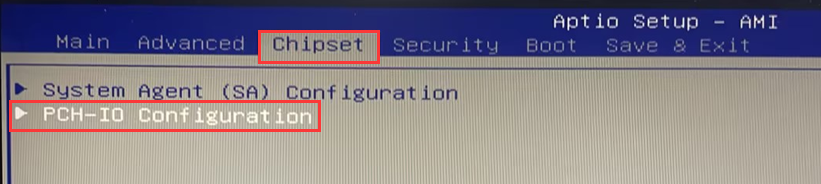
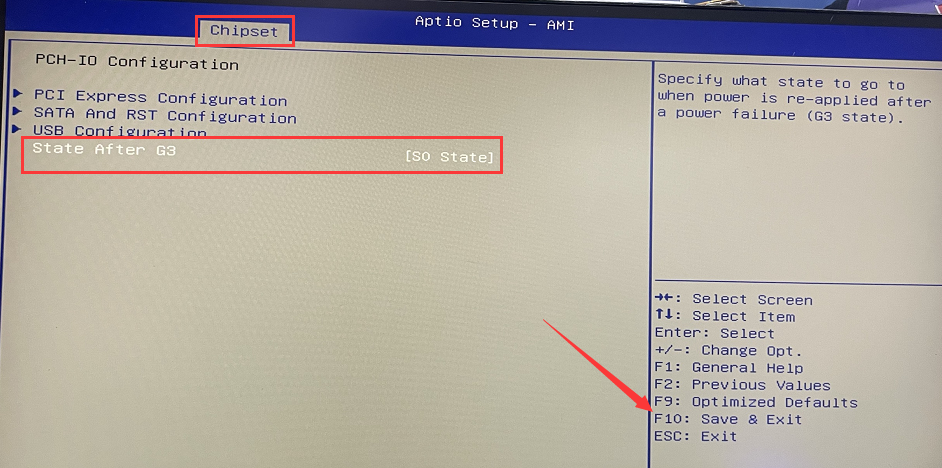
[A1-I7-10750H] Auto Power on configuration steps
M7-How to set Auto Power On
Related Article
