
[A1-I7-10750H] Auto Power on configuration steps
[A1-I7-10750H] Power-on self-start configuration steps (applicable to KBCML version 1.01)
Power-on self-startup means that when the computer is powered on, it can automatically start and enter the operating system or perform preset operations.
This feature has certain advantages:
Unattended operation: It is suitable for situations where tasks or services need to be run regularly without manual intervention. For example, as a server, it can automatically restart and continue to provide service after the power failure is restored.
Convenient remote control: For remote management and monitoring scenarios, the device can be powered on to ensure that the device can be online in time when the power is restored, facilitating remote operation and monitoring.
Step 1: Press the SW button to start the system, and quickly press the Del key on the keyboard to enter the BIOS Setup.
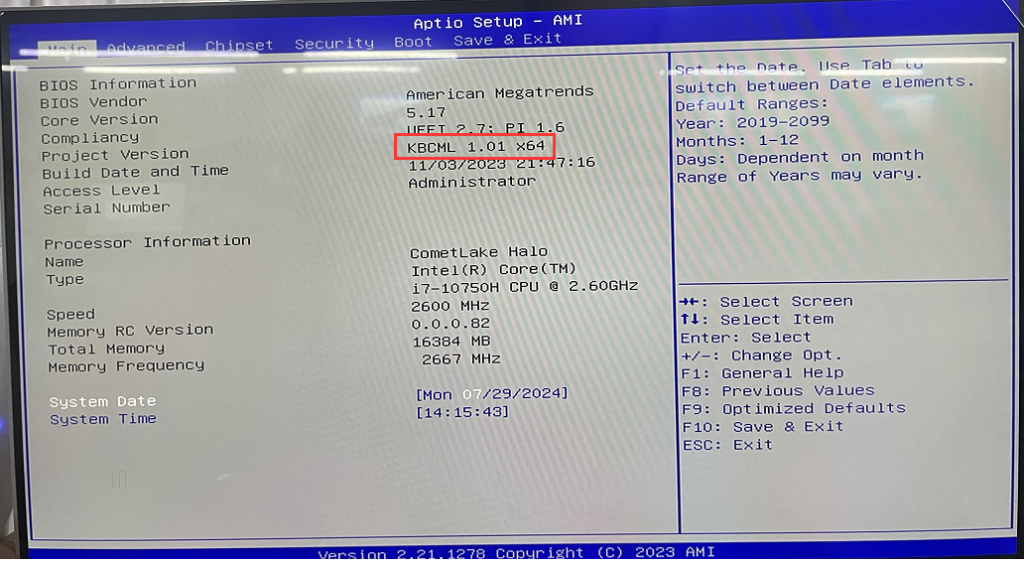
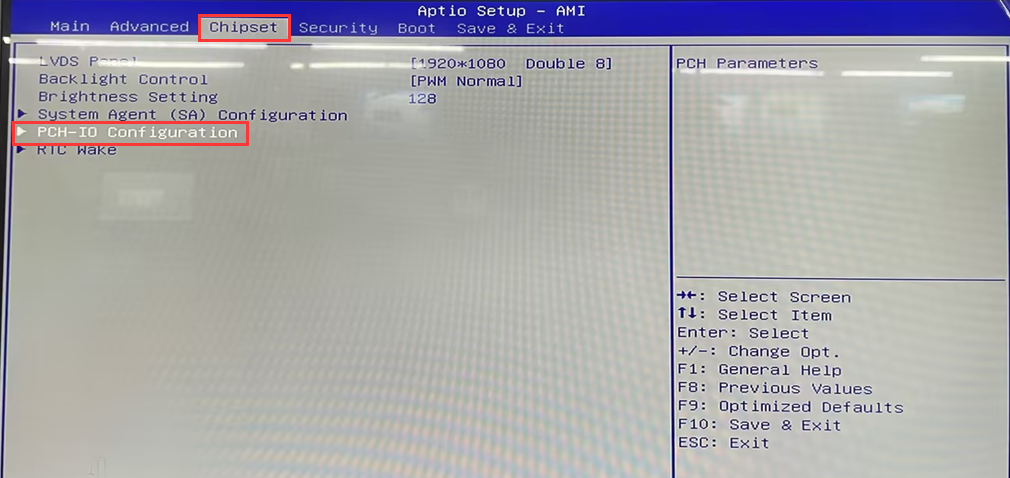
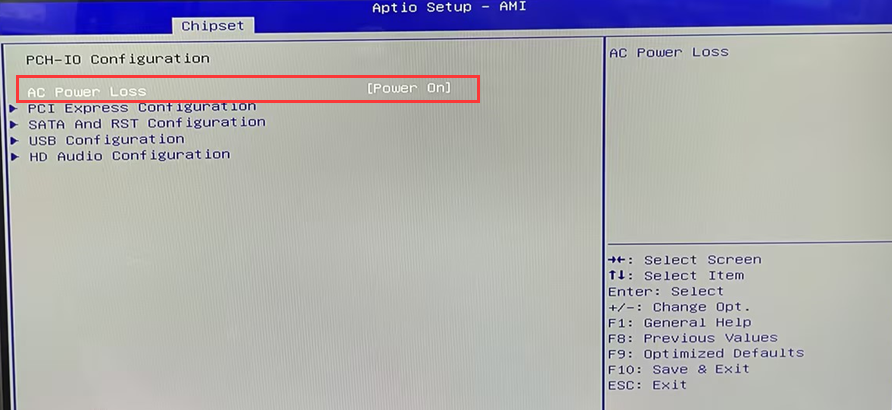
- Step 2: Use the keyboard arrow keys, and choose Chipset>PCH-IO Configuration> AC Power Loss> Set to [Power On].
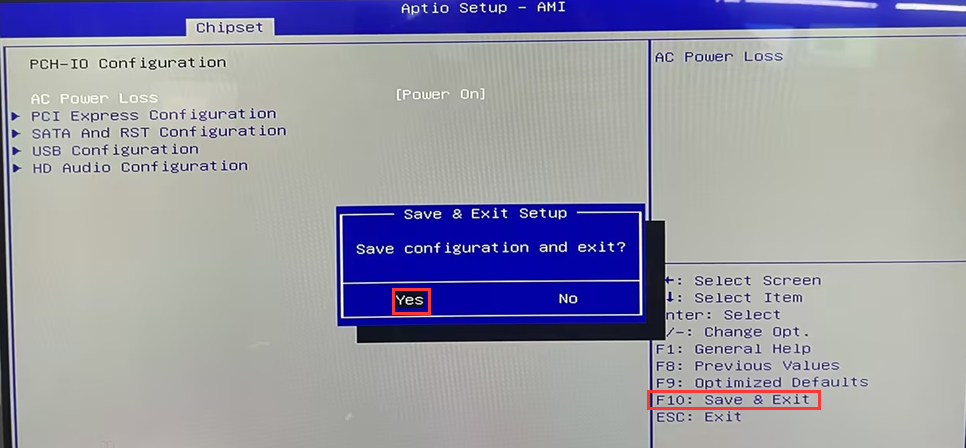
- Step 3: After the configuration is complete, press F10 to save and exit.
“Industrial tablet [J4125] Auto Power On configuration steps”
F9-11 th Gen Configuration Auto Power on Steps
Related Article
