
“Industrial tablet [J4125] Auto Power On configuration steps”
author: VENOEN
2025-07-21
"Industrial Tablet [J4125] Automatic boot Configuration Steps"
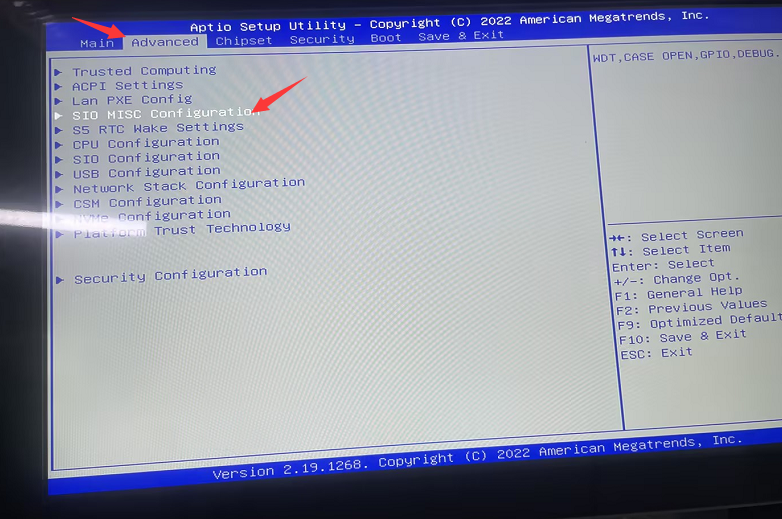
Step 1: Press the SW button to start the system, and quickly press the Del key on the keyboard to enter the BIOS Setup.
Step 2: Select Advanced>SIO MISC Configuration> Set Power Failure to Always ON using arrow keys.
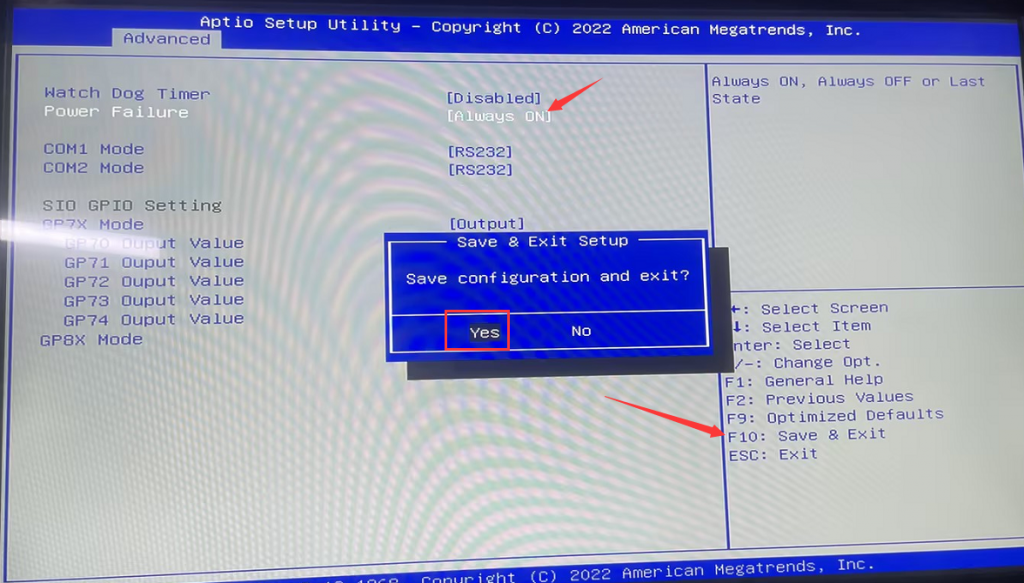
- Step 3: Press F10 to save the configuration and exit.
M8-N100 with Auto Power on configuration
[A1-I7-10750H] Auto Power on configuration steps
Related Article
