
Mini computer reports "Verification failed: (0X1A) Security Violation" when booting from USB drive. Solution
author: VENOEN
2025-07-03
迷你电脑从U盘启动时 报“Verification failed:(0X1A) Security Violation”解决方案
概述:
Secure Boot(安全启动)是现代计算机系统(包括迷你电脑)中的一项重要安全功能。
Secure Boot 的主要目的是防止未经授权或恶意的软件在计算机启动过程中加载和运行。它通过验证计算机启动过程中加载的操作系统和驱动程序的数字签名来实现这一目标。
在正常情况下,只有被信任的操作系统和驱动程序(其数字签名被计算机的 BIOS 或 UEFI 所认可)才能被加载和执行。如果某个组件的数字签名无效或不被信任,Secure Boot 会阻止其加载,从而降低了恶意软件篡改启动过程、植入 rootkit 或其他恶意代码的风险。
- 报错截图
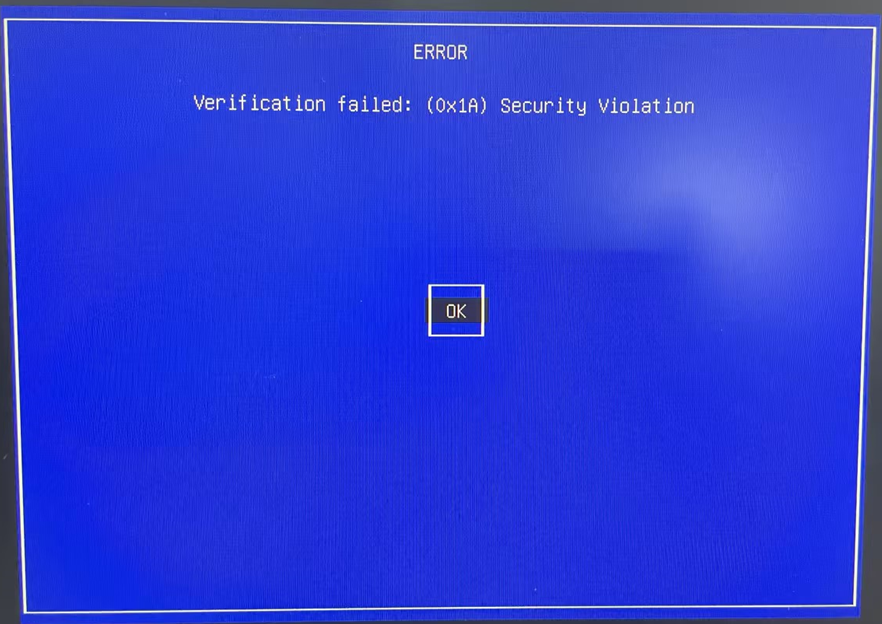
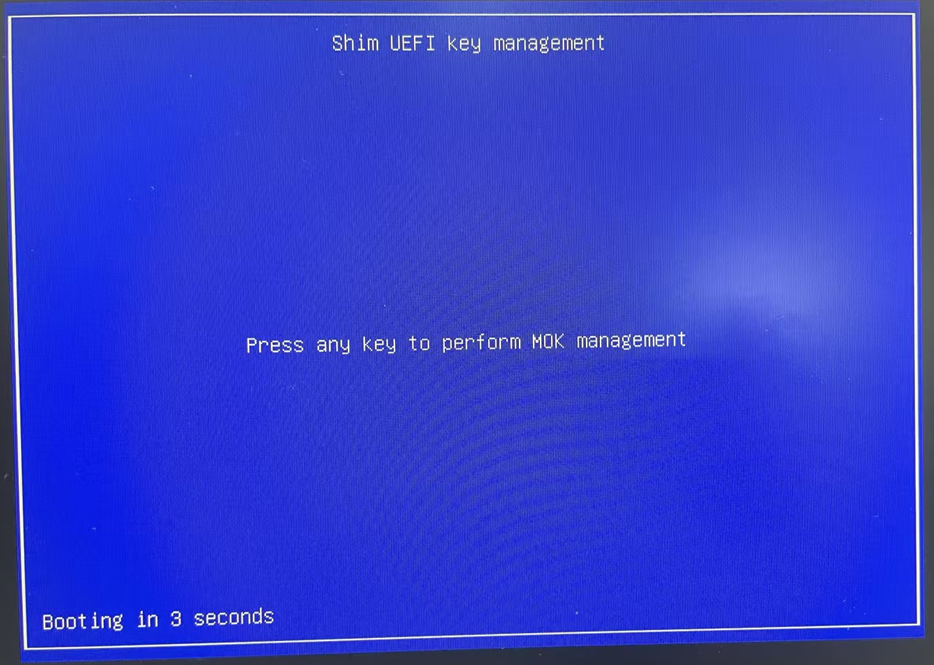
- 解决方案(可在BIOS中禁用Secure Boot)
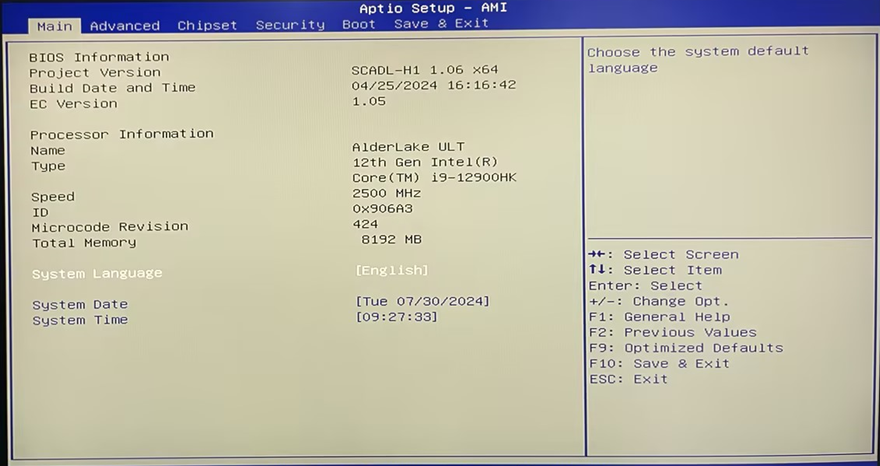
- 步骤1:按键盘Ctrl+Alt+Delete键重启计算机,重启后快速敲击键盘Delete键进入BIOS Setup;
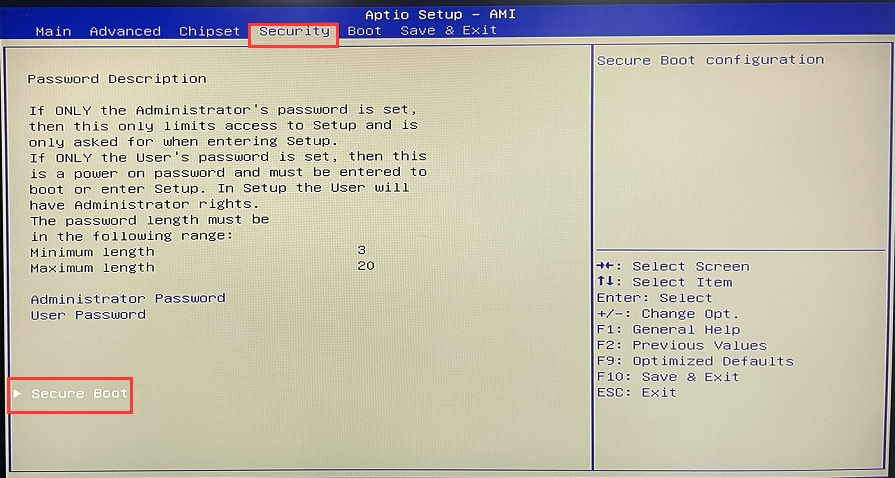
- 步骤2:通电键盘方向键 依次选择“Security”>“Secure Boot”>将“Secure Boot”配置为[Disabled];
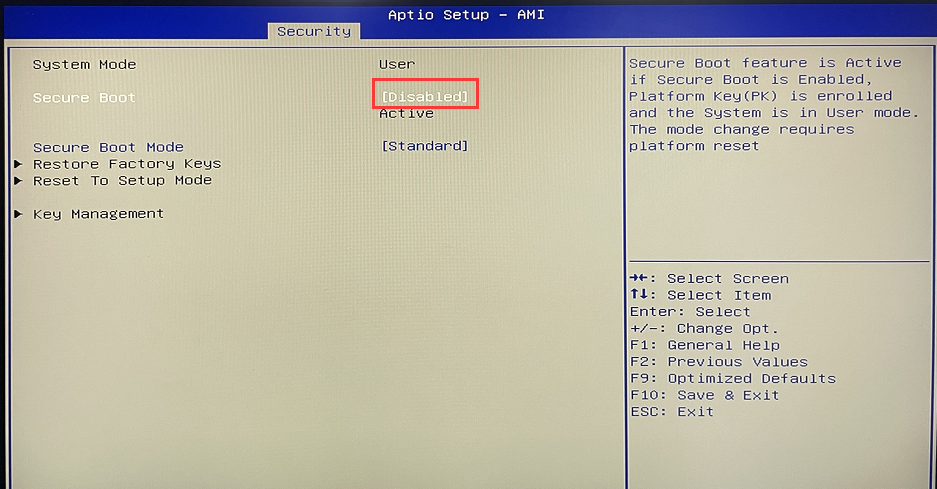
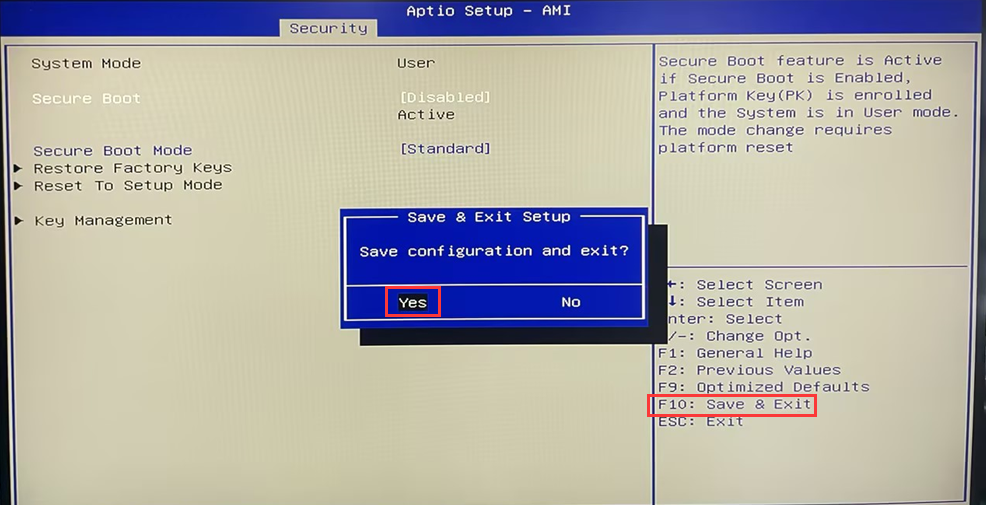
- 步骤3:配置完成 后按F10键保存并退出即可;
Delete unnecessary local user accounts under Windows 11 system
Installation Guide for opnsense24.1
