
【05B-I7-5500U】Steps to query the hard disk in BIOS
author: VENOEN
2025-08-05
- This model supports up to two MSATA SSDS with a maximum capacity of 1TB, one 2.5-inch SSD/HDD with a maximum capacity of 2TB, and up to three SSDS or HDDS can be installed on the mainboard.
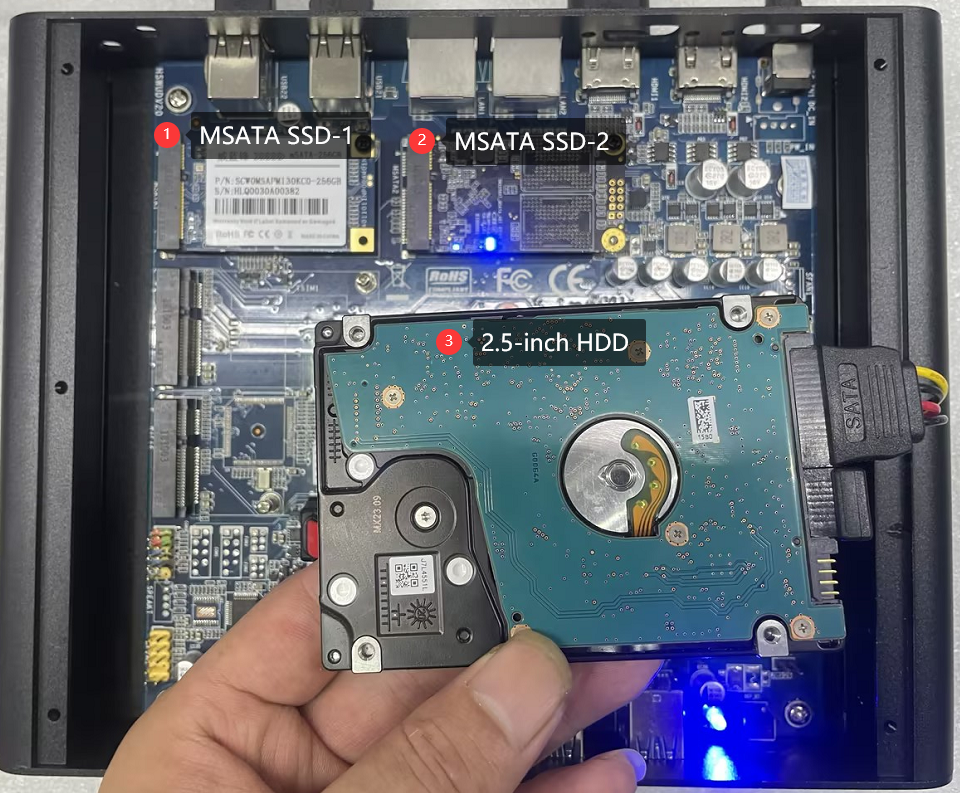
- Procedure for querying hard disks in the BIOS:
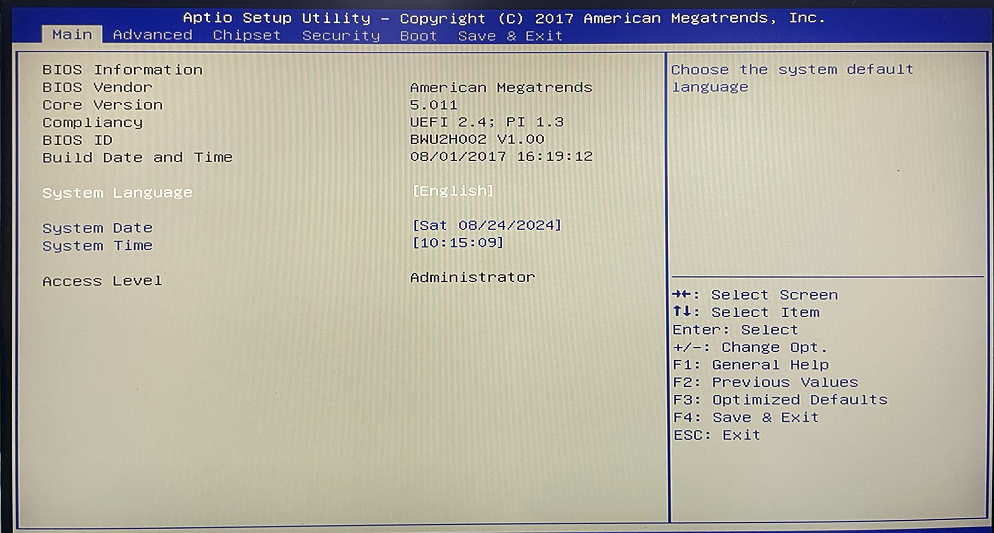
1. Press the SW button to start the system. When the startup LOGO is displayed, press Del on the keyboard to go to the BIOS Setup screen.
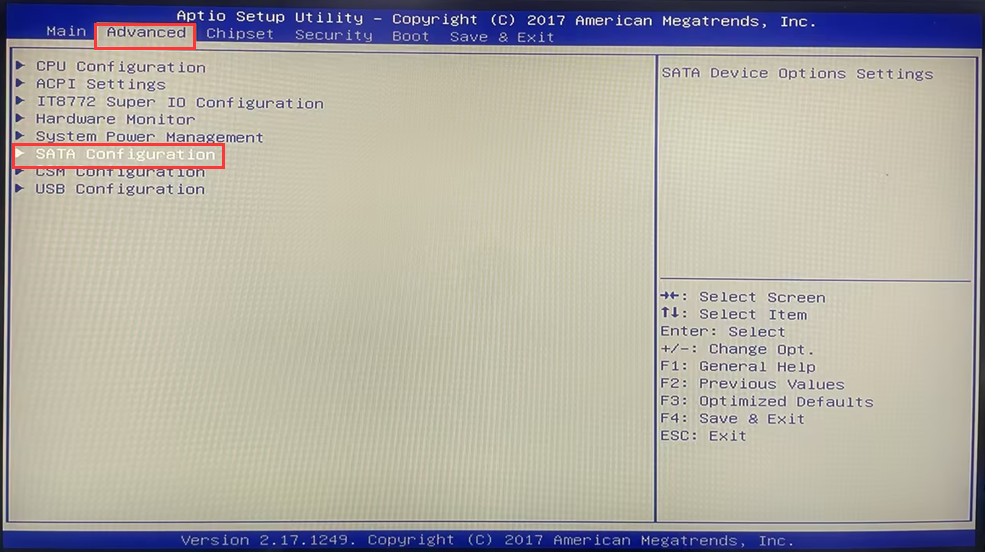
- 2. After entering the BIOS, choose Advanced>SATA Configuration> Check whether installed hard disks are detected in Serial ATA Port 0, Serial ATA Port 1, and Serial ATA Port 2. This page identifies the hard drive name and capacity.
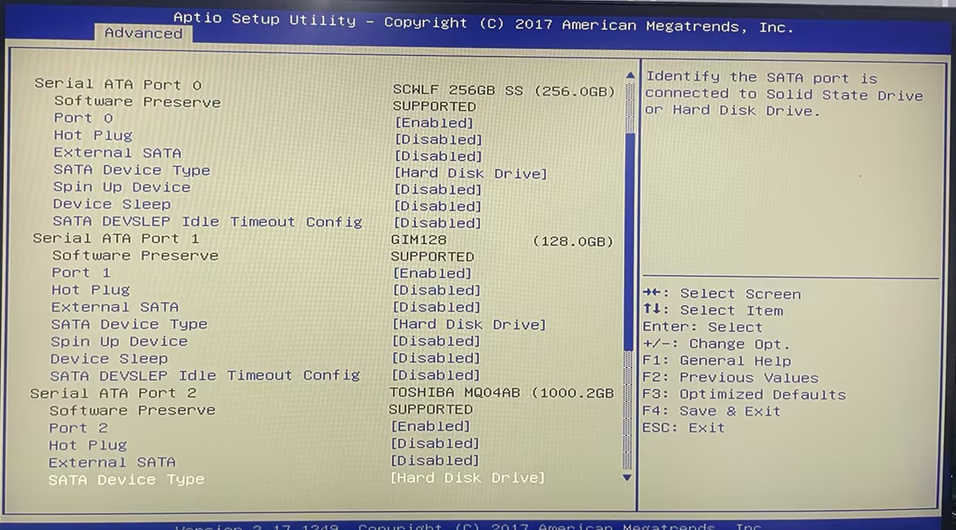
- 3. Mainboard slot and BIOS name
Serial ATA Port 0 corresponds to slot MSATA1.
Serial ATA Port 1 corresponds to the MSATA2 slot.
Serial ATA Port 2 corresponds to SATA port 1.

HBCD_PE_x64 maintenance tool production and usage
[Windows11]Restore this computer (delete all files and applications) and OOEB configuration steps[Windows11]
