
[K4-8th]Switch RS485 working mode
【K4-8 generation 】 Switch the working mode of RS485
This mini computer host, its motherboard integrated J485 row of pins, with a switchable RS485 mode of operation. The RS485 working mode switching function provides flexible communication mode selection for the system. The J485 row pins on the mainboard are used as physical interfaces to connect external devices conforming to the RS485 standard to realize application scenarios based on the RS485 communication protocol, such as industrial automation control and remote data acquisition. This expands the applicability of minicomputer hosts in industrial communications or related fields.
PS: After switching to RS485, COM2 (RS232) becomes invalid.
Preparation work:
1 group (2) 2.54mm spacing dupont wire, the length of about 30CM;
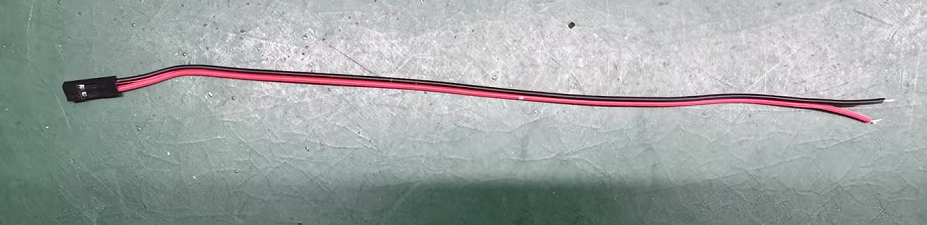
Configuration procedure:
Step 1. Press the SW button to start the system. After the system starts, press the Del key on the keyboard to go to the BIOS Setup screen. Select Advance>IT8786 Super IO Configuration>Serial Port 2 Configuration> Set the RS485 Mode to [Enabled].


- Step 2: When the machine is disconnected, the main board can be seen, and the row of JC21 pins can be found on the main board. There is a jumper cap on the row pins. By default, pin1 and pin2 pins are inserted.

- Move the jumper cap to pin2 and pin3. When you switch to pin2, you can enable the RS485 working mode on the mainboard.
PS: Row pins with bold or triangular markings for pin1 pins!

- Step 3: Prepare a set of two Dupont cables with a distance of 2.54mm and a length of about 30 cm. Insert them into the chassis through the keyhole, find the J485+ and J485- pins on the mainboard, and insert the red end of the duPont cables into the RS485+ (pin1) pins and the black end into the RS485-(pin2) pins.


- PS: After switching to RS485 mode, the COM2 (RS232) on the chassis will fail, and the user's RS485 peripheral products need to connect to the external RS485+ and RS485- DuPont line for communication!

【M9】Steps to query the hard disk in BIOS
【Intel 11th generation or above CPU】How to configure boot option priority in BIOS
