
[H4-12th] Power-on auto-start configuration
author: VENOEN
2025-06-07
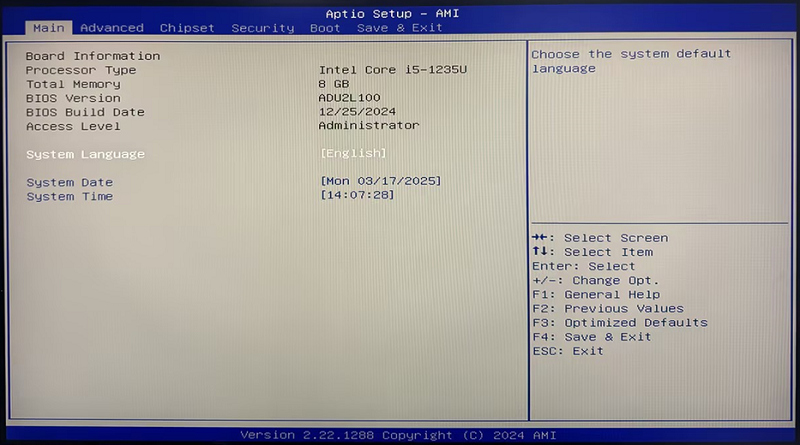
- Step 1: Press the SW button to power on. When the startup LOGO is displayed, quickly press the Del key on the keyboard to enter the Bios Setup.
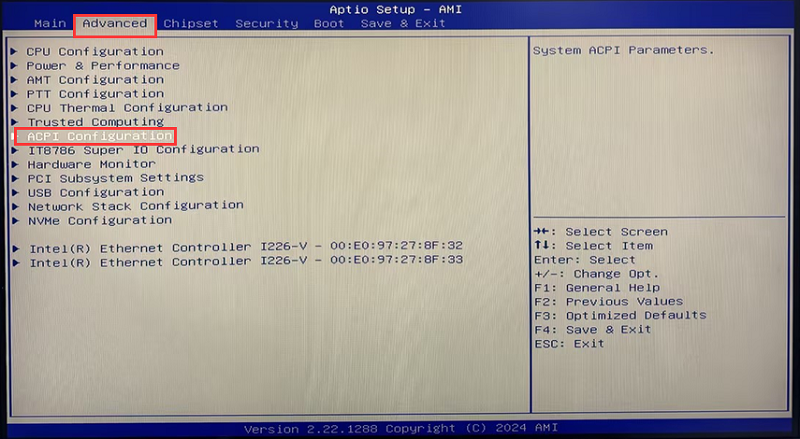
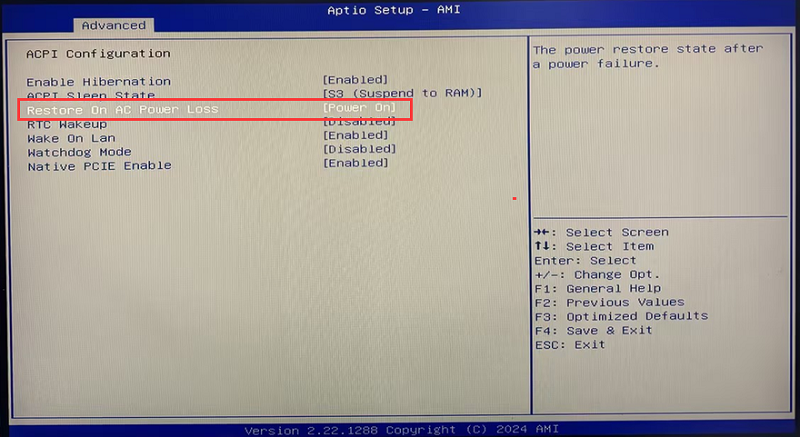
- Step 2: Select Advanced>ACPI Configuration> in sequence to configure the Restore On AC Power Loss as [Power On];
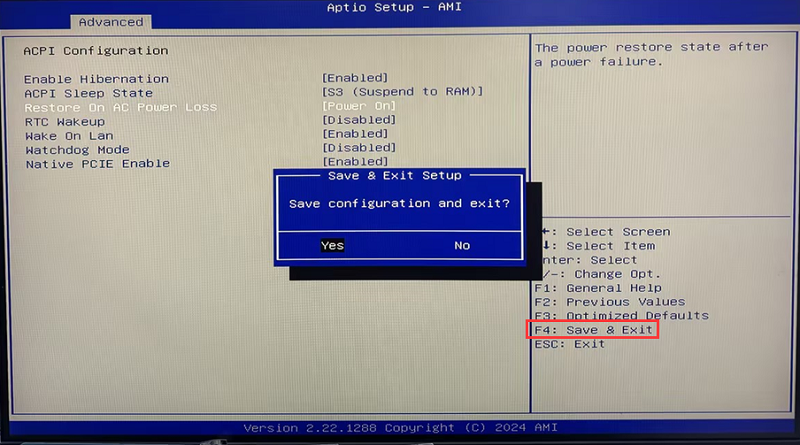
- Step 3: After the configuration is completed, press the F4 key on the keyboard, save and exit.
[M3-12/13 generation] Scheduled startup and shutdown configuration steps
The computer automatically enters the BIOS page when it boots up, but cannot enter the operating system. Troubleshooting steps
