
Common QA answers for M1AMD series products
author: VENOEN
2025-09-05
Common QA answers for M1-AMD series products
Q1: What should I do if I cannot enter the operating system desktop after the computer is turned on and directly enters the BIOS?
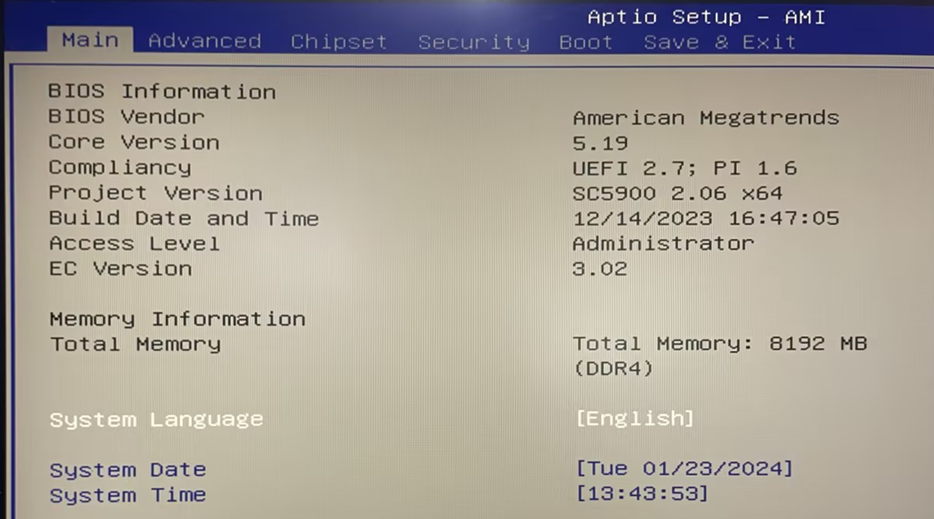
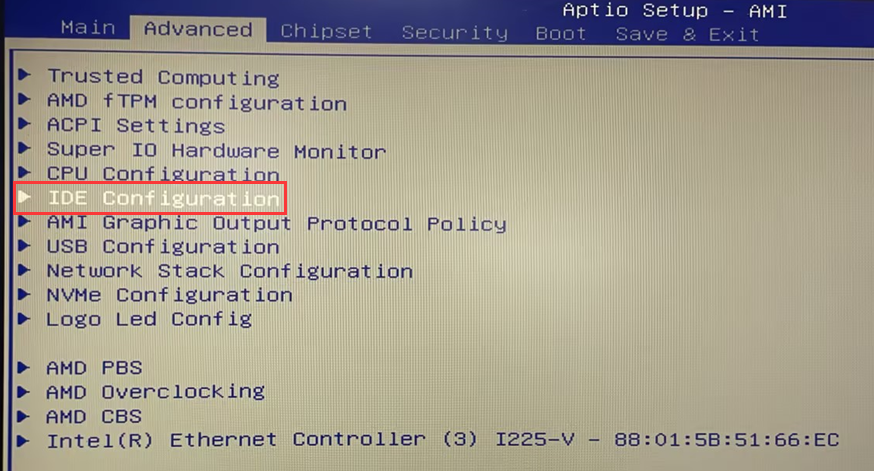
1. (Applicable to M.2-SATA or 2.5-inch SATA protocol hard disk query) After entering the BIOS, select Advanced>IDE Configuration>Query Cezanne AHCI0>Port1: whether the hard disk name and capacity are recognized. This port corresponds to M.2 SATA hard drive; check whether the hard drive name and capacity are recognized in Cezanne AHCI1>Port0:. This port corresponds to a 2.5-inch SATA hard drive.
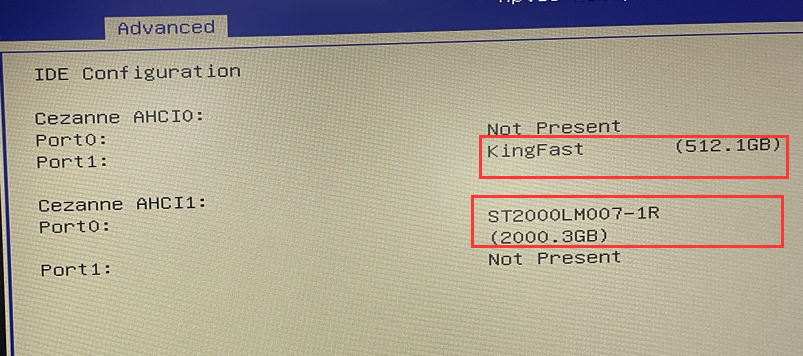
- 2. If the name and capacity of the hard disk are not recognized, it is suspected that the hard disk is in poor contact with the motherboard and data cable or the hard disk itself is damaged. Try to disassemble the machine with the power off to check whether the hard disk is installed correctly and whether both ends of the SATA data cable are loose. Check if there is any looseness at both ends. After the abnormality, power on and enter the BIOS again to check whether it is recognized normally. If it is still not recognized, it is suspected that the hard disk itself is faulty. You can try to replace the hard disk and enter the BIOS again to check.
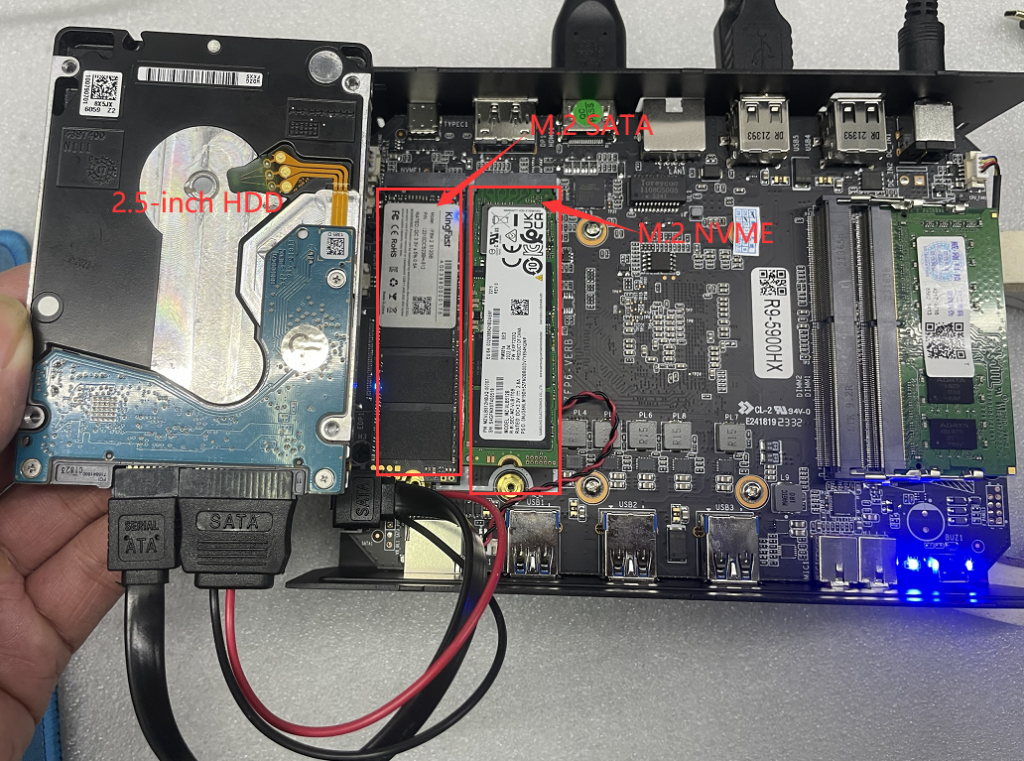
- 3. (Applicable to M.2 NVME hard disk query) After entering the BIOS, select Advanced>NVME Configuration and check whether the hard disk name and capacity are recognized.
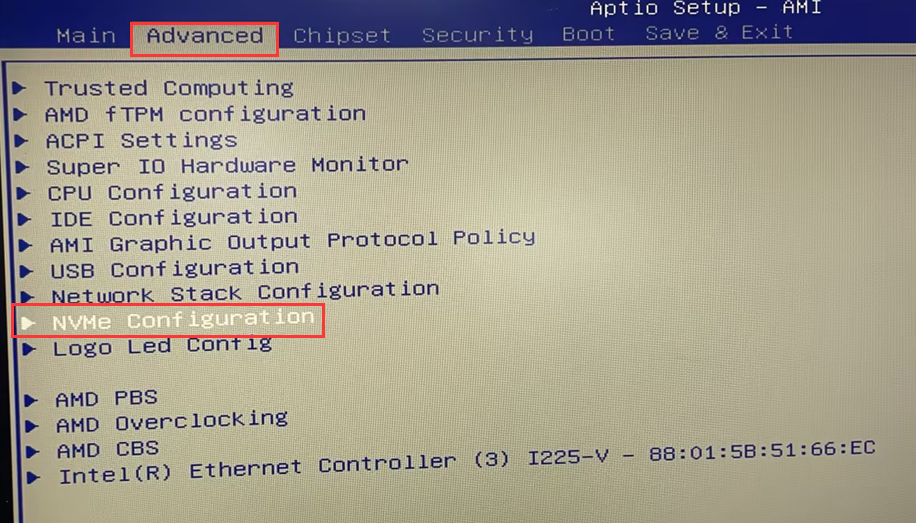
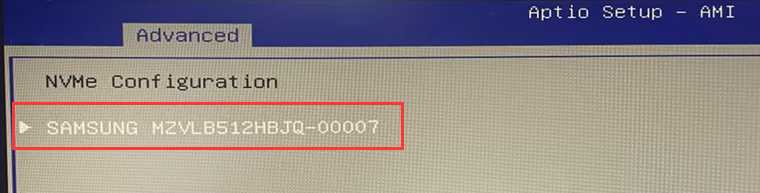
- 4. If the NVME SSD is not recognized, you can try to disassemble the machine with the power off and replace the NVME SSD into the NVME1 slot. After the replacement is completed, connect the power adapter > press the SW button to turn on the computer and quickly tap the Del key on the keyboard to enter the BIOS query. .
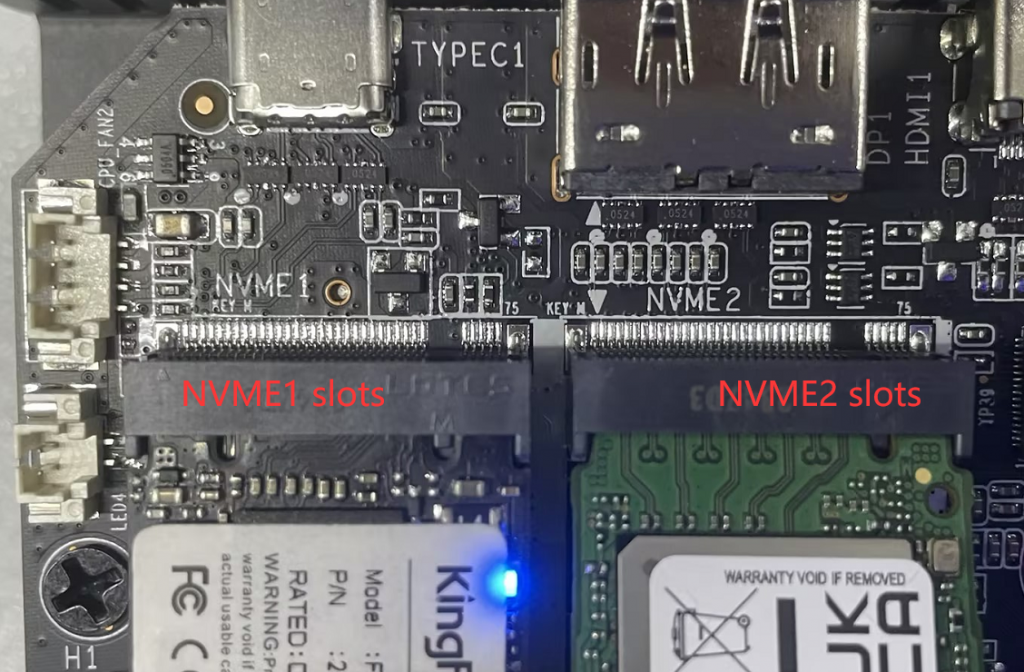
- 5. If the hard disk can be recognized normally in the BIOS, but you cannot enter the system desktop directly after booting into the BIOS, it is suspected that the operating system is not installed in the hard disk or the operating system is damaged. Please try to reinstall the system to solve the problem.
- For Windows 10/11 system installation method, please refer to the link:[Windows 11/10] How to create and use installation media to reinstall Windows 11/10 via USB drive
Industrial flat panel (resistive screen) touch screen driver installation and calibration under Ubuntu system
Windows11 installation media production
