
F9-11 th Gen Configuration Auto Power on Steps
author: VENOEN
2025-08-21
- Step 1. Plug the keyboard into the USB port, it is recommended to use a wired keyboard connection. (Bluetooth keyboard cannot enter BIOS)
Step 2. After pressing the switch button, quickly tap the Del key on the keyboard to enter BIOS Setup, select Chipset>PCH-IO Configuration>Configure State After G3 to [S0 Stale], and press F10 to save and exit after the configuration is completed.

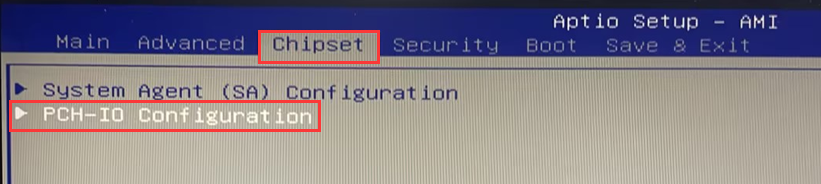
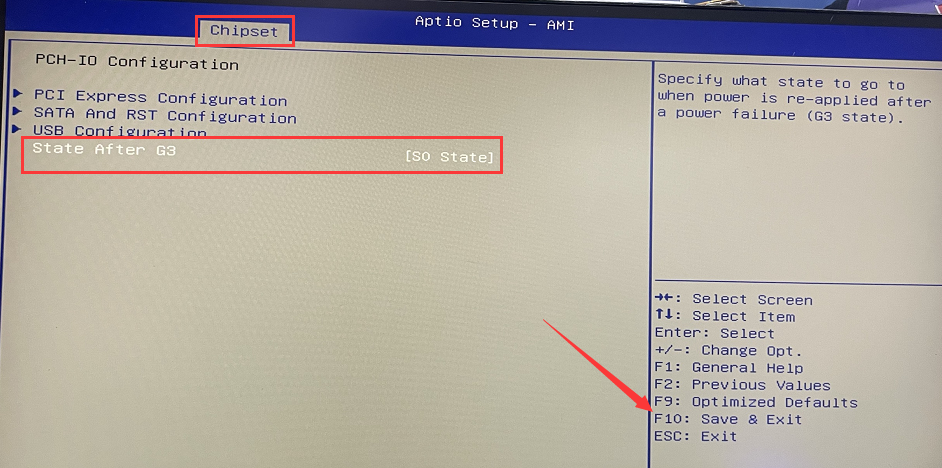
Configure automatic power-on steps
How to enable Auto power on an industrial tablet?
Related Article
