
GT-9th Gen -How to set Auto Power On
author: VENOEN
2025-09-23
Applicable to GT -9th Gen (H310 chipset) with Type-c interface, BIOS version: 310CT101
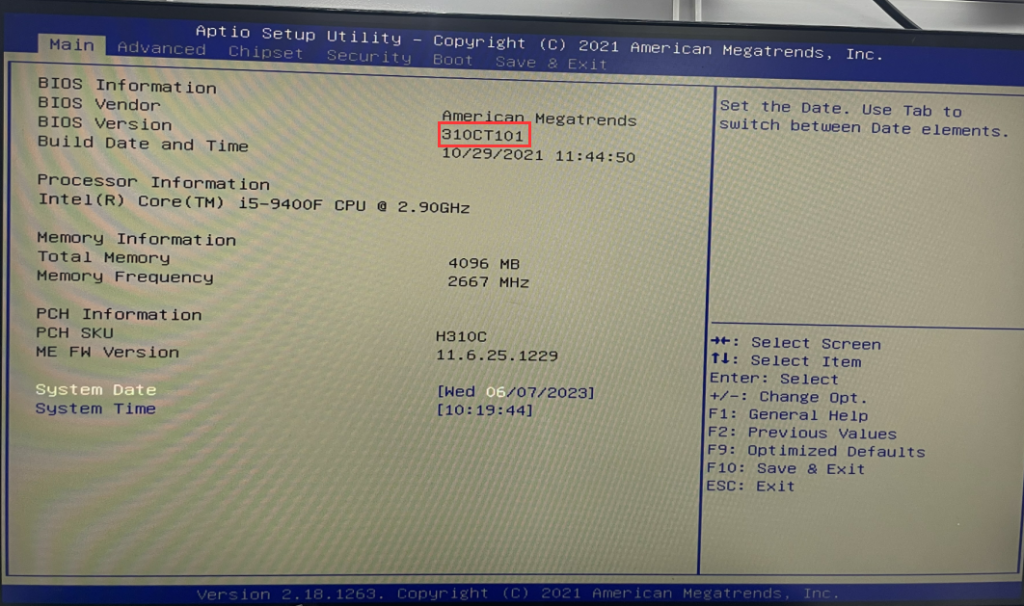
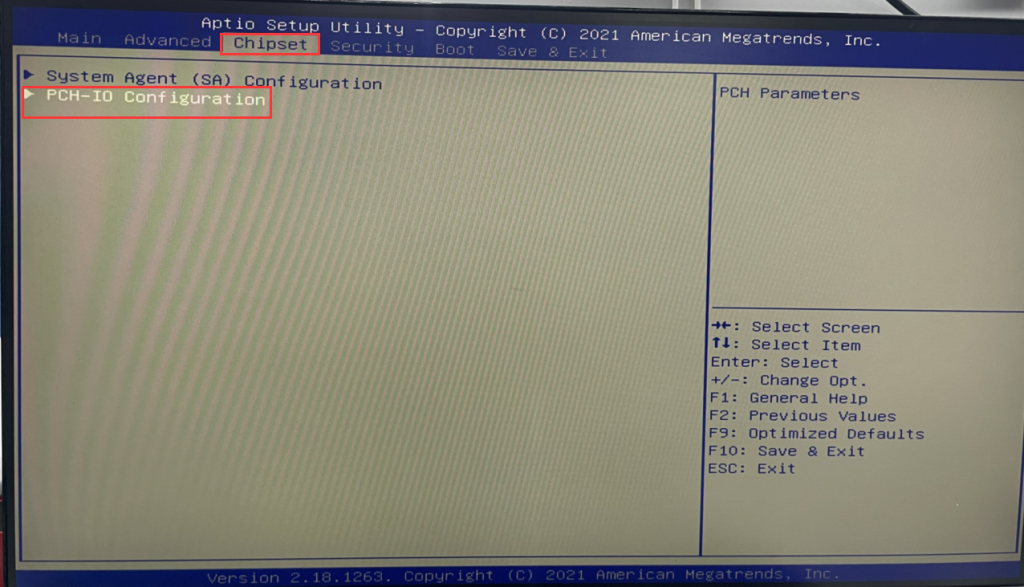
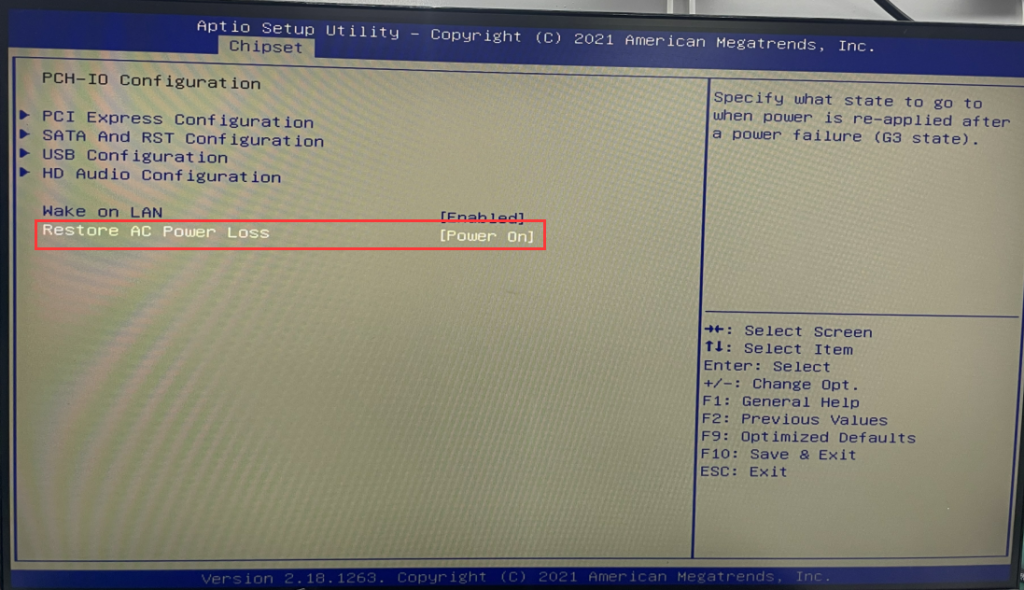
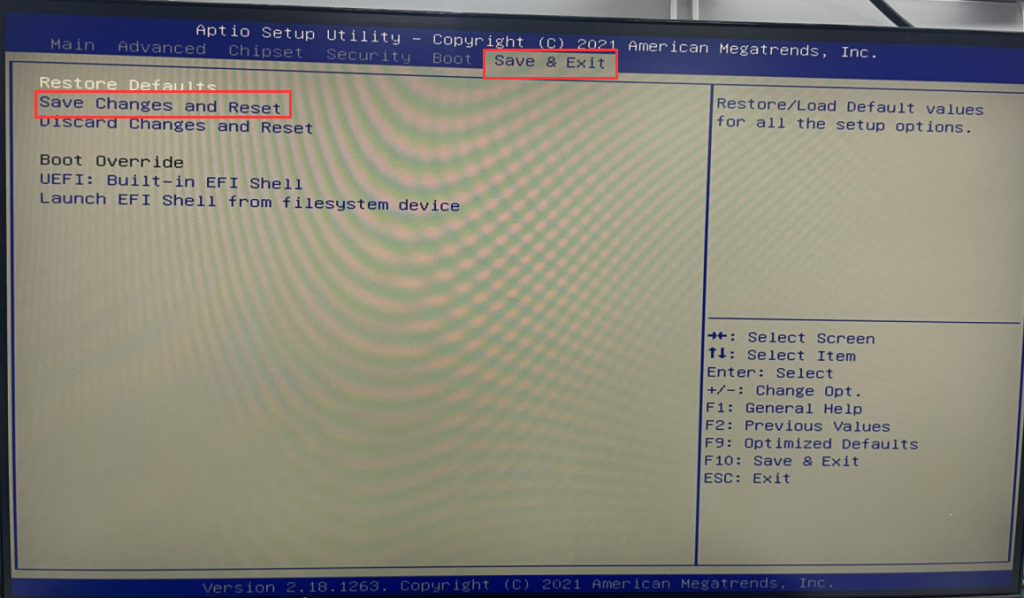
- Press the PC power button and quickly tap the Del key on the keyboard to enter BIOS Setup, select Chipset>PCH-IO Configuration>Restore AC Power Loss and set it to Power on. After the settings are completed, select Save & Exit>Save Changes and Reset or F10 to save and exit.
S210-How to set Auto Power On
GT-12th Gen-How to set Auto Power On
Related Article
