
GT-Ultra5-135H / Ultra7-165H Auto Power-On Configuration Steps
Power-on automatic startup configuration steps for GT-Ultra5-135H / Ultra7-165H
Step 1: Enter the BIOS settings
Connect the keyboard, mouse (preferably wired ones), monitor, power adapter and other peripherals;
Press the power button to turn on the computer. At the moment of startup, when the AMI boot logo appears on the screen, quickly press the Del key to enter the BIOS;
Step 2: Locate the power-on self-test option (Restore ON AC Power Loss)
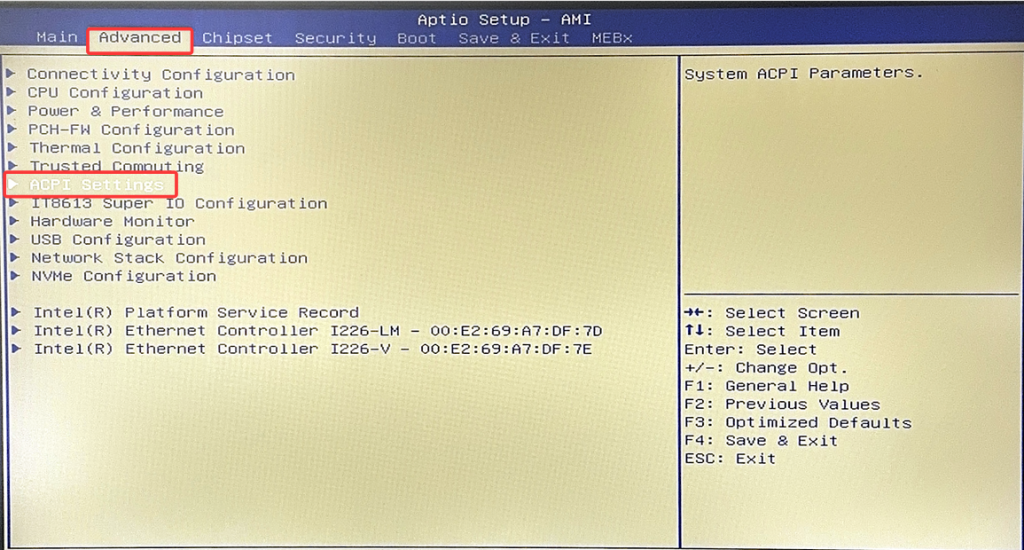
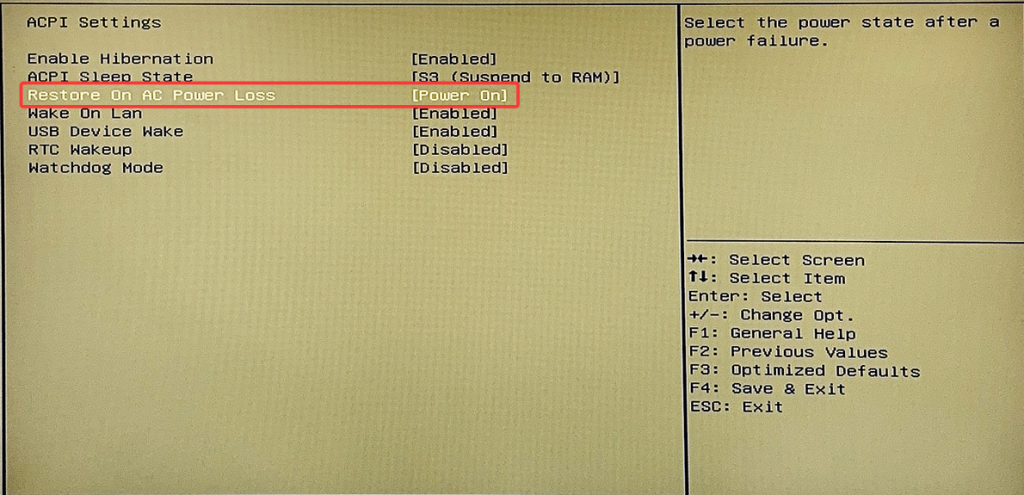
Select "Advanced" > "ACPI Settings" > Set "Restore ON AC Power Loss" to [Power ON]
Step 3: Save the configuration
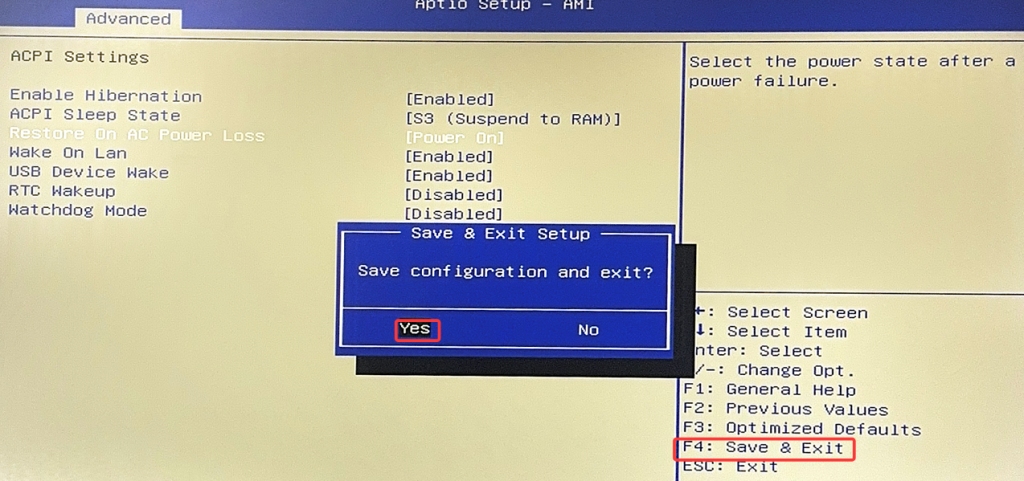
Press the F4 key to save the modified configuration;
Select "Yes" to confirm the save and exit.
Industrial Tablet PC (Resistive Touch Screen) Screen Calibration
CPU fan "shuts down" after waking from sleep? Troubleshooting guide for H7-10 generation fans (applicable to H7-10 generation fans)
