
Install XP system and set SATA mode to IDE
author: VENOEN
2025-09-04
(Applicable to P04-1007U\1037U\3317U)
1. Press the switch button and quickly tap the Del key on the keyboard to enter BIOS Setup.
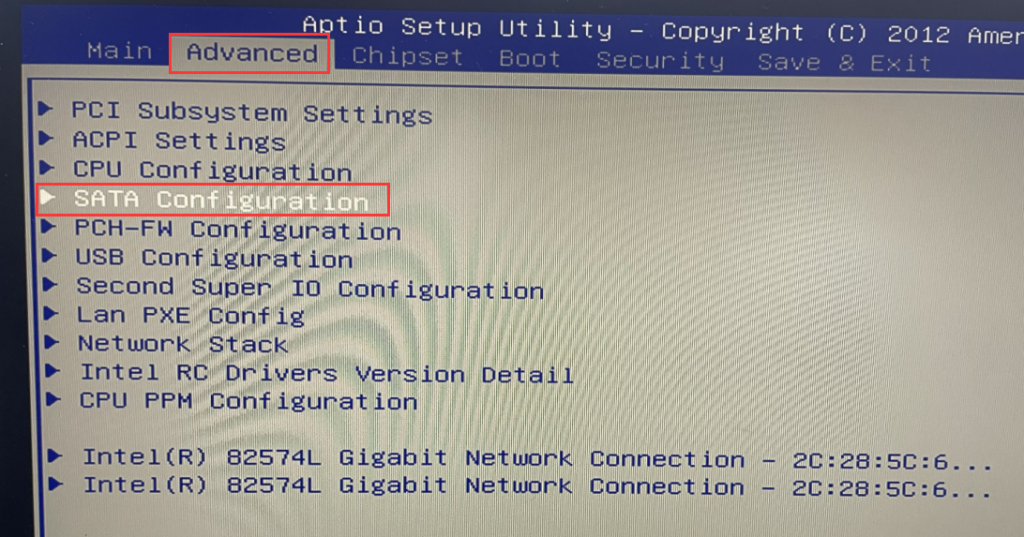
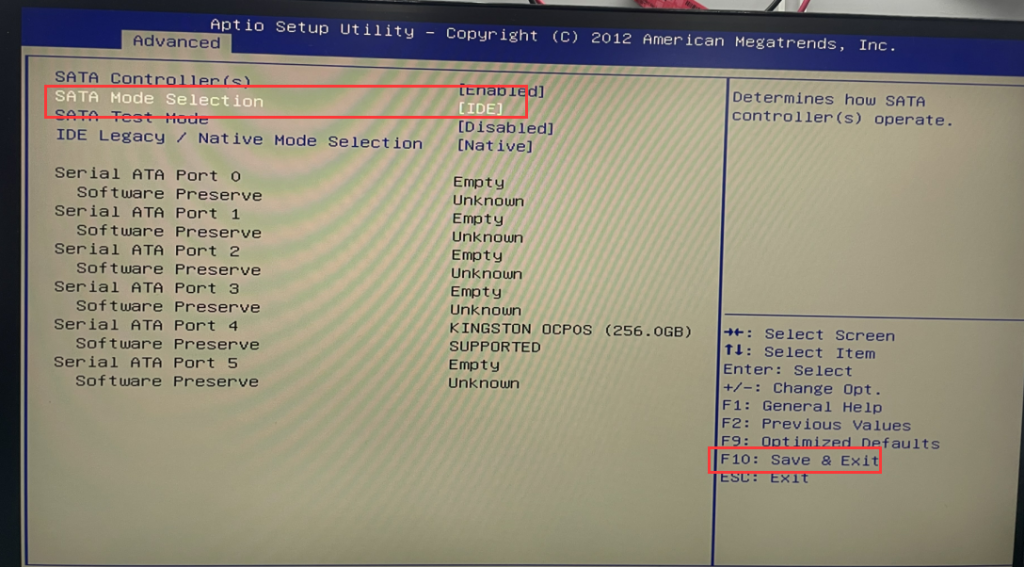
2. After entering the BIOS, select Advanced>SATA Configuration>Set SATA Mode Selection to IDE>press F10 Save & Exit after the setting is successful.
2. After entering the BIOS, select Advanced>SATA Configuration>Set SATA Mode Selection to IDE>press F10 Save & Exit after the setting is successful.
Windows11 installation media production
Prompt Reboot and Select proper boot device troubleshooting steps
