
M6/M1-R7-5800H-How to set Auto Power On
author: VENOEN
2025-09-18
Applicable models:
M6 series
M1-R7-5800H
M6 series
M1-R7-5800H
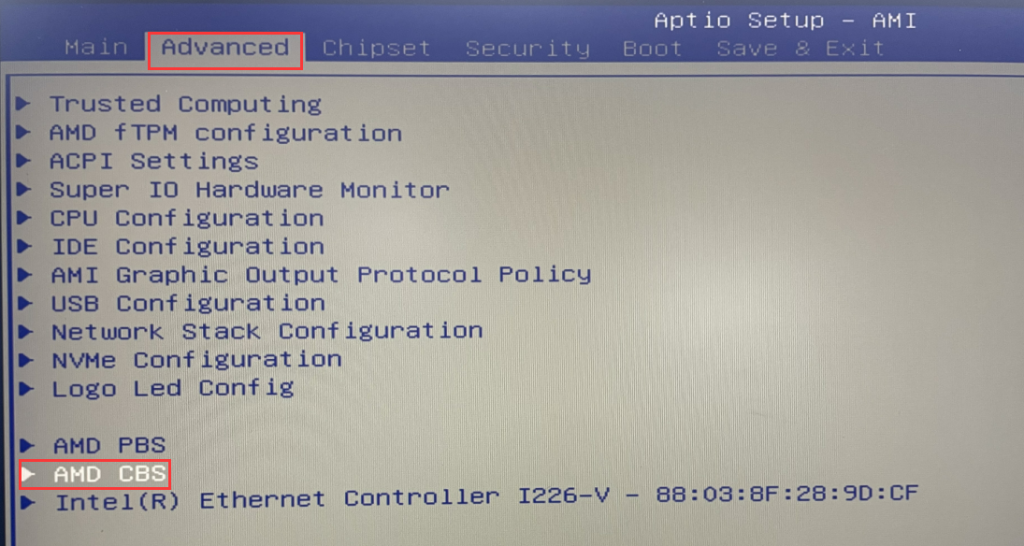
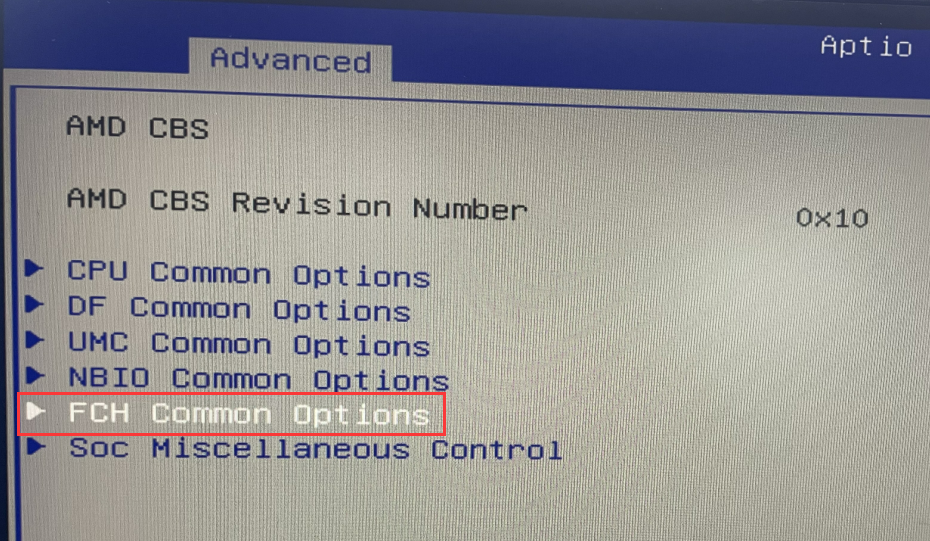
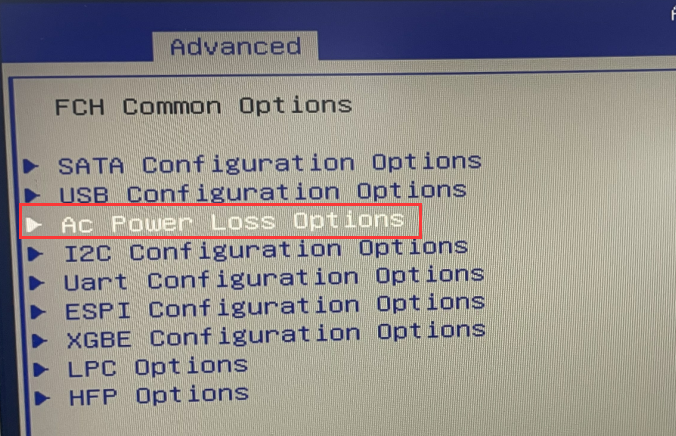
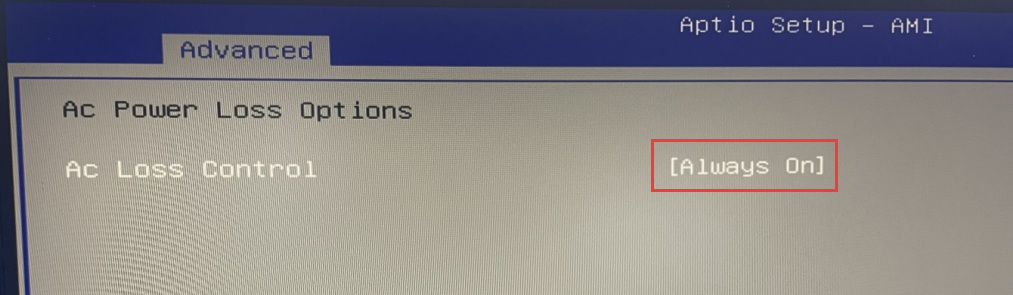
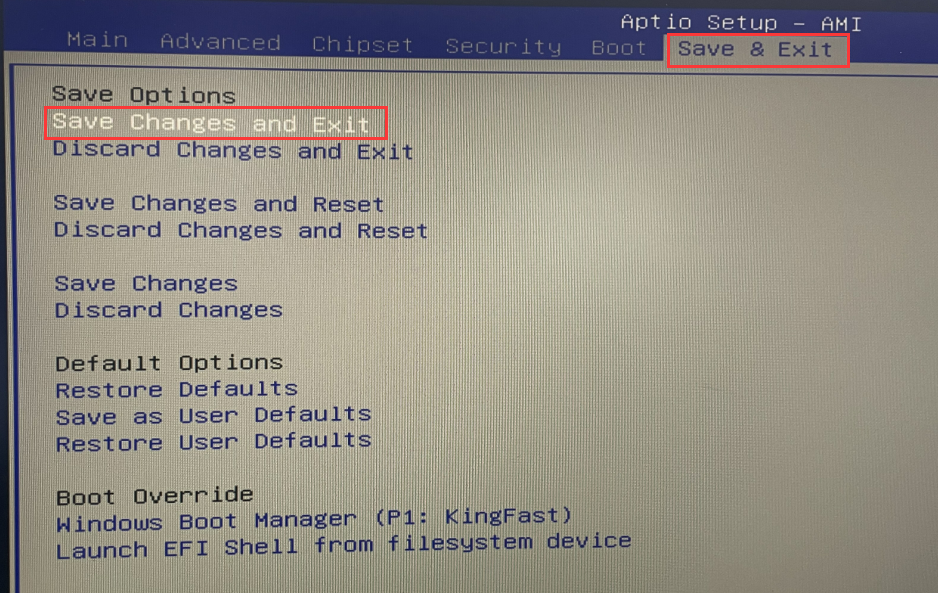
1. Press the PC power button and quickly tap the Delete/Del key on the keyboard to enter BIOS Setup, select Advanced>AMD CBS>FCH Common Options>AC Power Loss Options>set AC Loss Control to Always on, and press F10 on the keyboard after the setting is successful. key to save and exit or select Save & Exit>Save Changes and Exit.
<H6>How to set Auto Power On+External switch button extension
M2-How to set Auto Power On+Common Function Configuration
Related Article
