
Pre-install Windows 11 22H2 and skip the network setup steps on the OOBE page.
author: VENOEN
2023-11-23
Overview:
Mini computers manufactured in 2022 come pre-installed with the latest version of Windows 11 22H2. For new computers pre-installed with Windows 11, internet connection and Microsoft account login are required during the first normal setup wizard or after system reinstallation, in order to successfully enter the desktop. Systems prior to Windows 11 22H2 can skip internet connection. Starting from version 22H2, skipping internet connection is no longer possible. Today, we will introduce the method for skipping internet connection and logging in to Microsoft account for Windows 11 22H2 systems.
Mini computers manufactured in 2022 come pre-installed with the latest version of Windows 11 22H2. For new computers pre-installed with Windows 11, internet connection and Microsoft account login are required during the first normal setup wizard or after system reinstallation, in order to successfully enter the desktop. Systems prior to Windows 11 22H2 can skip internet connection. Starting from version 22H2, skipping internet connection is no longer possible. Today, we will introduce the method for skipping internet connection and logging in to Microsoft account for Windows 11 22H2 systems.
Solution steps:
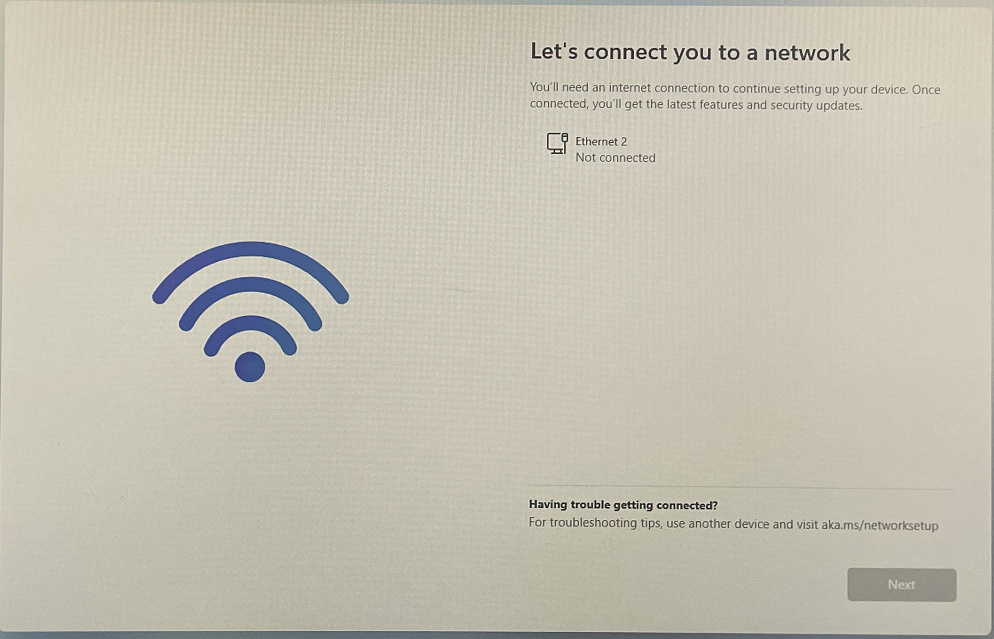
1. The latest Windows 11 22H2 version of the new computer's startup wizard cannot skip internet connection. First, do not connect to the network (do not plug in the network cable or connect to a wireless network). When the interface in Figure 1-1 appears, press the keyboard Shift + F10 key to open the command line program (for keyboards with Fn key, please press Fn + Shift + F10).
1. The latest Windows 11 22H2 version of the new computer's startup wizard cannot skip internet connection. First, do not connect to the network (do not plug in the network cable or connect to a wireless network). When the interface in Figure 1-1 appears, press the keyboard Shift + F10 key to open the command line program (for keyboards with Fn key, please press Fn + Shift + F10).
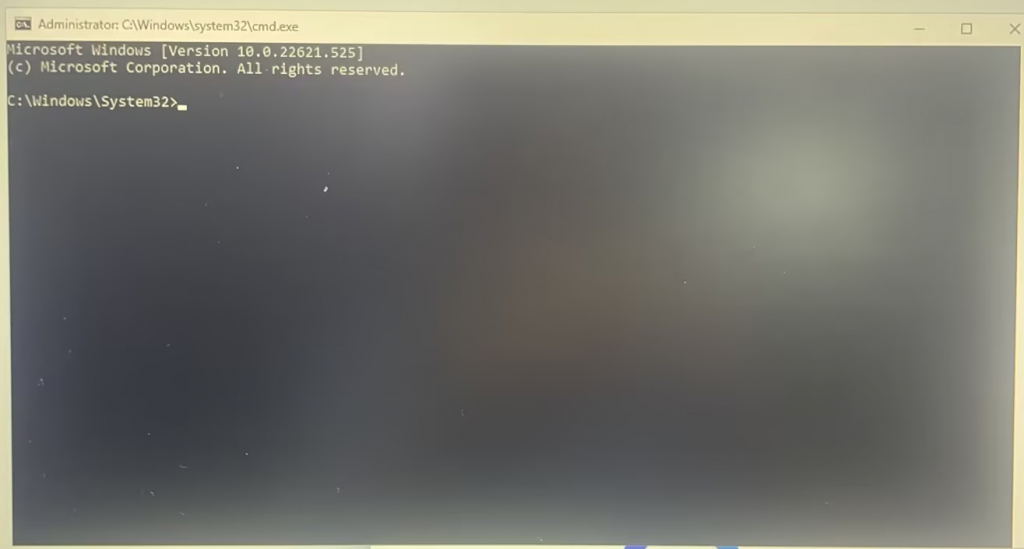
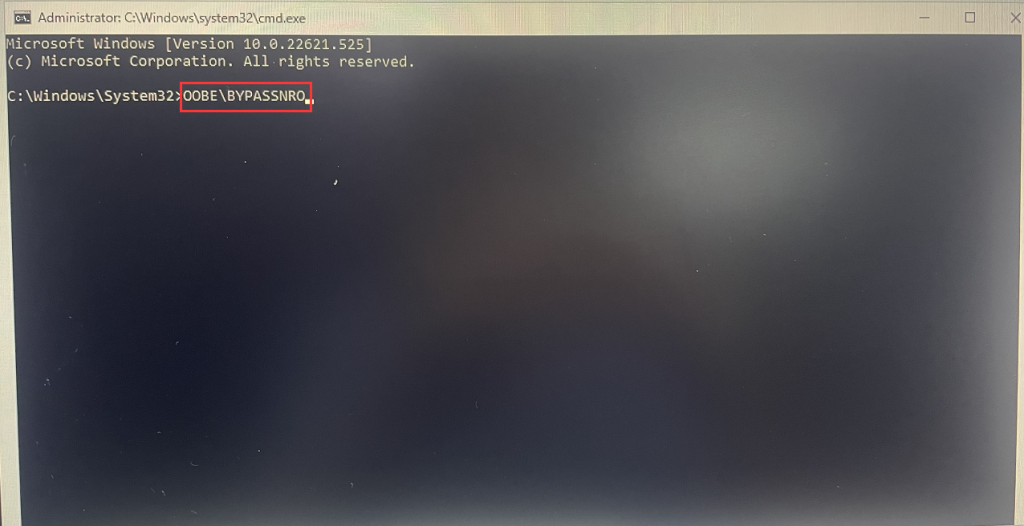
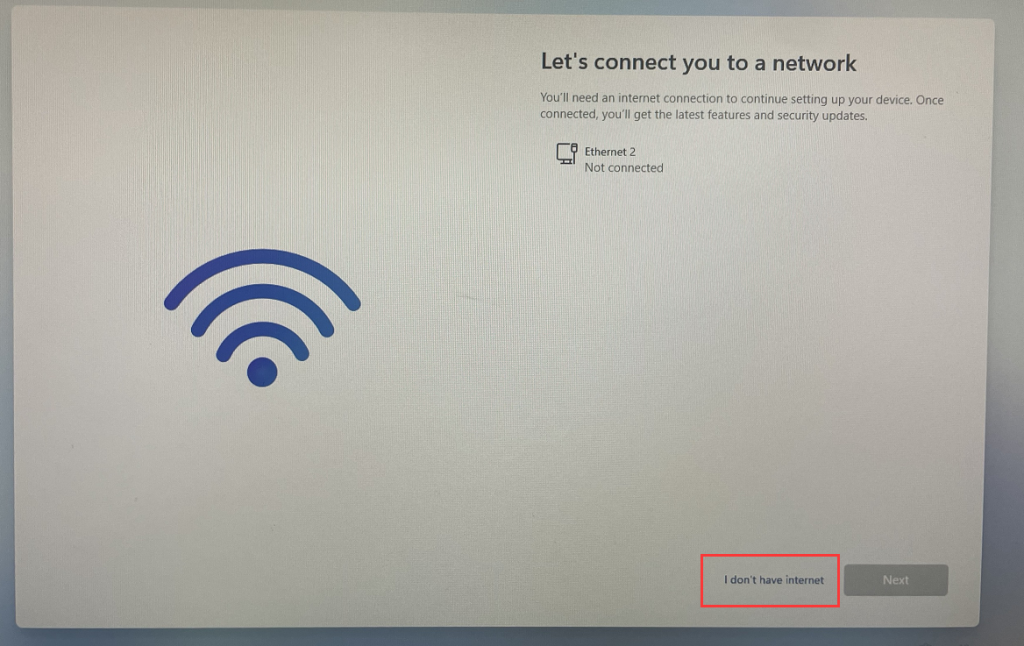
2. In the command prompt, type "OOBE\BYPASSNRO" and press Enter. The computer will automatically reboot and upon restart, an option will appear saying "I don't have internet." Click on this option to bypass network connection and access the desktop.
How to use CloneZilla to encapsulate the system and restore?
Create a New Partition on a Windows 7 Hard Disk
