
Prompt Reboot and Select proper boot device troubleshooting steps
author: VENOEN
2025-08-20
- Description of the fault: When the computer displays the prompt "Reboot and Select proper Boot device" and cannot enter the operating system, what should be done? It can usually be solved by following the tutorials one by one. The fault phenomenon is shown in the figure below:

- 1-1. Press Ctrl+Alt+Del keys on the keyboard to restart. After restarting, quickly tap the Del key on the keyboard to enter BIOS Setup, and select Boot>Hard Drive BBS priorities>Boot Option #1 to set the system hard disk as the first boot item. (P0: GIM512 in this tutorial is the system disk) After successful setting, press F10 to save and exit, and test whether you can enter the operating system normally. (Note: This step is applicable to operating systems installed in Legacy+MBR mode)
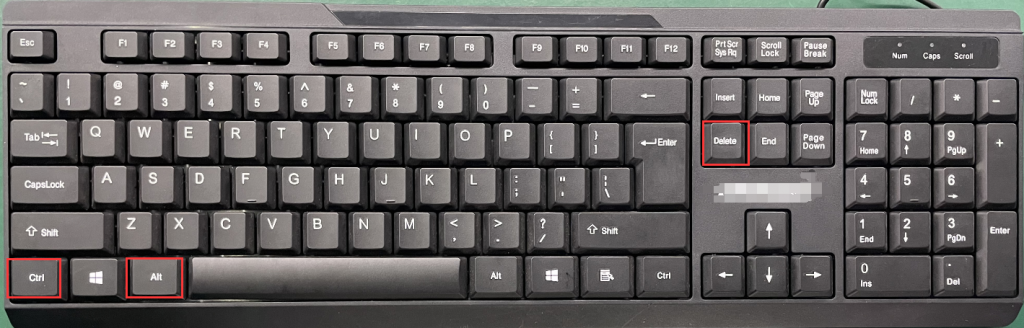
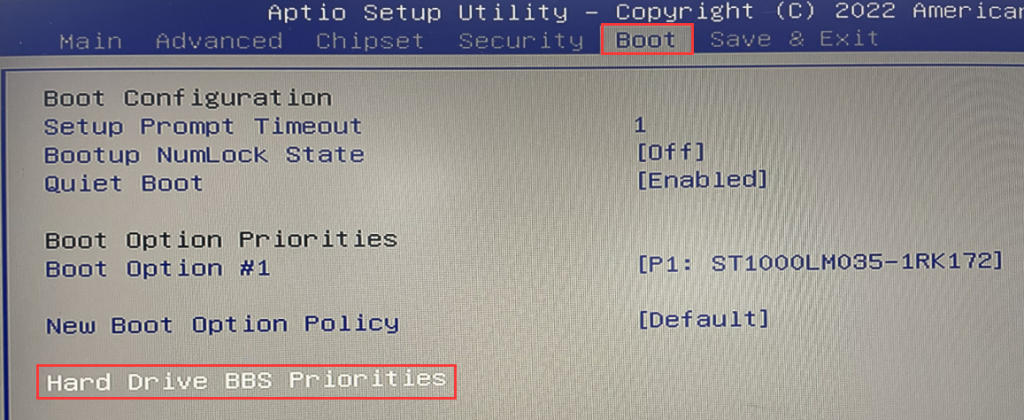
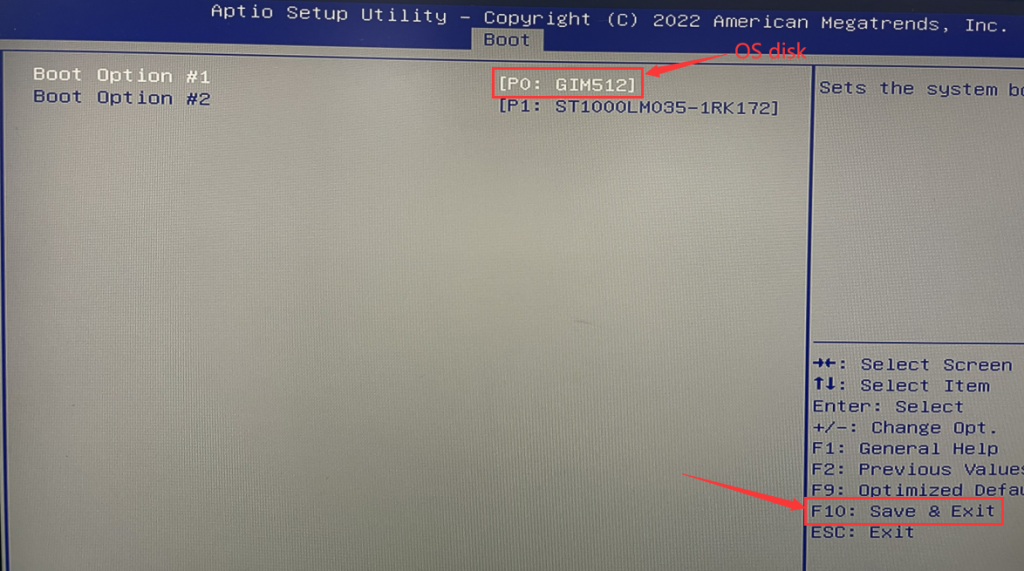
- 2-1. Press Ctrl+Alt+Del keys on the keyboard to restart. After restarting, quickly tap the Del key on the keyboard to enter BIOS Setup. Select Boot>Boot Option #1 and select the SSD prefixed by Windows Boot Manager as the first boot item. The setting is successful. Then press F10 to save and exit. (Note: This step is applicable to operating systems installed in UEIF+GPT mode)
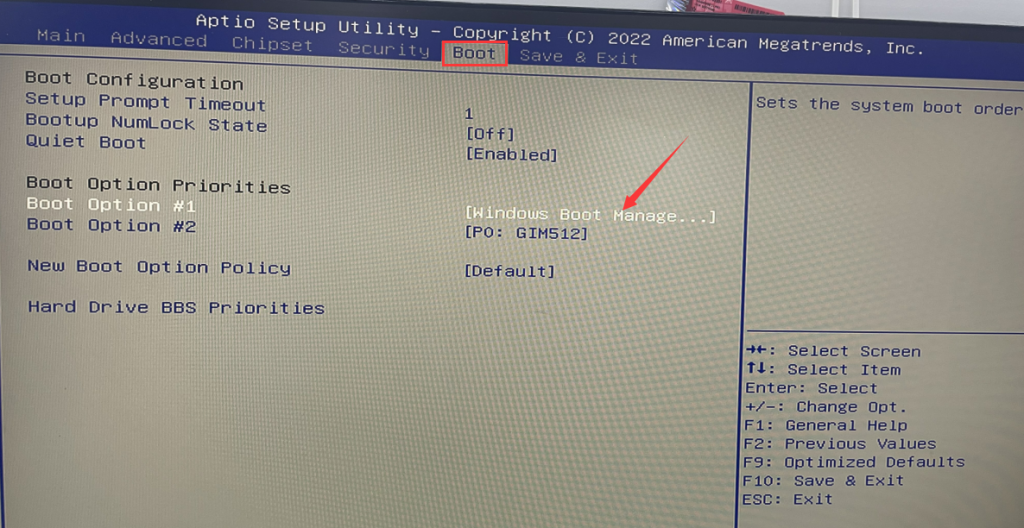
- 2-2. If you can enter the operating system normally, it is considered to be solved. To avoid similar problems later, you can enter the Bios again and select Advanced>CSM Configuration>Set the Boot option filter to UEFI only. After the setting is successful, press F10 to save and exit. .
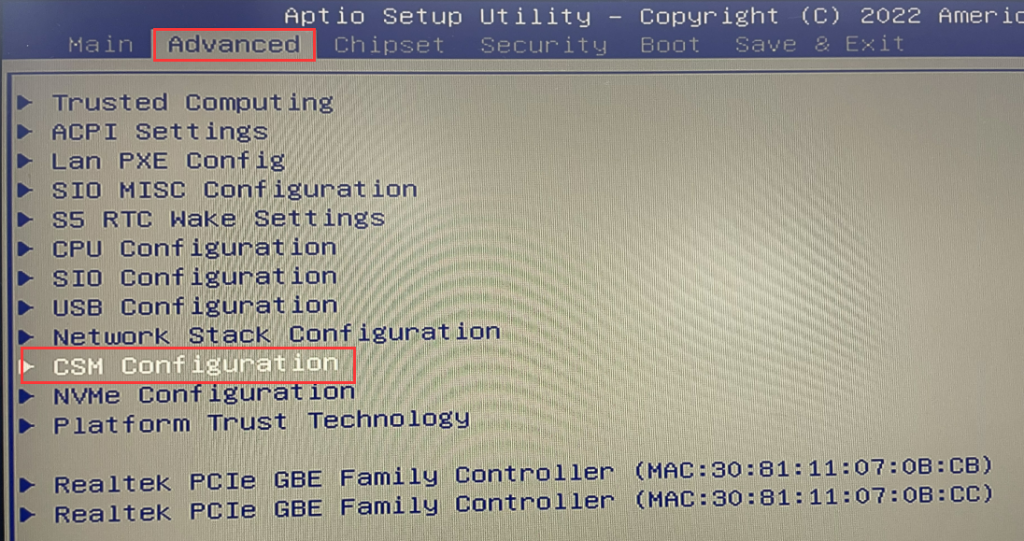
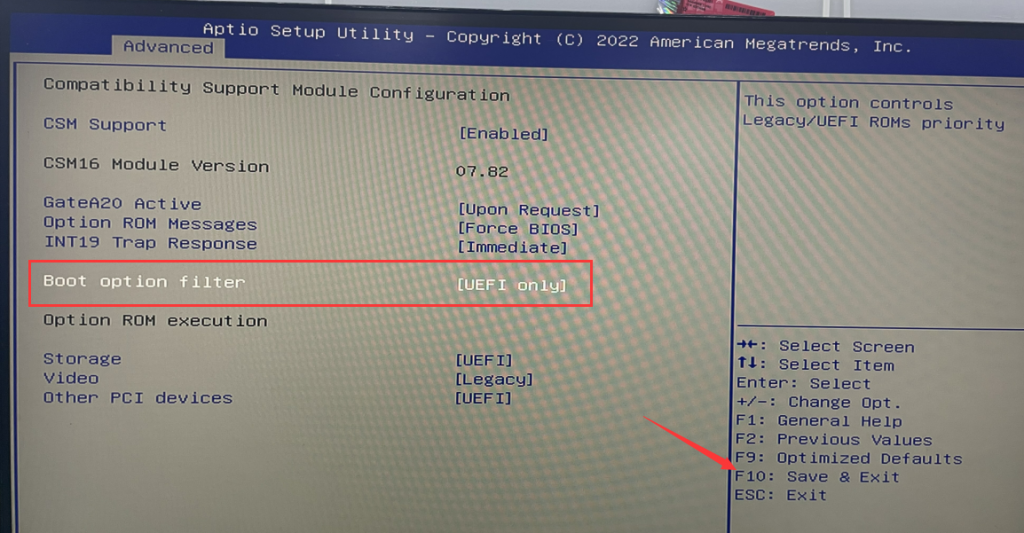
- 3-1. If the fault persists after following the above steps, please enter the Boot>Boot Option #1 page in the BIOS to confirm whether the recognized SSD name is "SATAFIRM S11". If "SATAFIRM S11" is recognized, it means that it is The SSD enters write-protected mode. When entering this mode, we need to update the SSD firmware and reinstall the operating system to solve the problem. (Note: The SSD data has been cleared after entering the write-protected state, and the data cannot be recovered!)
Install XP system and set SATA mode to IDE
How to use the MemTest86 tool to check if RAM is functioning properly?
