
Solution to Frequent Reset of Motherboard BIOS
Solution for frequent BIOS reset on motherboard:
Problem description:
Some older computers often encounter BIOS reset issues where all the original settings in BIOS are lost.
Solution: (can be checked step by step according to the following)
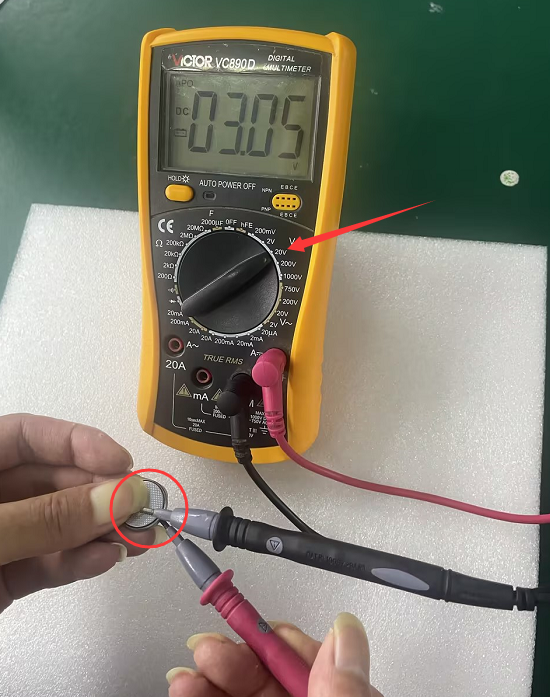
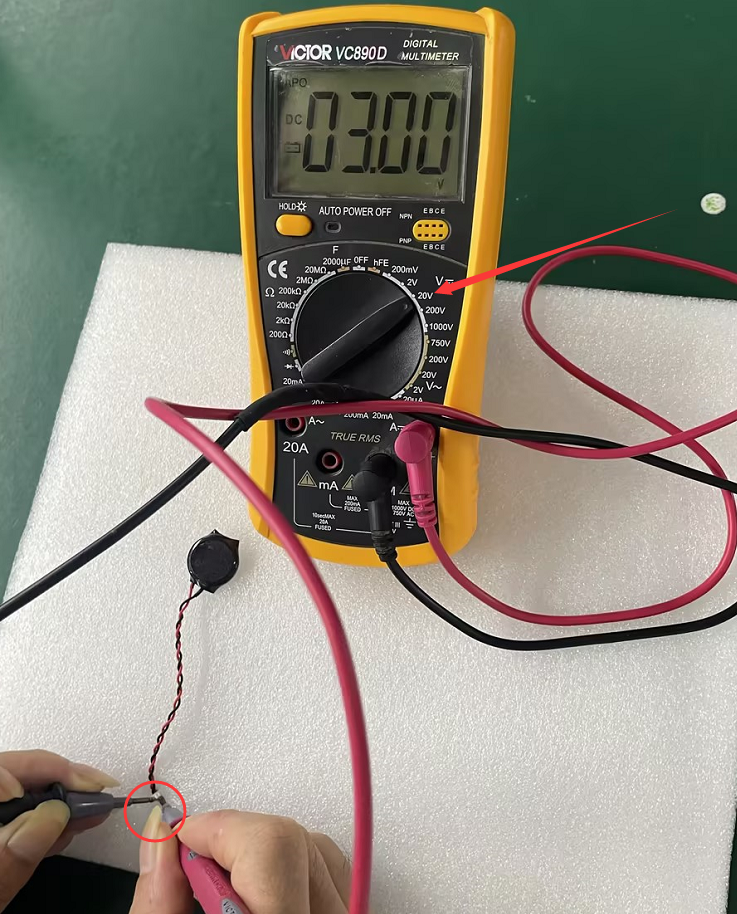
1. It may be caused by insufficient power in the CMOS battery on the motherboard. If conditions permit, use a "multimeter" to measure whether the CMOS battery voltage is >3V. If the voltage is >3V, it means the battery is normal. If the voltage is <3V, the battery needs to be replaced to solve the problem. If you don't have a "multimeter," you can power off the computer and confirm the type of CMOS battery on the motherboard. After confirming whether the CMOS battery on the motherboard is with or without a connection line, purchase a matching CMOS battery for replacement and then test it.
Note: For batteries with connection lines, be sure to confirm that the positive and negative terminals of the connection line are matched with the original CMOS battery. Poor matching can also cause the failure to save CMOS parameters.
- 2. Check Jumper
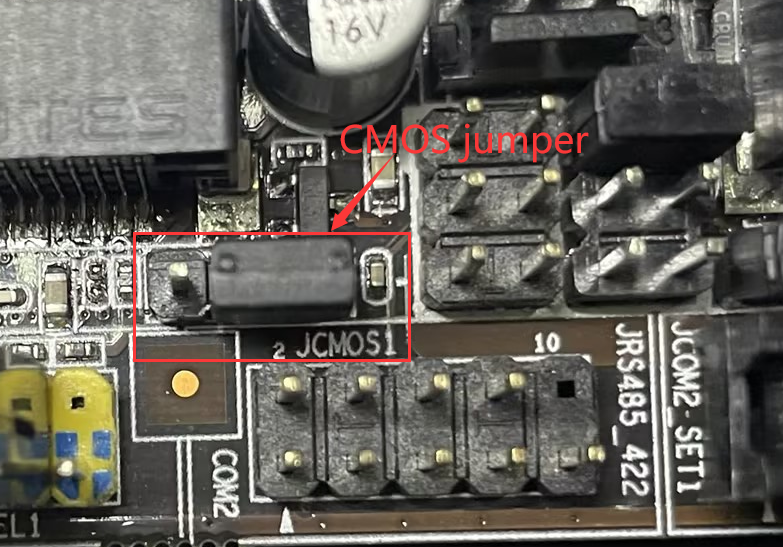
Some motherboard models are designed with a jumper that clears the CMOS content. If this jumper is misplaced or the jumper cap is removed, the BIOS cannot save the settings, and the system will reset every time it is turned on. For specific instructions, please consult your hardware supplier.
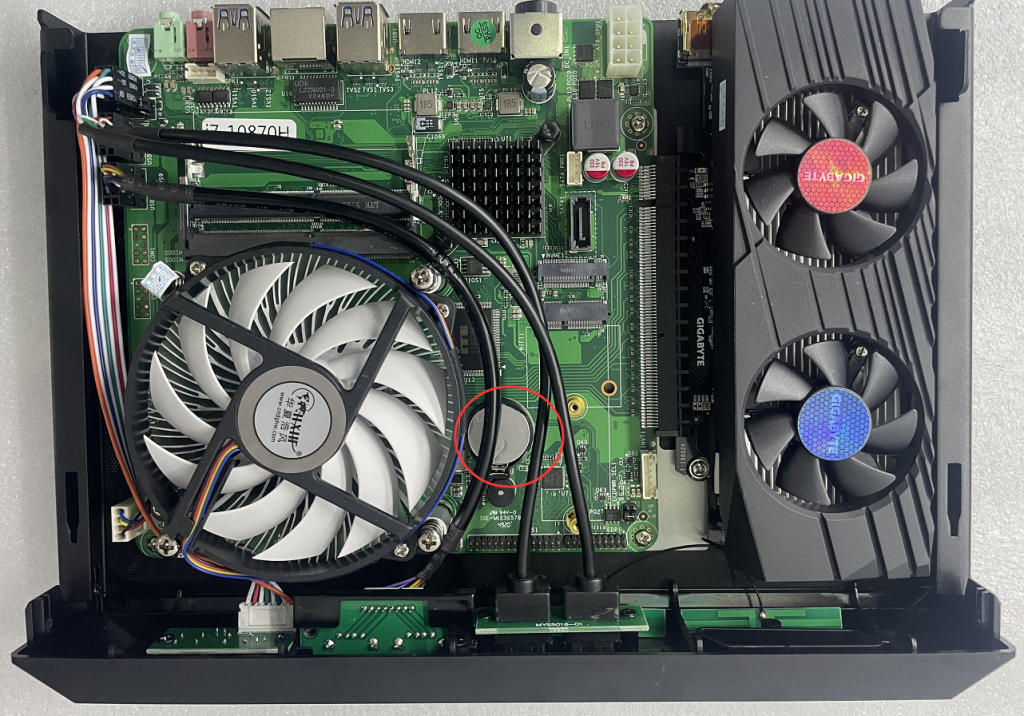
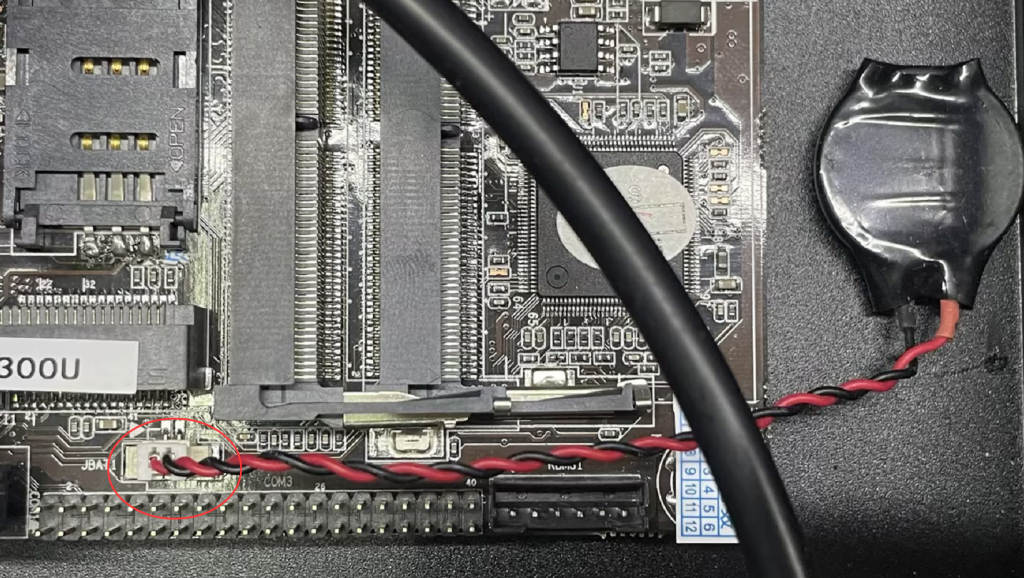
- 3. Check the spring contacts of the CMOS battery socket or the CMOS battery connection terminals. Even if a new battery has been installed, it is possible that the battery socket is faulty, preventing the battery from supplying power to the motherboard at all. It is important to carefully inspect the battery socket on the motherboard, especially the spring contacts located at the bottom. Ensure that the spring contacts are elastic and make good contact with the battery. For CMOS batteries with connecting wires, check to see if the CMOS battery connection wire on the motherboard is correctly inserted into the motherboard's CMOS battery pins.
- 4. Electrostatic interference
Is it possible that a large amount of static electricity has accumulated on the motherboard, causing interference to the motherboard's circuits? We can find a grounding wire and fix it on the outside of the chassis to ground it and release the static electricity.
5. Check if the motherboard is leaking electricity
The startup and daily use of the motherboard are all normal, so we temporarily do not consider the possibility of a motherboard malfunction. After using the motherboard for many years, could there be a situation where some components are leaking electricity? Therefore, we suggest removing the motherboard and placing some insulation rubber pads on the screw installation holes underneath. This problem is solved, and the BIOS can finally save the information.
If the above steps have been taken and the problem cannot be solved, it may be that the South Bridge, EC, BIOS chip, or CPU on the motherboard have been damaged. In this case, you can find a repairman to use a hot air gun for heating treatment or contact your hardware supplier to send it back to the factory for testing and repair.
General solution for automatic repair of startup prompts after Win10/Win11 system update
How to use CloneZilla to encapsulate the system and restore?
