
Solution to the problem of taskbar disappearing and desktop stuck after Windows 11 update
author: VENOEN
2025-07-24
Windows11 update after the taskbar disappeared, desktop stuck solution
Solution:
1. Press Ctrl+Shift+Esc to start the task Manager.
2. Choose Run new task > Enter CMD and click OK to go to the command prompt.
2. Choose Run new task > Enter CMD and click OK to go to the command prompt.


- 3. On the CMD interface, enter the following command:
- reg delete HKCU\SOFTWARE\Microsoft\Windows\CurrentVersion\IrisService

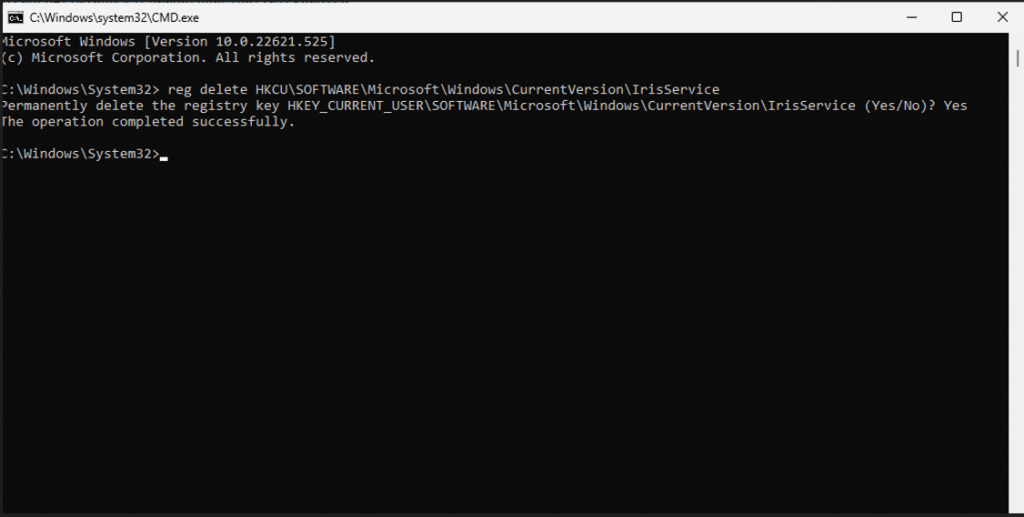
- 4. Enter Yes and tap Entel.
5. Restart the computer and check whether the fault disappears.

Steps to turn off the sleep function in Windows 10/11 system
What should I do when the Blue Screen of Death occurs in Windows 11? Error code WHEA_UNCORRECTABLE_ERROR
