
XP system repeatedly restarts automatically and cannot enter the system desktop solutionF
author: VENOEN
2025-08-21
- Fault phenomenon:
After rebooting repeatedly, I still cannot enter the system desktop after selecting "Start Windows Normally";
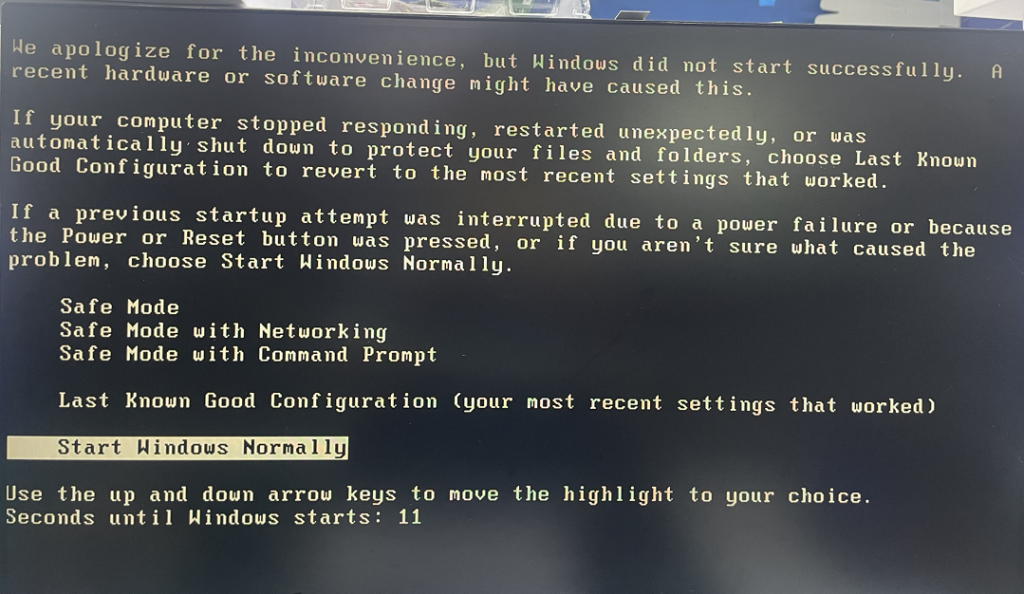
- Solution:
1. Press the Ctrl+Alt+Delete key combination on the keyboard to restart the computer, and quickly tap the Delete key to enter the BIOS;
2. Select Advanced>SATA Configuration>Configure SATA Mode Selection to IDE mode;
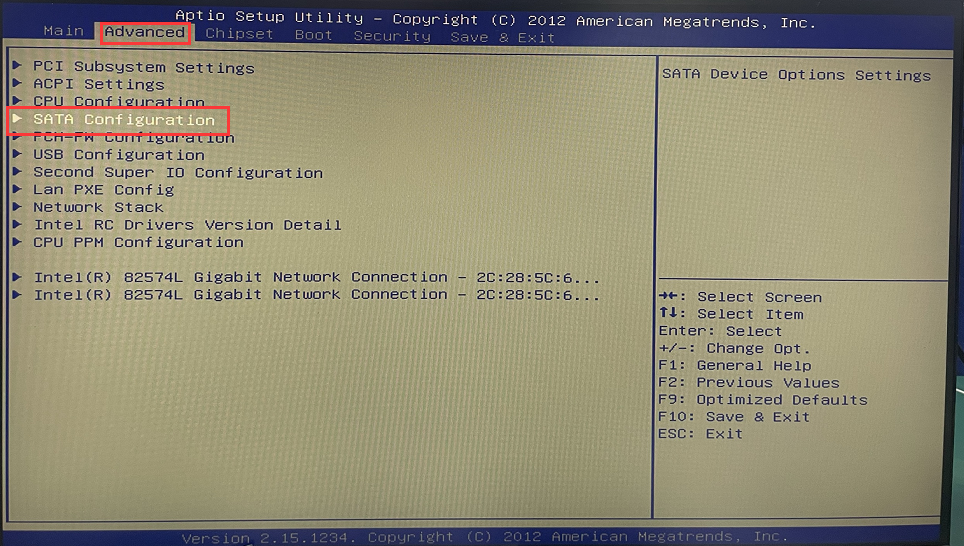
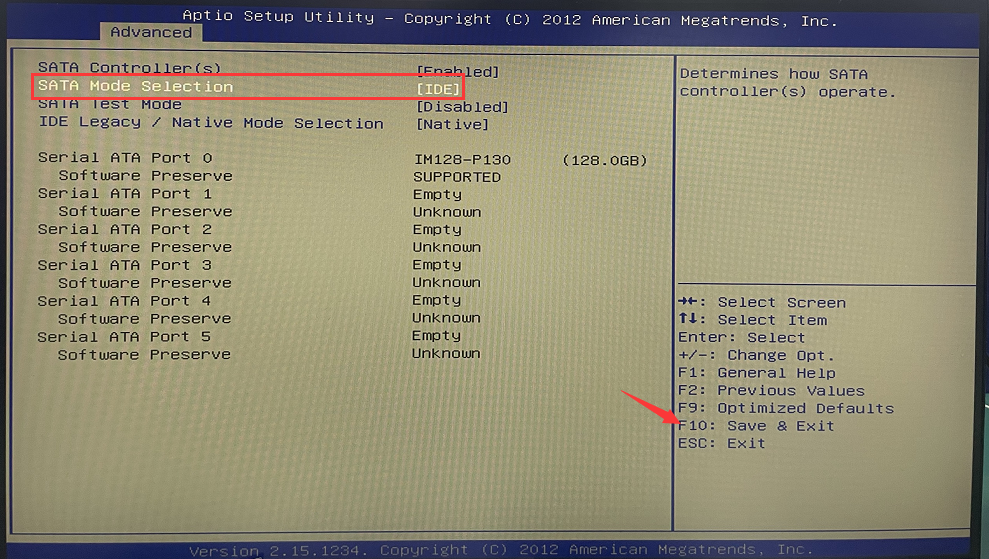
3. After the configuration is completed, press F10 to save and exit. Under normal circumstances, you can successfully enter the Windows desktop after the configuration is completed;
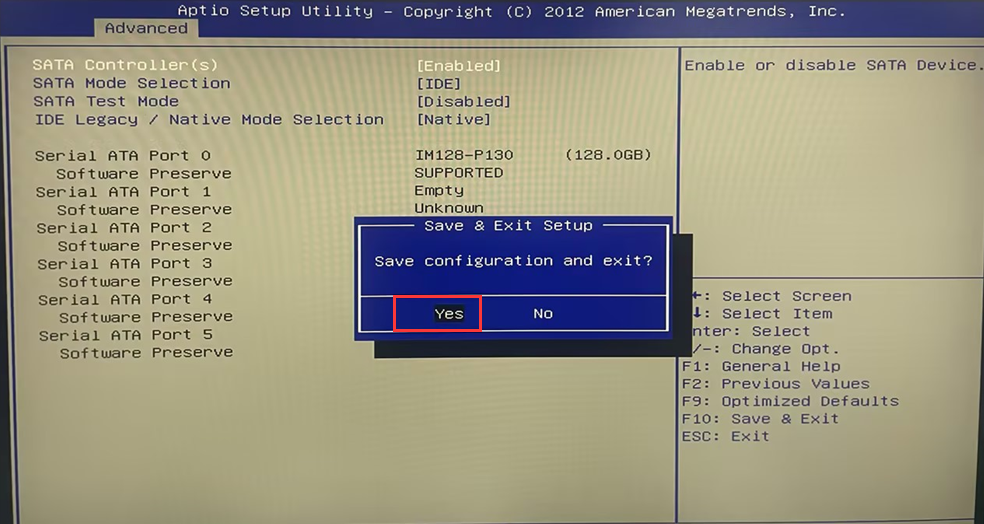
- PS: If you still cannot enter the system after following the above steps, the operating system may be damaged. Try reinstalling the system to troubleshoot.
J1900 series model, stuck on Windows welcome page, unable to access system desktop solution
Solution to network failure after Windows update July patch (KB5028185)
